Effective school communication hinges on understanding your students, but crafting the right questions can be a significant hurdle. Generic surveys often miss the mark, failing to capture the nuanced feedback needed to improve student life, academic programs, or campus culture. This resource is designed to solve that problem. We've compiled a comprehensive list of the best platforms offering high-quality, ready-to-use student survey templates to save you time and deliver more meaningful data.
Instead of just listing names, we provide a practical deep dive into each resource. You'll find direct links, clear screenshots, and specific use-case scenarios tailored for K-12 environments. We'll explore templates from established platforms like SurveyMonkey and Google Forms alongside specialized tools such as The Intentional IEP and Qualtrics. This guide moves beyond basic data collection; it’s about equipping you with the right tools for effective inquiry. To truly unlock insights from your results, it's also essential to understand broader audience research methods that inform how you interpret student feedback.
Our goal is straightforward: to help you quickly identify the ideal platform and template for your specific needs, whether you're assessing student well-being, gathering post-event feedback, or evaluating new curriculum. Let's get started.
1. SurveyMonkey: The All-Rounder for School Districts
SurveyMonkey stands as a giant in the survey world for good reason. Its platform is remarkably intuitive, making it an excellent starting point for school communicators who need reliable data without a steep learning curve. While it serves a broad audience, it offers a dedicated collection of education-focused student survey templates that are genuinely useful for K-12 settings. These templates cover everything from student satisfaction and course feedback to school climate assessments.
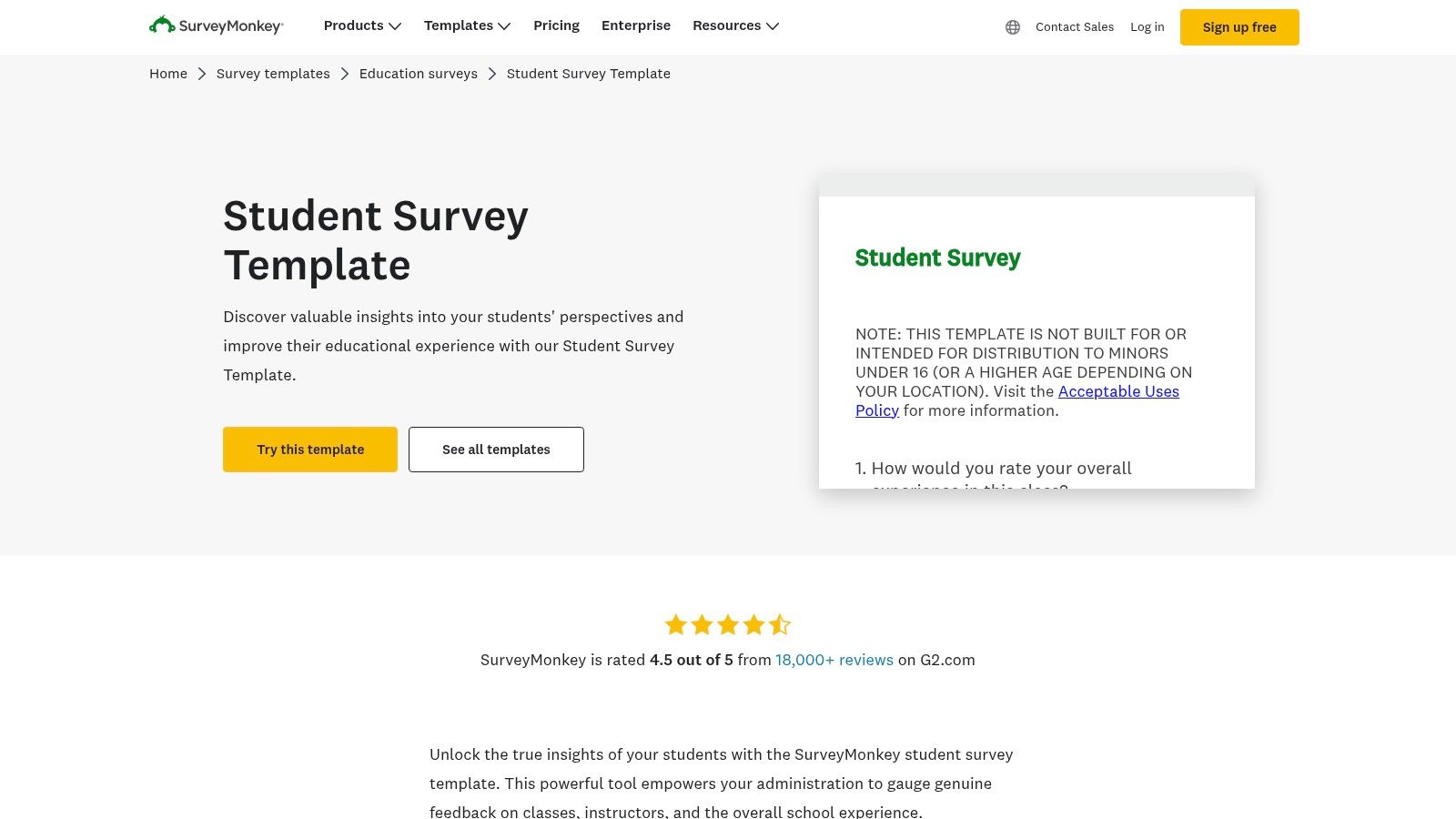
The platform’s real-time analytics dashboard is a key differentiator, allowing you to monitor responses as they come in and quickly generate reports for administrative meetings. This feature is invaluable when you need to present timely findings to stakeholders.
Practical Use & Key Features
For district-wide initiatives, SurveyMonkey's integration capabilities are a major asset. It connects with over 100 applications, including common tools like Mailchimp and Microsoft Teams, streamlining the distribution and data management process.
| Feature Analysis | Implementation Notes |
|---|---|
| Extensive Template Library | Start with their "Student Satisfaction Survey Template" but customize it by adding district-specific questions. |
| Real-Time Reporting | Use the live dashboard to share preliminary results with principals or department heads before the survey closes. |
| Robust Data Security | Its compliance with privacy regulations like GDPR provides peace of mind when handling sensitive student data. |
Pricing: A basic free plan is available, but it has significant limitations on the number of questions and responses. For serious district use, paid plans (starting with their Team Advantage plan) are necessary to unlock advanced logic, unlimited questions, and full reporting features.
Website: SurveyMonkey Student Survey Templates
2. Zonka Feedback: Multi-Channel Feedback Collection
Zonka Feedback specializes in capturing feedback across various touchpoints, making it an excellent tool for schools aiming to reach students wherever they are. While not exclusively for education, its Student Satisfaction Survey Template is a solid foundation for assessing academic programs, campus facilities, and instructor effectiveness. The platform's strength lies in its multi-channel distribution, allowing surveys to be sent via email, SMS, or even deployed on tablets in common areas like libraries or cafeterias.
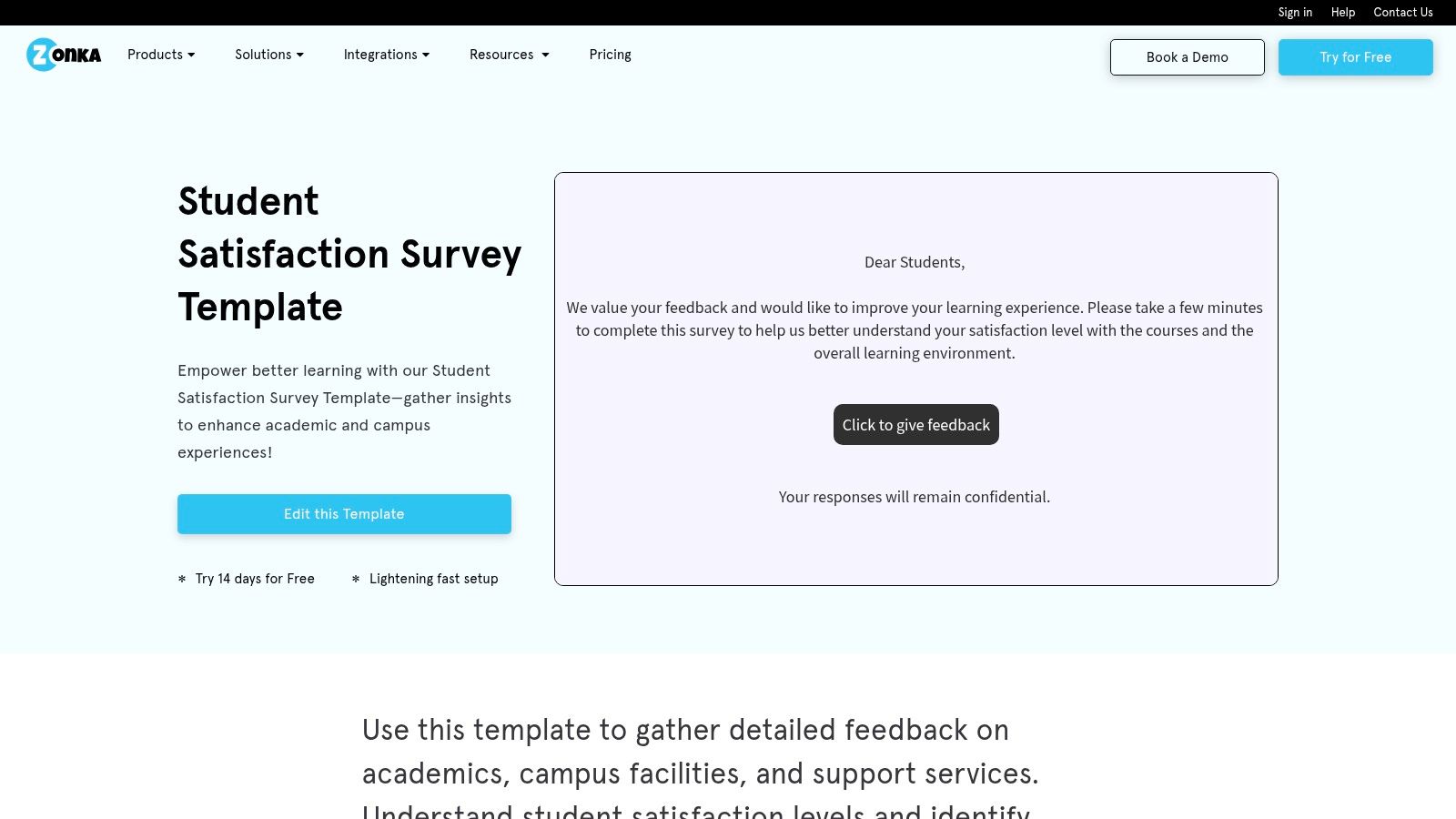
The ability to collect feedback offline is a significant advantage for schools with inconsistent Wi-Fi coverage or for events like parent-teacher conferences. This ensures that every student has an opportunity to provide their input, regardless of connectivity.
Practical Use & Key Features
For a more comprehensive engagement strategy, Zonka Feedback’s multi-channel approach is key. You can embed a survey on the school website for general feedback while sending targeted email surveys for specific course evaluations.
| Feature Analysis | Implementation Notes |
|---|---|
| Multi-Channel Distribution | Use the SMS survey option for quick polls or reminders to complete a longer survey, increasing response rates. |
| Offline Survey Mode | Deploy tablets with the survey pre-loaded during school events or in the cafeteria to capture in-the-moment feedback. |
| Customizable Branding | Add your school’s logo and colors to the student survey templates to create a professional, trustworthy appearance. |
Pricing: Zonka Feedback offers a free plan with basic features. For access to advanced logic, unlimited questions, and offline capabilities, paid plans are required. The pricing structure is tiered based on features and response volume, so schools should evaluate their specific needs.
Website: Zonka Feedback Student Satisfaction Survey Template
3. Jotform: The Customization Champion
Jotform excels by combining an extensive library of student survey templates with a powerful, user-friendly drag-and-drop builder. This makes it a perfect choice for school communicators who need to create highly specific, visually appealing surveys without writing a single line of code. Its mobile-first design ensures that surveys look great and function perfectly on any device, which is crucial for reaching a student audience.
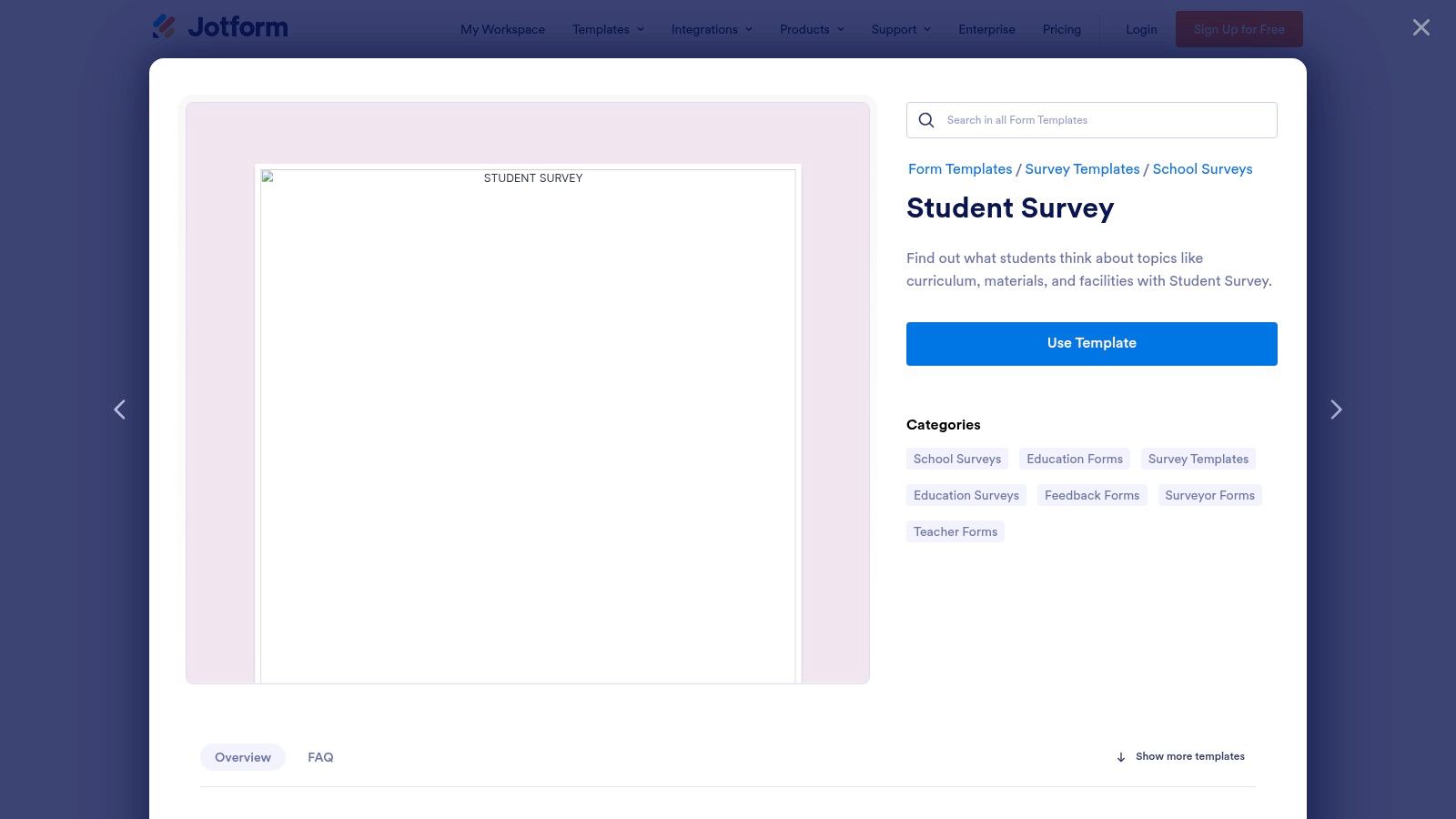
The platform’s strength lies in its flexibility. You can start with a pre-made template like "Course Evaluation" or "Student Satisfaction" and then fully customize every element, from fonts and colors to adding conditional logic that shows or hides questions based on previous answers. This level of control allows you to tailor your survey to the precise needs of a project, a skill similar to what's needed when you conduct market research.
Practical Use & Key Features
Jotform’s vast integration ecosystem is a significant advantage. Connecting forms to Google Sheets, Dropbox, or your CRM automates the data collection workflow, saving valuable administrative time.
| Feature Analysis | Implementation Notes |
|---|---|
| Drag-and-Drop Builder | Start with a blank canvas to build a unique survey for a specific school event or club, adding your school's branding elements. |
| High Customization | Use conditional logic to create dynamic surveys; for example, asking different follow-up questions to students in different grade levels. |
| Extensive Integrations | Automatically populate a Google Sheet with responses in real-time to create a live dashboard for tracking feedback. |
Pricing: Jotform offers a generous free plan that includes most features but has limits on form submissions (100/month) and storage. Paid plans offer higher limits and HIPAA compliance features, making them a better fit for larger districts.
Website: Jotform Student Survey Templates
4. Qualtrics: The Research-Grade Tool for In-Depth Insights
Qualtrics is the platform of choice for institutions that require research-grade data and sophisticated analytics. It elevates the process beyond simple feedback collection, offering expert-designed student survey templates built on solid research principles. This makes it ideal for large districts or research initiatives where data integrity and statistical validity are paramount for making high-stakes decisions.
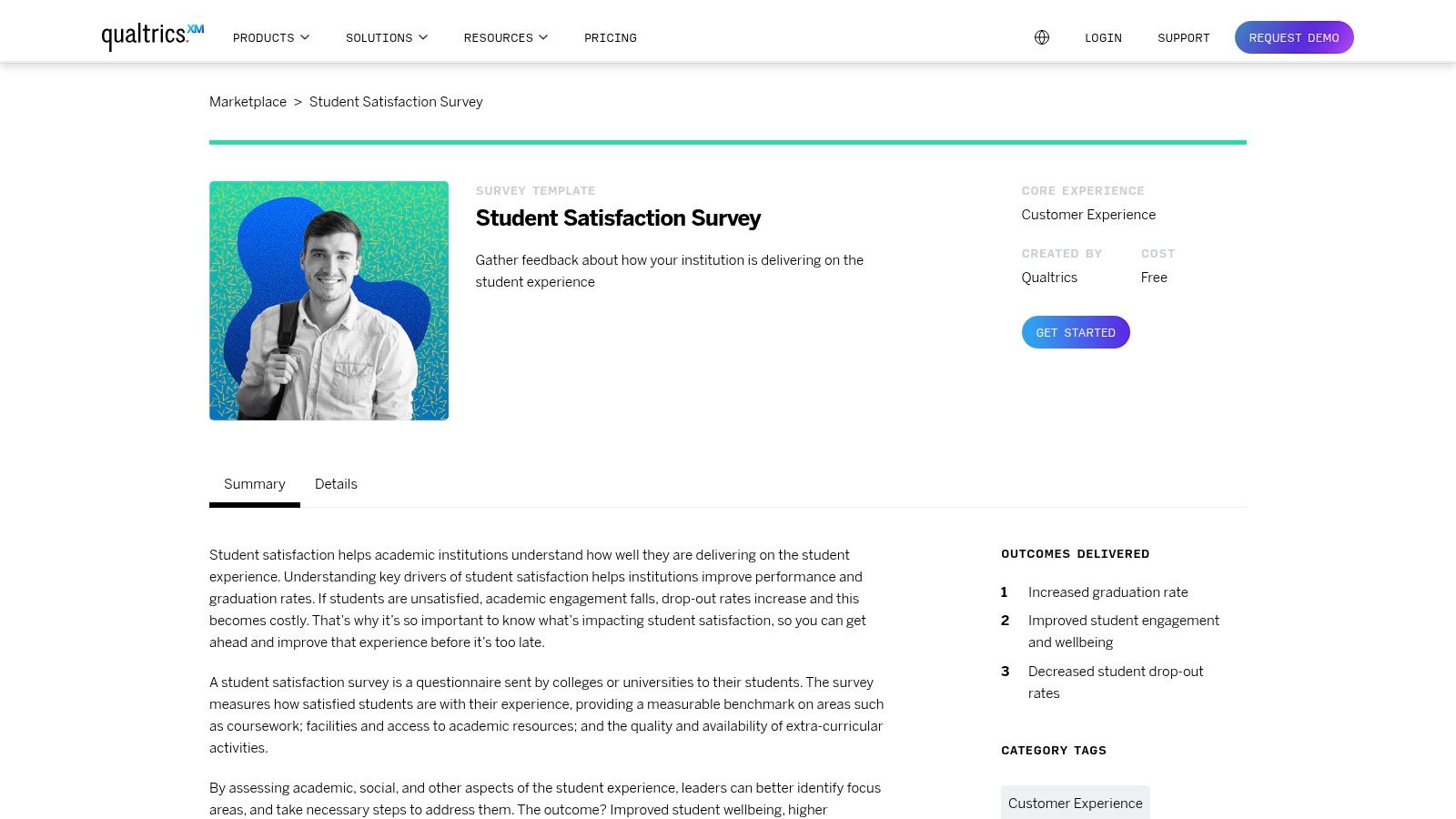
The platform’s strength lies in its powerful analytical engine and automated workflows. It can correlate student satisfaction data with other institutional metrics, providing a comprehensive picture of the student experience. For those serious about data-driven decision making, Qualtrics offers unparalleled depth.
Practical Use & Key Features
Qualtrics is best suited for large-scale, recurring assessments, such as annual climate surveys or post-graduation outcome tracking. Its ability to manage complex logic and distribute surveys via multiple channels (email, web, SMS) ensures you reach your entire student population effectively.
| Feature Analysis | Implementation Notes |
|---|---|
| Expert-Designed Templates | Use the "Student Satisfaction Survey" as a foundation for longitudinal studies to track trends over several years. |
| Automated Workflows | Set up triggers to automatically send follow-up communications or route specific feedback to relevant departments. |
| Comprehensive Analytics | Leverage the advanced statistical analysis tools to uncover deep insights that basic survey tools might miss. |
Pricing: Qualtrics is an enterprise-level solution and its pricing reflects that. It's generally higher than other platforms and geared toward large organizations or universities. Specific pricing is typically available through a custom quote.
Website: Qualtrics Student Satisfaction Survey
5. The Intentional IEP: Focused Forms for Special Education
For educators working with students who have Individualized Education Programs (IEPs), generic surveys often miss the mark. The Intentional IEP fills this critical gap by offering student survey templates specifically created for special education settings. These printable and editable forms are designed to gather meaningful input from students about their own learning needs, preferences, and challenges.
This platform stands out by directly linking student feedback to actionable classroom strategies. The included accommodation and modification checklists help translate survey responses into practical supports, making the process of tailoring instruction more student-centered and effective. For educators focusing on individualized learning, securing additional resources is key, and exploring top special education grants for teachers can provide crucial funding.
Practical Use & Key Features
These resources are ideal for case managers and special education teachers preparing for annual IEP meetings. Using these surveys beforehand ensures that student voice is a central part of the planning process, fostering self-advocacy and ownership. The digital download format allows for immediate access and use.
| Feature Analysis | Implementation Notes |
|---|---|
| Special Education Focus | Use the "Student Survey Form" to collect input on what helps or hinders a student's learning before an IEP review. |
| Editable Documents | Customize the forms in your preferred program (like Word or Google Docs) to add specific questions related to a student's goals. |
| Accommodation Lists | Cross-reference survey answers with the provided checklists to quickly identify and document necessary classroom accommodations. |
Pricing: This is a premium resource with a one-time purchase fee for the digital download. There are no free versions of these specific forms available.
Website: The Intentional IEP Student Survey Forms
6. involve.me: For Dynamic and Interactive Feedback
involve.me carves out its niche by transforming standard surveys into highly interactive experiences. If you're looking to combat survey fatigue and boost response rates, this platform's dynamic approach is a compelling option. Its student survey templates are designed to be more like a conversation than a questionnaire, using visual appeal and engaging elements to capture and maintain student attention from start to finish.
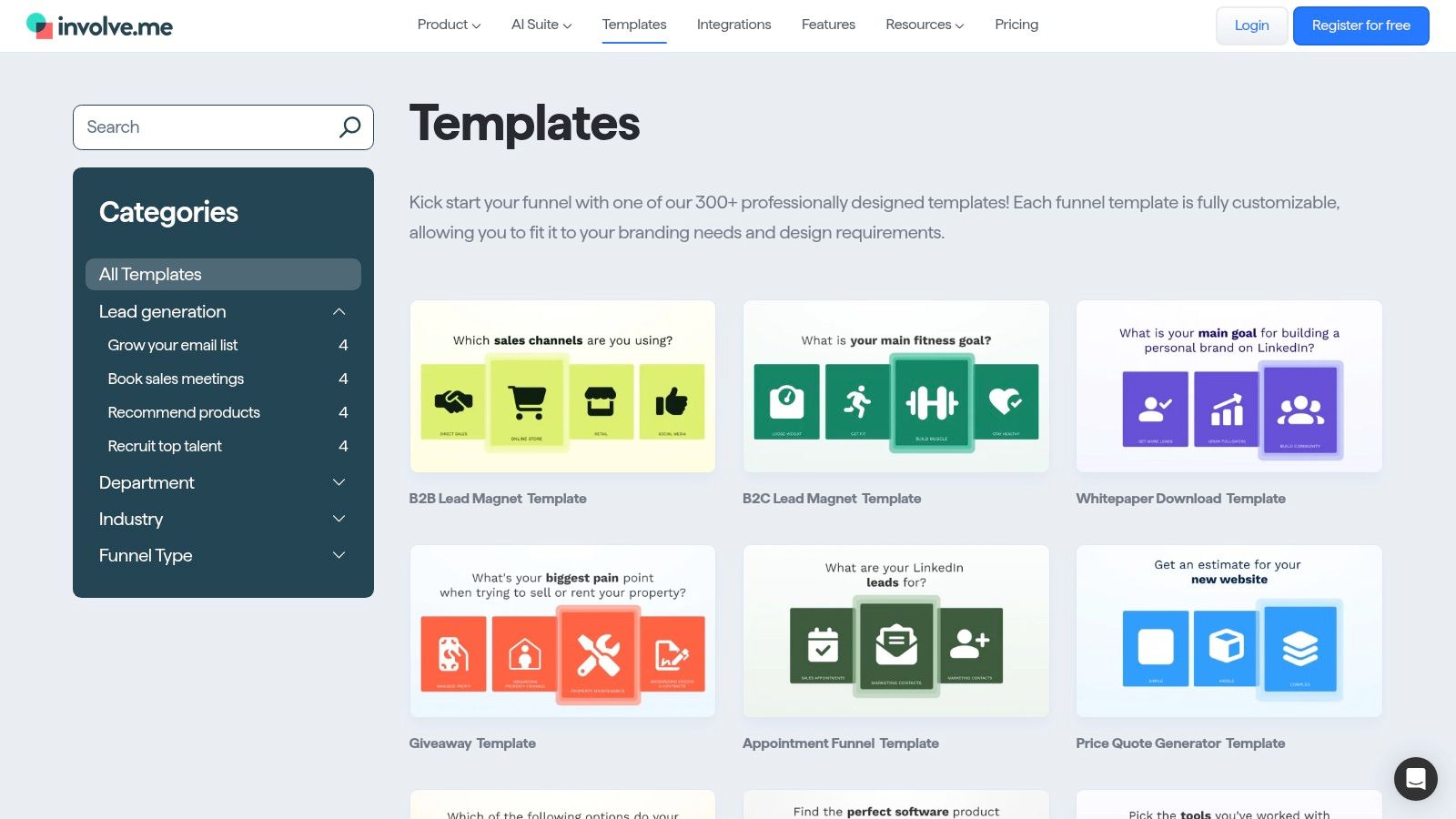
The platform’s strength lies in its customization and logic capabilities. This allows you to create personalized survey paths where a student's answer to one question determines the next one they see. This makes the feedback process feel more relevant and less robotic for the respondent.
Practical Use & Key Features
For a more nuanced understanding of student sentiment, involve.me’s features are ideal. For example, you can set up automated email follow-ups based on specific answers, allowing for immediate intervention or acknowledgment without manual effort. The design flexibility also means you can fully brand the surveys with your school's colors and logos.
| Feature Analysis | Implementation Notes |
|---|---|
| Logic Jumps & Answer Piping | Create a survey that asks different questions to middle school vs. high school students within the same link. |
| Automated Email Notifications | Set up a trigger to automatically thank students for their feedback or notify a counselor if a concerning response is submitted. |
| GDPR-Compliant Data Collection | Ensures personal data is handled securely, which is critical when creating surveys that ask for identifying information. |
Pricing: A limited free plan is available for small projects. To access the more advanced features like logic jumps and integrations, you will need one of their paid plans, which are tiered based on submissions and features.
Website: involve.me Student Feedback Survey
7. Delighted: Streamlined for Actionable Insights
Delighted brings a refreshingly clean and modern approach to feedback collection, making it an excellent choice for schools focused on a user-friendly experience. While not exclusively for education, its curated survey templates are designed for clarity and high response rates. The platform excels at turning raw data into beautiful, actionable summaries, which is perfect for busy administrators who need to grasp key takeaways quickly. It provides a straightforward path to creating and distributing effective student survey templates.
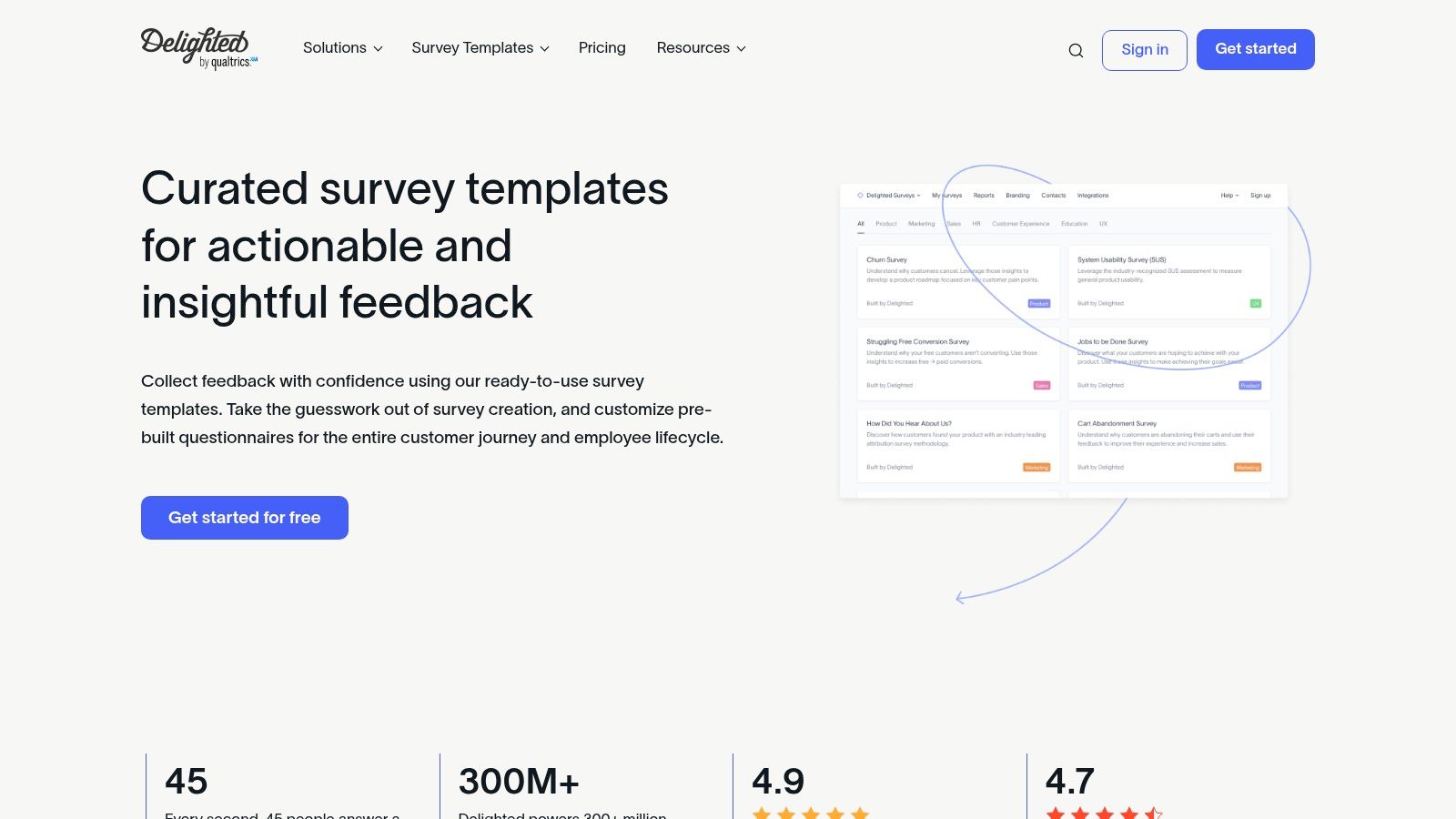
The platform’s emphasis on a seamless survey experience helps ensure that students complete the surveys they start. Its automatic summaries and reports are visually appealing and easy to share, facilitating better communication between departments and with school leadership.
Practical Use & Key Features
Delighted is ideal for schools that prioritize a simple, elegant survey process and need to collaborate effectively as a team. Its powerful integrations allow you to embed feedback mechanisms directly into existing communication channels, meeting students where they are.
| Feature Analysis | Implementation Notes |
|---|---|
| Beautiful Automatic Summaries | Use the auto-generated reports and dashboards to present findings at board meetings without needing extra design work. |
| Seamless Team Collaboration | Set up team-specific projects, allowing the communications team to manage school climate surveys while a department head runs course evaluations. |
| Intuitive Customization | Start with a pre-built template and easily add your school's logo and colors to maintain brand consistency across all communications. |
Pricing: A free plan is available but is quite limited. To access features like survey logic, advanced integrations, and unlimited projects, schools will need to invest in one of their paid plans, which are designed for teams that need more robust capabilities.
Website: Delighted Survey Templates
8. SurveyLegend: The Visual Engagement Specialist
SurveyLegend carves out its niche by focusing on creating visually stunning and highly engaging surveys. If you find student response rates are low due to survey fatigue, this platform’s beautiful, media-rich interface can be a game-changer. Its drag-and-drop builder makes creating aesthetically pleasing student survey templates feel less like a technical task and more like a creative one, which is perfect for encouraging participation from a visually-driven student body.
The platform excels in mobile-friendliness, ensuring surveys look and work perfectly on smartphones and tablets, where many students are most likely to access them. Its real-time analytics are also presented in a clean, graphical format, making it easy to quickly grasp key trends from the collected data.
Practical Use & Key Features
SurveyLegend is ideal for one-off, high-impact surveys like a post-event feedback form for a school fair or a visually engaging course evaluation. Its design-first approach helps capture attention immediately.
| Feature Analysis | Implementation Notes |
|---|---|
| Engaging Survey Designs | Use their picture-based question types to make surveys more interactive for younger students or for topics like cafeteria menu choices. |
| Real-Time Graphical Analytics | Share the live, visually appealing results page directly with student council or parent groups to showcase feedback in an accessible way. |
| Mobile-First Experience | Distribute surveys via QR codes posted around the school, knowing the experience will be seamless on any device. |
Pricing: A free plan is available but limits you to three surveys with restrictions on question types and responses. Paid plans unlock unlimited surveys, advanced logic, and comprehensive data export options, making them a necessity for any recurring or large-scale school communication efforts.
Website: SurveyLegend Academic Survey Templates
9. Typeform: The Engagement Specialist
Typeform redefines the survey experience by making it feel more like a conversation than a questionnaire. Its signature one-question-at-a-time interface is highly engaging and less intimidating for students, which often leads to higher completion rates. For school communicators aiming to get feedback from older students who are prone to survey fatigue, Typeform’s visually appealing and interactive format is a significant advantage.
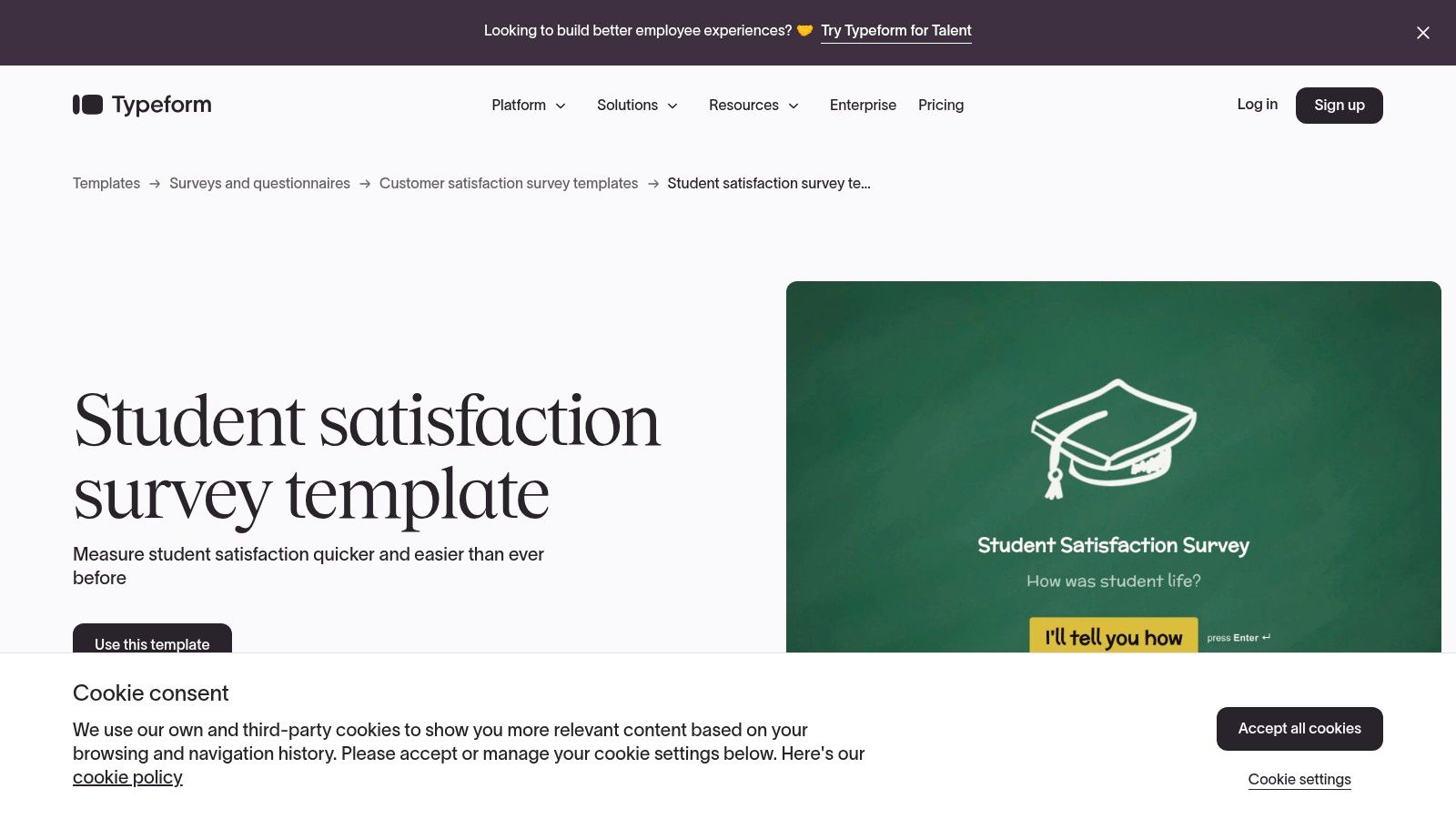
The platform shines when brand identity and user experience are top priorities. It offers deep customization options for design and branding, allowing you to create a survey that truly reflects your school's or district's personality. These high-quality student survey templates are perfect for gathering nuanced feedback on everything from school events to specific classroom technologies.
Practical Use & Key Features
Typeform’s strength lies in its ability to make data collection feel personal and interactive. Use its logic jumps to create dynamic paths where questions change based on a student’s previous answers, making the survey more relevant to each individual respondent.
| Feature Analysis | Implementation Notes |
|---|---|
| Conversational Interface | Ideal for longer, more in-depth surveys where maintaining student engagement is critical. |
| Advanced Customization | Customize fonts, colors, and background images to match your school’s branding for a professional touch. |
| Extensive Integrations | Connect to tools like Google Sheets or Slack to automatically funnel responses where your team can act on them. |
Pricing: A free plan is available but limits you to 10 questions per typeform and 10 responses per month. Paid plans unlock unlimited questions, more responses, logic jumps, and remove Typeform branding, making them a necessity for any serious school-wide initiative.
Website: Typeform Student Satisfaction Templates
10. SmartSurvey: The Customization Specialist
SmartSurvey provides a strong alternative for schools that need to maintain consistent branding across all communications. While offering a broad range of questionnaire templates, its strength for educators lies in its flexible customization, allowing you to add school logos, colors, and branding elements to create a professional and familiar experience for students and parents. This is particularly useful for building trust and increasing response rates.
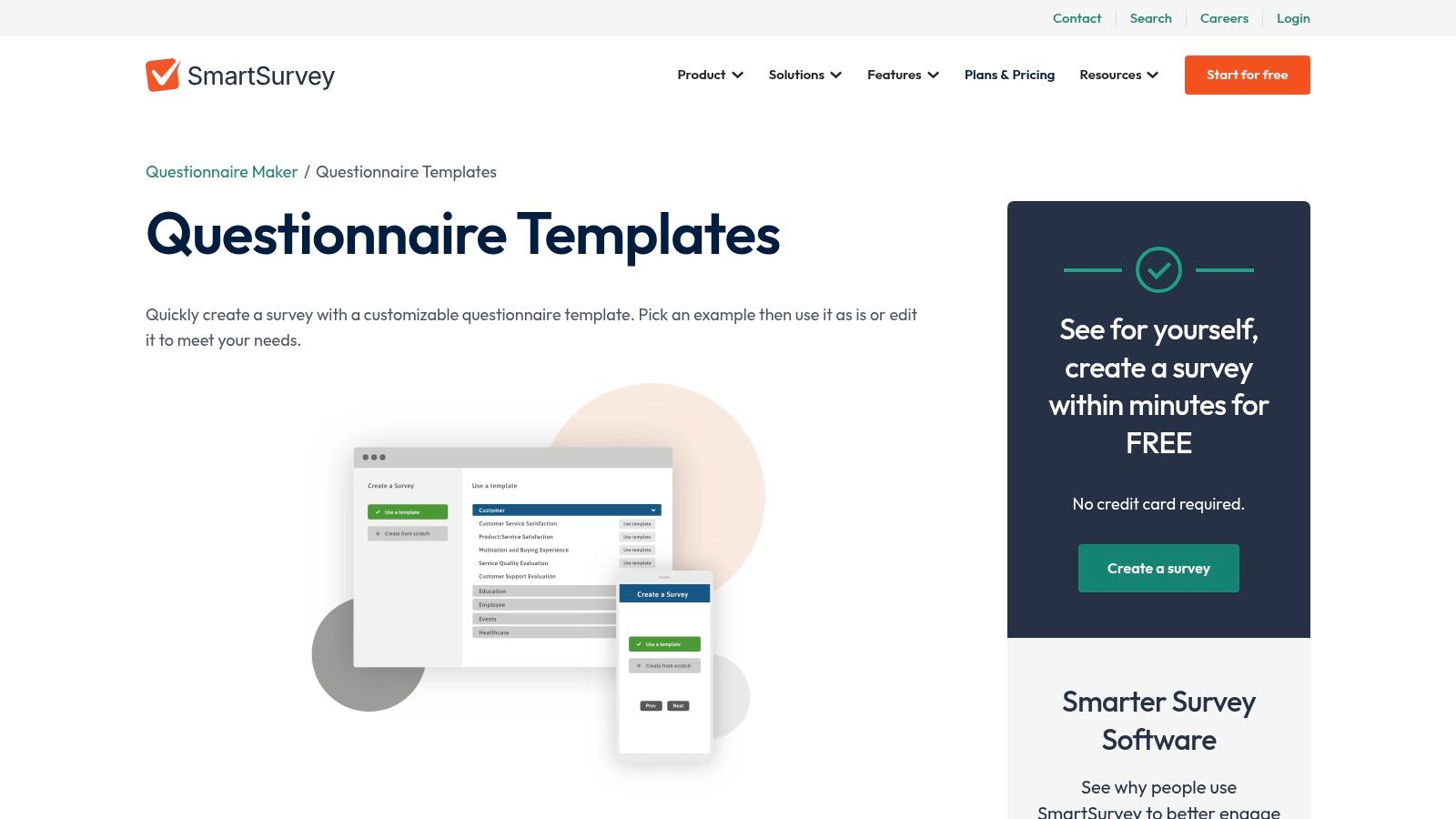
The platform supports a variety of student survey templates and features real-time reporting, which helps in tracking feedback as it arrives. Its multi-channel distribution options, including email, SMS, and website embedding, give school communicators the versatility needed to reach their entire student body effectively.
Practical Use & Key Features
For schools prioritizing brand identity, SmartSurvey’s customization is a key advantage. You can ensure every survey, from a simple course evaluation to a comprehensive school climate check, perfectly aligns with your district's visual guidelines, reinforcing a professional image.
| Feature Analysis | Implementation Notes |
|---|---|
| Customizable Branding | Apply your school’s logo and color palette to their "Student Satisfaction" template for a polished look. |
| Multi-Channel Distribution | Use the SMS distribution option for quick polls or reminders, targeting high school students who are more responsive on mobile. |
| Real-Time Analytics | Monitor live results to gauge initial student sentiment on a new school policy or program and make quick adjustments. |
Pricing: SmartSurvey offers a free plan, but it's limited in features and response numbers. To access the valuable branding options and more advanced analytics, a paid subscription (starting with their Business plan) is required for meaningful school-wide use.
Website: SmartSurvey Questionnaire Templates
11. SurveyPlanet: The Generous Free Option
SurveyPlanet carves out its niche by offering one of the most generous free plans available, making it a standout choice for schools needing to conduct simple but effective surveys without a budget. The platform allows for unlimited surveys, unlimited questions, and unlimited responses-a rare combination in the free tier that removes major barriers for collecting comprehensive feedback. Its clean, user-friendly interface ensures that creating and deploying student survey templates is a quick, hassle-free process.
This platform is particularly useful for individual teachers, small departments, or schools that need a straightforward tool for quick pulse checks. The responsive design also guarantees that surveys look great and function perfectly on any device, which is crucial for reaching students on their phones. This accessibility can significantly boost participation rates, a key factor in successful enrollment management strategies.
Practical Use & Key Features
For quick classroom polls or annual parent satisfaction surveys, SurveyPlanet provides a solid foundation. While it lacks the deep analytics of enterprise-level tools, its core functionality is more than enough for many standard K-12 communication needs.
| Feature Analysis | Implementation Notes |
|---|---|
| Unlimited Free Surveys & Responses | Ideal for high-volume, low-stakes surveys like event RSVPs or simple course feedback where budget is a primary concern. |
| Customizable Survey Themes | Apply your school’s colors and logo to create a branded, professional look, even on the free plan. |
| Anonymous Survey Options | Use this feature to encourage honest feedback on sensitive topics like school climate or anti-bullying initiatives. |
Pricing: The free plan is incredibly robust. A "Pro" plan is available for a low annual cost, unlocking features like question branching, custom branding removal, and data export options (CSV, PDF).
Website: SurveyPlanet
12. Google Forms: The Free and Accessible Powerhouse
For schools and districts where budget is a primary concern, Google Forms is an unbeatable solution. It’s a completely free, user-friendly tool that integrates seamlessly into the Google Workspace for Education ecosystem, making it the default choice for many educators. Its simplicity is its greatest strength, allowing anyone to create and distribute effective student survey templates with virtually no training.
Google Forms shines for quick, straightforward data collection, such as classroom exit tickets, single-topic polls, or parent contact forms. The automatic connection to Google Sheets transforms responses into a functional spreadsheet instantly, ready for basic analysis and sorting. While it lacks the sophisticated analytics of paid platforms, its accessibility makes it a workhorse for everyday school communication needs.
Practical Use & Key Features
The platform's biggest advantage is its ubiquity. Since most districts already use Google Workspace, sharing forms and collaborating on question design with colleagues is effortless. For a broader understanding of how these powerful tools fit into a larger strategy, you might find value in exploring a guide to leveraging Google for nonprofits.
| Feature Analysis | Implementation Notes |
|---|---|
| Google Sheets Integration | Responses are automatically collected in a spreadsheet. Use pivot tables or charts in Sheets for deeper analysis. |
| Customizable Themes | Change colors and add your school logo to the header for a branded, professional look. |
| Real-Time Response Tracking | Monitor incoming responses directly within the Forms interface to get a quick pulse on student feedback. |
Pricing: Completely free with a Google account. The functionality is robust and fully available without any subscription fees or hidden costs.
Website: Google Forms
Student Survey Template Tools Comparison
| Platform | Core Features | User Experience / Quality | Value Proposition | Target Audience | Price Points |
|---|---|---|---|---|---|
| SurveyMonkey | Customizable templates, 100+ app integrations, real-time analytics | User-friendly, strong data security | Comprehensive survey platform | Beginners to mid-level users | Free limited, paid advanced |
| Zonka Feedback | Multi-channel distribution, real-time analytics, branding options | Easy setup, supports offline data | Flexible feedback collection methods | Educational institutions | Paid plans with tiers |
| Jotform | Drag-and-drop builder, app integrations, mobile-friendly | Highly customizable, extensive templates | Flexible, no coding needed | Users wanting customization | Free basic, paid advanced |
| Qualtrics | Expert templates, automated workflows, multi-channel | Research-backed, scalable, powerful analytics | Enterprise-level, deep data insights | Large institutions | Premium pricing |
| The Intentional IEP | Printable/editable forms, accommodations lists | Tailored for special education | Special education focused resources | Special education professionals | Paid only |
| involve.me | Logic jumps, automated emails, GDPR compliance | Interactive, engaging surveys | Personalized survey experiences | Users needing engagement | Paid plans |
| Delighted | Pre-built questionnaires, intuitive customization, integrations | Streamlined, team collaboration | Actionable, insightful feedback | Teams seeking simple feedback | Limited free, paid tiers |
| SurveyLegend | Customizable templates, real-time analytics, mobile-friendly | User-friendly, visually appealing | Easy-to-create engaging academic surveys | Schools and educators | Free limited, paid advanced |
| Typeform | Custom design/branding, interactive, 300+ integrations | Engaging, high completion rates | Conversational surveys for better response | User engagement focus | Free limited, paid advanced |
| SmartSurvey | Branding, real-time reporting, multi-channel | Easy to use, flexible customization | Versatile survey solutions | General education use | Free limited, paid advanced |
| SurveyPlanet | Unlimited surveys/responses, customizable themes, anonymous options | Easy interface, mobile responsive | Generous free plan for straightforward use | Beginners, budget-conscious | Generous free, paid advanced |
| Google Forms | Google Sheets integration, customizable themes | Simple, collaborative, accessible | Completely free and easy data collection | All users | Free |
Transforming Feedback into Action
Navigating the landscape of student feedback tools can feel overwhelming, but as we've explored, the right platform paired with well-designed student survey templates can transform raw data into a powerful catalyst for institutional growth. This guide has moved beyond simple feature lists to provide a strategic roadmap, equipping you with the insights needed to gather meaningful feedback from your entire K-12 community. We've analyzed a dozen distinct platforms, from the robust, data-driven engines of Qualtrics and SurveyMonkey to the highly accessible and user-friendly interfaces of Google Forms and Typeform.
The key takeaway is that there is no single "best" tool. Instead, the optimal choice depends entirely on your district's specific goals, technical resources, and the nature of the feedback you intend to collect. Your decision-making process should be guided by a clear understanding of your objectives.
Making the Right Choice for Your District
To select the ideal tool, consider these critical factors:
- For Deep Analytics and Segmentation: If your goal is to conduct comprehensive, district-wide climate surveys or track longitudinal data, platforms like Qualtrics or SurveyMonkey’s premium tiers offer the sophisticated logic, cross-tabulation, and reporting features necessary for deep insights. These are built for communicators who need to present data-backed narratives to school boards and leadership.
- For High Engagement and Quick Polls: When you need to capture in-the-moment feedback or boost participation rates for lower-stakes surveys, tools like Typeform, involve.me, or SurveyLegend excel. Their conversational and visually appealing interfaces can make the experience more engaging for students, leading to higher quality responses on topics like event feedback or extracurricular interest.
- For Budget-Conscious and Everyday Use: For routine tasks like classroom check-ins, parent permission slips, or simple event registrations, the accessibility of Google Forms and the generous free tiers of Jotform or SurveyPlanet provide immense value without requiring a significant financial investment.
- For Specialized K-12 Needs: Don’t overlook niche resources like The Intentional IEP. While not a traditional survey tool, it highlights the importance of finding platforms tailored specifically to educational processes, ensuring compliance and addressing the unique needs of students and educators.
Ultimately, the most effective strategy involves not just selecting a tool but building a sustainable feedback culture. Start small, prove the value of the insights you gather, and gradually expand your efforts. Use these student survey templates as a starting point, but always customize them to reflect your school's unique voice, priorities, and community. The goal is to make students feel heard, valued, and central to the decisions that shape their educational journey.
Are you ready to connect with a community of peers who are also navigating the complexities of school communications? Join The MarCom Society to access exclusive resources, expert-led workshops, and a network of K-12 marketing and communications professionals dedicated to elevating their craft. Visit The MarCom Society to learn how our community can support your district’s success.