For any K-12 school, a website redesign is more than a digital facelift; it’s a strategic overhaul of your primary communication hub. It’s the virtual front door for prospective families, a critical resource for current students, and a testament to your school's brand and values. Too often, these projects get derailed by subjective opinions, scope creep, and a disconnect from core institutional goals. The antidote is a thorough, strategic website redesign questionnaire.
This isn't just a pre-project checklist; it's a foundational document that aligns stakeholders, clarifies objectives, and sets the stage for a successful launch that meets the unique needs of parents, students, and faculty. A well-crafted questionnaire transforms the conversation from "I like this color" to "This design helps prospective parents find admissions information 50% faster." For those looking to dive deeper into the tools and methodologies that underpin such strategic planning, understanding website surveys can provide valuable context.
This process ensures your new website is not just visually appealing, but a high-performing asset that drives enrollment and deepens community engagement. In this comprehensive guide, we'll break down the eight most crucial question categories to include in your K-12 school’s website redesign questionnaire. By focusing on these areas, you can ensure your project remains on track, on budget, and laser-focused on achieving measurable results. We will explore everything from defining primary business goals and identifying target audience needs to pinpointing technical requirements and establishing clear metrics for success.
1. Mission & Goals: What Must This Website Achieve for Our School?
This foundational question anchors the entire project in your school's most critical strategic objectives. Before discussing colors, fonts, or technology, you must collaboratively define what success looks like in concrete terms. A website is not just a digital brochure; it's a powerful tool that should actively work to solve problems and create opportunities for your school.

Defining measurable outcomes at the outset creates a North Star that guides every subsequent decision. It forces stakeholders to move beyond subjective aesthetic preferences and focus on tangible return on investment (ROI). This section of your website redesign questionnaire is where strategy meets execution, ensuring the final product directly serves the institution's most pressing needs. This process aligns perfectly with broader institutional goals, similar to the frameworks used in strategic planning for schools.
### Defining Your Primary Objectives
Is the primary goal to increase new student inquiries by 30%? Is it to streamline the re-enrollment process for current families, reducing administrative workload? Perhaps the focus is on better showcasing your unique curriculum to attract and recruit top-tier faculty. Each of these goals demands a different approach to site architecture, content, and user experience.
- Example 1: Driving Enrollment. A private high school identified its primary goal as increasing out-of-state boarding applications. This clear objective directly influenced the new site's design, which prominently featured virtual campus tours, detailed boarding life sections, and student testimonials from diverse geographic locations.
- Example 2: Improving Internal Communication. An elementary school aimed to reduce the volume of parent phone calls about lunch menus, bus schedules, and school calendars. The redesign prioritized a 'Current Families' quick-access dashboard on the homepage, making essential daily information immediately accessible and saving hours of staff time.
### Actionable Tips for Goal Setting
To get the most out of this initial planning phase, use a structured approach to capture and prioritize your goals.
- Use the SMART Framework: Frame goals to be Specific, Measurable, Achievable, Relevant, and Time-bound. For instance, "Increase online applications from local families by 20% within the first 12 months post-launch."
- Interview Department Heads: Gather diverse perspectives by speaking with leaders from Admissions, Academics, Athletics, and Alumni Relations. Their individual goals contribute to a holistic and more effective website strategy.
- Establish Baselines: Before you begin, document your current website's key metrics (e.g., monthly inquiries, bounce rate, application submissions). This data is essential for measuring the new site's success.
- Prioritize Your Goals: Categorize objectives into "Must-Haves" (a functional admissions portal) and "Nice-to-Haves" (an interactive campus history timeline). This helps manage scope and budget effectively.
2. Who is your target audience and what are their needs?
This question forces your team to look beyond your school's walls and step into the shoes of your most important users. A successful website isn't built for the Head of School or the IT department; it's built for prospective parents, current families, alumni, and potential faculty. Understanding their unique motivations, challenges, and digital behaviors is non-negotiable for creating a site that truly connects and converts.
Defining user personas is the critical next step after setting your goals. This process goes far beyond simple demographics to build a detailed, empathetic understanding of who you're trying to reach. Every design choice, from navigation labels to call-to-action button placement, should be filtered through the lens of these personas. This part of the website redesign questionnaire ensures the final product is user-centric, not institution-centric, which is the key to achieving your primary objectives.
### Defining Your User Personas
Is a prospective parent a busy, dual-income professional researching on their phone during a lunch break, or a stay-at-home parent conducting deep research on a desktop computer? Does a current parent need quick access to the sports calendar, or are they looking for detailed curriculum guides? Each persona has different needs and will navigate the site in a fundamentally different way.
- Example 1: The "Scouting" Prospective Parent. A school identified a key persona as a parent in the early stages of exploring options for their middle schooler. Their top needs were understanding the school's culture, seeing the tuition and financial aid information upfront, and easily scheduling a tour. The new design featured a prominent "Why Our School?" section and a simple, multi-step "Inquire" form on the homepage.
- Example 2: The "Involved" Current Parent. Another persona was the highly-engaged current parent who volunteers and checks grades daily. Their primary pain point was logging into multiple systems. The redesign focused on creating a single sign-on (SSO) parent portal, integrating calendars, grade books, and news announcements into one streamlined dashboard.
### Actionable Tips for Persona Development
To develop accurate and useful personas, you need to combine data with real human interaction.
- Conduct User Interviews & Surveys: Move beyond assumptions and talk to real people. Interview a mix of new families, long-time families, and even families who chose a different school to understand their decision-making process.
- Create Detailed User Journey Maps: For each key persona, map out their entire interaction with your school, from initial awareness to application and enrollment. Identify their questions and frustrations at each stage.
- Include Accessibility Needs: Ensure your personas account for users with disabilities. Consider how someone using a screen reader or keyboard navigation will experience your site. This is crucial for inclusivity.
- Validate Assumptions with User Testing: Don't wait until the site is built. Use wireframes and early prototypes to test navigation and key tasks with representatives from your persona groups to confirm your design choices are effective.
3. What problems exist with your current website?
This diagnostic question forces a brutally honest assessment of your current digital presence. It’s about moving past subjective opinions like "it looks dated" and identifying specific, measurable pain points that hinder performance. Before you can build a solution, you must meticulously document what's broken with the existing site, from technical glitches and confusing navigation to content that no longer serves your school's mission.

A thorough problem audit ensures the redesign addresses root causes rather than just applying a cosmetic fix. This part of the website redesign questionnaire combines hard data from analytics with qualitative feedback from the people who use the site every day: prospective parents, current families, and your own staff. This comprehensive approach is a core principle in modern web design for schools, ensuring the new platform is built on a foundation of solving real-world challenges.
### Defining Your Primary Problems
Is your admissions portal so confusing that prospective families abandon their applications? Does the mobile version of your site require endless pinching and zooming to find the school calendar? Perhaps your faculty directory is impossible to update, leading to outdated information and frustration for parents trying to make contact. Each problem represents an opportunity for significant improvement.
- Example 1: Solving Navigation and Search Issues. A large K-12 district realized parents couldn't find lunch menus or bus routes, leading to a high volume of frustrated calls to the front office. Analytics showed high bounce rates on key pages and minimal use of the search bar. The redesign prioritized a simplified top-level navigation and a powerful, predictive search function, directly addressing this core usability failure.
- Example 2: Fixing a Slow, Clunky User Experience. A private school’s site was image-heavy and slow to load, especially on mobile devices. Data revealed that users were dropping off before the homepage even finished loading. The redesign focused on technical performance optimization, streamlined code, and compressed media to create a lightning-fast experience that respected users' time and improved engagement.
### Actionable Tips for Problem Identification
To create a comprehensive "problem list," combine quantitative data with qualitative insights for a complete picture.
- Combine Analytics with User Feedback: Use Google Analytics to spot pages with high exit rates or low time-on-page. Cross-reference this data with feedback from a parent survey to understand the "why" behind the numbers.
- Prioritize by Impact: Not all problems are equal. A broken "Apply Now" button is a critical business issue, while a typo on a blog post from 2018 is a low-priority fix. Rank problems based on their impact on key goals like enrollment and parent communication.
- Assess Technical Debt: Talk to your IT team or current web provider about underlying issues. Is the content management system (CMS) obsolete and difficult to use? Are security updates lagging? These "invisible" problems are crucial to address in a redesign.
- Document with Specifics: Don't just write "navigation is confusing." Instead, document it: "Users cannot find the 'Tuition and Financial Aid' page. It is buried four clicks deep under 'About Us,' and our analytics show it has a 90% exit rate."
4. What websites do you admire and why?
This question moves beyond your school’s immediate digital footprint to explore the broader landscape of design inspiration, competitive positioning, and stakeholder aspirations. Asking your team to identify websites they admire reveals their aesthetic preferences and, more importantly, their functional expectations. It’s a critical part of the website redesign questionnaire that helps the design team establish a visual direction and understand what your team considers best-in-class user experience.
By analyzing these examples, you can identify patterns in what your stakeholders value, whether it's a competitor's intuitive navigation, a university's compelling storytelling, or a tech company's clean interface. This process provides a shared vocabulary for discussing design and function, but it requires careful guidance to ensure the focus remains on strategic alignment rather than simply copying visual trends. The goal is to distill the principles behind the admired designs, not just replicate the surface-level aesthetics.
### Uncovering Functional and Aesthetic Preferences
A stakeholder might admire a competitor's website for its beautiful photography, but the underlying reason could be that the imagery effectively communicates a strong sense of community. Another might point to a non-profit's donation page, appreciating its simplicity and clarity, which translates to a desire for a frictionless admissions or giving process on your own site. Digging into the "why" is essential.
- Example 1: Competitor Inspiration. A school aiming to boost its STEM program might admire a rival school's site that features interactive curriculum guides and student-led project showcases. This indicates a desire for dynamic, engaging content that proves, rather than just states, their academic excellence.
- Example 2: Out-of-Industry Inspiration. A school administrator might reference a site like Khan Academy, admiring its organized, searchable resource library. This insight reveals a need for the new school website to better structure its academic resources for students and parents, making information easy to find and use.
### Actionable Tips for Gathering Inspiration
To make this exercise productive, provide clear instructions and guiding questions.
- Ask "Why" Repeatedly: For every website shared, probe deeper. Is it the color palette, the navigation menu, the storytelling, the speed, or a specific feature? Understanding the specific motivation is key.
- Focus on Function Over Form: Encourage stakeholders to articulate what the admired website helps them do or how it makes them feel. This shifts the conversation from subjective taste to objective user experience goals.
- Consider Audience Alignment: Discuss whether the admired sites serve an audience similar to yours. A design that works for a high-fashion brand might not resonate with prospective parents looking for tuition information.
- Use Examples as a Starting Point: Treat these sites as inspiration, not as a final blueprint. The best design will be a unique solution tailored to your school's specific goals, brand, and audiences.
5. What is your budget and timeline for this project?
This crucial question sets the practical boundaries for the entire website redesign project. While conversations about goals and features are exciting, the budget and timeline are the two constraints that ground the project in reality. Discussing these figures upfront is essential for managing expectations, scoping appropriate solutions, and ensuring the final product can be delivered effectively and efficiently.
Many schools are hesitant to disclose a budget early on, fearing it will anchor the price. However, a professional agency uses this information not to maximize their fee but to recommend the most impactful solutions within your means. Understanding these constraints allows a design partner to properly allocate resources, select the right technology, and prioritize features, preventing scope creep and ensuring a successful launch. This part of the website redesign questionnaire aligns your strategic vision with your financial and operational capacity.
### Defining Your Scope with Budget Tiers
The available budget directly determines the complexity and customization of the redesign. A larger budget allows for more in-depth research, custom development, and third-party integrations, while a smaller budget necessitates a more streamlined, template-based approach. Being transparent about your financial reality helps your partner tailor a solution that fits.
- Example 1: Enterprise-Level Redesign ($50,000+). A large, multi-campus independent school district with this budget could invest in a fully custom design, extensive user experience (UX) research with parent focus groups, integration with multiple SIS and CRM systems, and advanced accessibility testing to ensure WCAG compliance.
- Example 2: Small School Redesign ($15,000 – $25,000). A smaller parochial school with this budget would likely leverage a premium, semi-customizable theme on a platform like WordPress. The focus would be on excellent content strategy, powerful on-page SEO, and a streamlined admissions form, delivering high value without the cost of bespoke development.
### Actionable Tips for Budget and Timeline Planning
Effectively communicating your project parameters requires a clear and strategic approach. This ensures you receive proposals that are both realistic and aligned with your school's needs.
- Provide Budget Ranges: If you're unsure of a specific number, offer a range (e.g., "$20,000 to $30,000"). This helps potential partners understand your tier and propose appropriate solutions without locking you into a single figure.
- Explain the Quality Triangle: Educate stakeholders on the relationship between budget, timeline, and quality/scope. You can have two, but it's nearly impossible to have all three (e.g., a low budget and a fast timeline will likely result in lower quality).
- Factor in Ongoing Costs: A website isn't a one-time purchase. Discuss and budget for annual costs like hosting, security updates, support retainers, and licensing for premium plugins or software.
- Request Tiered Proposals: Ask agencies to provide two or three proposal options (e.g., "Good, Better, Best"). This allows you to see what's possible at different investment levels and make an informed decision based on feature trade-offs.
6. What content and functionality must be preserved, updated, or removed?
This critical question initiates a comprehensive content and functionality audit, one of the most labor-intensive yet valuable phases of a website redesign. It forces your team to inventory every existing page, document, and feature, and then strategically decide its fate. This process is essential for preventing the migration of outdated, irrelevant, or underperforming assets to the new site, which would undermine the entire project.
A thorough audit directly impacts the project’s scope, timeline, and budget. It ensures that the final product is lean, relevant, and focused on user needs, rather than being a cluttered repository of legacy information. Answering this part of the website redesign questionnaire helps you build a new site on a clean, strategic foundation, avoiding the pitfalls of carrying over digital baggage.
### Defining Your Content Strategy
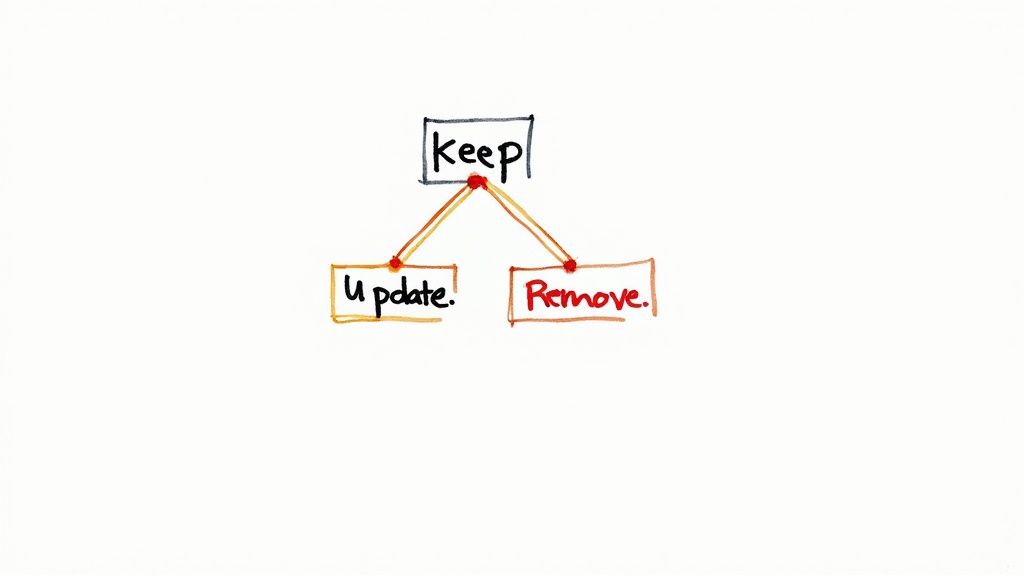
Is your current "News" section filled with articles from five years ago? Does your site have program pages for offerings that no longer exist? A content audit provides a clear-eyed view of what truly serves your audience. The goal is to categorize every piece of content and every website function into one of three buckets: keep as-is, update and improve, or delete entirely.
- Example 1: Trimming Outdated News. A school district realized its news section was bloated with hundreds of irrelevant press releases and event recaps. The audit identified only the past 18 months of content as valuable. They archived the rest, significantly simplifying site navigation and improving the user experience for families seeking current information.
- Example 2: Consolidating Functional Tools. An independent school's old website had separate, clunky portals for lunch ordering, after-school care sign-ups, and athletic fee payments. The redesign team used this audit to plan for a single, integrated "Parent Portal," preserving the core functionality but housing it within a streamlined, user-friendly interface.
### Actionable Tips for Your Audit
To execute an effective content and functionality audit, a structured, data-driven approach is non-negotiable.
- Use Analytics for Decisions: Dive into your website analytics. Identify high-traffic, high-engagement pages that must be preserved. Conversely, find pages with zero traffic or high bounce rates, which are prime candidates for removal or significant revision.
- Create a Content Inventory: Build a spreadsheet listing every URL on your current site. Add columns for title, content owner, traffic data, and a decision field ("Keep," "Update," or "Remove"). This document becomes your roadmap.
- Establish Retention Criteria: Define clear rules for your decisions. For example, "All academic curriculum pages must be reviewed and updated by the department head," or "Any event page older than 24 months will be removed."
- Plan for Content Creation: The audit will reveal gaps. If you're removing outdated program info, you'll need to create new, compelling content to replace it. Allocate resources for copywriting, photography, and video production as part of the redesign plan.
7. How will you measure the success of the redesign?
This critical question transforms your website redesign from a subjective "facelift" into a measurable strategic investment. By defining success metrics before the project begins, you create accountability and a clear framework for evaluating performance post-launch. Without specific key performance indicators (KPIs), you're essentially flying blind, unable to prove the redesign’s value or make data-driven decisions for future improvements.
Tying your redesign directly to measurable outcomes connects the new site back to the foundational goals established in step one. This part of your website redesign questionnaire ensures that every design choice and technical feature can be evaluated against its impact on the school's bottom line. This process is essential for demonstrating the return on investment (ROI) of your marketing efforts, a concept further explored in guides on how to measure marketing ROI.
### Defining Your Success Metrics
The metrics you choose must directly reflect your primary objectives. Are you focused on growing your applicant pool? Then your KPIs will be lead-generation focused. Are you trying to improve the experience for current families? Your metrics will revolve around engagement and task completion rates on specific portal pages.
- Example 1: Boosting Admissions. A charter school system wanted to increase applications for its lottery. Success was measured by a 25% increase in completed online application forms, a 15% decrease in the bounce rate on the admissions landing page, and a higher conversion rate from virtual tour page visitors to inquiry form submissions.
- Example 2: Enhancing Community Engagement. A K-8 school aimed to become a better resource hub for parents. Their success metrics included a 50% increase in logins to the parent portal, a 40% rise in downloads of the weekly newsletter from the website, and a reduction in help-desk tickets related to finding school event information.
### Actionable Tips for Measurement
To effectively measure success, you need a clear plan for what, when, and how you will track your data.
- Establish Baseline Metrics: Before the redesign goes live, meticulously document your current site's performance. Capture at least three to six months of data on key metrics like website traffic, inquiry form completions, time on page, and bounce rates. This is your "before" picture.
- Include Both Quantitative and Qualitative Data: Don't just look at numbers. Supplement quantitative data (e.g., conversion rates) with qualitative feedback through user surveys or session recordings to understand the "why" behind user behavior.
- Set Realistic Timeframes: Meaningful changes in user behavior and SEO rankings take time. Plan to review short-term metrics (e.g., site speed, bounce rate) at 30 days and long-term KPIs (e.g., application numbers, organic traffic growth) at 6, 12, and 18 months.
- Plan for Regular Review Cycles: Schedule quarterly meetings with your team to review the analytics, discuss what’s working and what isn’t, and create an action plan for ongoing optimization. A website is never "done."
8. What are your technical requirements and constraints?
This technical discovery question moves the conversation from strategic goals to the foundational technology that will bring them to life. Understanding your school's technical landscape is crucial for building a website that is stable, secure, and sustainable. It prevents selecting a platform that cannot support essential functions or one that your internal team is not equipped to manage long-term.
Addressing these constraints early in your website redesign questionnaire avoids costly surprises and backtracking during development. It ensures the chosen solution aligns with your existing systems, security policies, and internal capabilities. This step is about building a powerful digital tool on a solid, well-planned technological foundation that can grow with your institution.
### Defining Your Technical Stack
Does your admissions team rely on a specific Student Information System (SIS) like Blackbaud, Veracross, or FACTS? Does your advancement office need seamless integration with a particular fundraising platform? These third-party systems are non-negotiable and dictate much of the development path.
- Example 1: SIS Integration. A multi-campus K-12 school needed its new website's inquiry and application forms to feed directly into its central SIS. This requirement immediately narrowed down the choice of Content Management Systems (CMS) to those with robust and proven integration capabilities for their specific SIS, ensuring data consistency and saving hundreds of administrative hours.
- Example 2: Security & Compliance. A school handling sensitive student data and online payments needed to ensure the new site was not only ADA compliant but also met stringent data privacy standards. This technical constraint guided decisions about hosting environments, payment gateway selection, and form security protocols from day one.
### Actionable Tips for Technical Scoping
To create a comprehensive technical brief, involve your IT department and any relevant third-party vendors early and often.
- Document All Integrations: List every current system the website must connect with (e.g., SIS, learning management systems, athletic calendars, fundraising software). Note whether each is a "must-have" or "nice-to-have."
- Assess Internal Capabilities: Be honest about your team's technical skills. Can they handle routine content updates, or will they need a more intuitive, user-friendly CMS? This influences the choice between platforms like WordPress, Finalsite, or other school-specific solutions.
- Plan for Scalability: Consider your school's five-year plan. Will you be adding a new campus or launching a major capital campaign? The website's hosting and architecture must be able to handle future growth in traffic and functionality without a complete overhaul.
- Clarify Hosting and Security: Define your hosting preferences (on-premise vs. cloud) and any specific security requirements, such as SSL certificates, firewalls, and data privacy compliance (like GDPR or CCPA if applicable).
Website Redesign Questionnaire: 8 Key Factors Compared
| Question | Implementation Complexity | Resource Requirements | Expected Outcomes | Ideal Use Cases | Key Advantages |
|---|---|---|---|---|---|
| What are your primary business goals for the redesign? | Moderate – requires strategic alignment | Stakeholder input, analytics data | Clear project focus, measurable KPIs | Strategic project planning | Aligns team, prioritizes features, reduces scope creep |
| Who is your target audience and what are their needs? | High – involves deep user research | User interviews, surveys, analytics | User-centered design, improved UX | User experience optimization | Targets audiences effectively, boosts satisfaction |
| What problems exist with your current website? | Moderate – requires audits and feedback | Analytics tools, user feedback | Identifies pain points, focused fixes | Diagnostic and issue resolution | Prevents repeated mistakes, justifies redesign |
| What websites do you admire and why? | Low to Moderate – mainly research and analysis | Competitive research | Design inspirations, benchmark setting | Visual & functional design direction | Reveals preferences, sets realistic expectations |
| What is your budget and timeline for this project? | Medium – impacts scope and planning | Financial data, scheduling input | Realistic scope, resource allocation | Project scoping and management | Prevents scope creep, enables proper planning |
| What content and functionality must be preserved, updated, or removed? | High – extensive content audit and decisions | Content inventory, SEO analysis | Optimized content, reduced bloat | Content-heavy redesigns | Improves SEO, reduces maintenance, ensures value |
| How will you measure the success of the redesign? | Moderate – KPI definition and tracking setup | Analytics tools, baseline data | Objective success evaluation, ongoing improvements | Project evaluation and optimization | Justifies investment, guides future decisions |
| What are your technical requirements and constraints? | High – involves detailed technical assessment | Technical audits, team input | Feasible, secure, maintainable solution | Technology and integration planning | Prevents technical issues, selects proper tech stack |
From Questions to a High-Performing Website
Navigating a school website redesign can feel like charting a course through unknown territory. However, the comprehensive website redesign questionnaire we've explored serves as your essential map and compass. It transforms a potentially chaotic process into a structured, strategic, and collaborative journey. By moving beyond simple aesthetics and digging into the foundational "why" behind your project, you lay the groundwork for a digital platform that truly serves your school's most critical objectives.
This isn't just about creating a list of questions; it's about initiating a critical dialogue. Each section of the questionnaire, from defining your primary business goals to identifying your technical constraints, is designed to build consensus among your key stakeholders. It forces important conversations that align your Head of School, admissions team, communications department, and IT staff around a single, unified vision. This documented clarity is your greatest asset, preventing scope creep, managing expectations, and ensuring the final product directly addresses the needs of prospective families and your current community.
Turning Insights into Actionable Strategy
The power of a well-executed website redesign questionnaire lies in its ability to generate actionable insights. The answers you gather are not merely data points; they are the strategic pillars upon which your new website will be built.
- Goal Alignment: Your answers to questions about business goals directly inform the site's architecture and calls to action. If a key goal is increasing inquiries, the "Inquire Now" button's placement and prominence become a strategic decision, not a design afterthought.
- Audience-Centric Design: Understanding your target audience’s needs moves design discussions from subjective preferences ("I like the color blue") to objective solutions ("Our prospective parents need easy access to tuition information on mobile devices").
- Data-Driven Priorities: By analyzing your current site's problems and benchmarking against admired websites, you can prioritize features and content updates based on proven success, not just guesswork. This ensures your budget and timeline are allocated to the elements that will have the most significant impact.
The process of completing the questionnaire is as valuable as the final document itself. It encourages a deep-dive analysis that often uncovers hidden opportunities and clarifies long-held assumptions. The result is a strategic brief that empowers your design and development partners to build the right website, the first time.
From Blueprint to Build: Your Next Steps
With your questionnaire complete, you now possess a detailed blueprint for your school's new digital front door. This document is the foundation, but the next phase involves translating that blueprint into a tangible project plan. Each answered question should now be converted into a specific task or requirement. For example, the list of required functionality becomes a feature set for your developers, and the identified success metrics become the key performance indicators (KPIs) you will track post-launch.
To help manage this transition from planning to execution, a detailed project plan is indispensable. Once your questionnaire insights are gathered, translating them into actionable steps can be streamlined with a comprehensive guide, such as an ultimate website redesign checklist. This resource can help you organize the dozens of critical tasks involved in the build-out, launch, and post-launch phases, ensuring no detail is overlooked. By pairing your strategic questionnaire with a tactical checklist, you create a powerful, end-to-end framework for success, ensuring your project remains on track and delivers a final product that drives enrollment and deepens community engagement for years to come.
Ready to master complex projects like a website redesign with the support of a dedicated professional community? The MarCom Society offers exclusive resources, expert-led workshops, and a peer network for K-12 marketing and communications leaders just like you. Join us to access downloadable templates, including a comprehensive website redesign questionnaire, and gain the confidence to lead your school’s marketing strategy to new heights. Learn more and join The MarCom Society today.