
A thorough website audit is more than just a routine check-up; it's a deep dive into what makes your site tick—or what’s holding it back. Think of it as a strategic review to uncover and fix the issues that are hurting your search engine rankings, user experience, and ultimately, your bottom line.
Setting the Stage for a Meaningful Audit
Before you even think about running a crawler or digging into analytics, you need to ask yourself one simple question: "Why am I doing this?" Without a clear goal, a website audit can quickly spiral into a massive, directionless data dump. You'll end up with spreadsheets full of information but no real plan.
So, what are you trying to accomplish? Are you trying to figure out why organic traffic suddenly tanked last quarter? Maybe you want to find leaky spots in your conversion funnel or just get a clear picture of your site's health before a big redesign. Your answer sets the tone for the entire project.
Define Your Primary Objective
"Improve SEO" isn't a goal; it's a wish. You need to get specific. A well-defined objective acts as your North Star, keeping the audit focused and productive.
Here are a few concrete goals that lead to real results:
- Diagnose Traffic Drops: Pinpoint the exact pages or keywords that have lost visibility and figure out why.
- Boost Conversion Rates: Analyze how users move through your site to identify and eliminate roadblocks.
- Enhance On-Page SEO: Find and prioritize opportunities to better align your content with user intent and target keywords.
- Prepare for a Redesign: Create a complete inventory of your content, URLs, and technical setup before migrating to a new platform.
This process is a journey, not a single event. It starts with a comprehensive crawl and ends with a clear, actionable report.
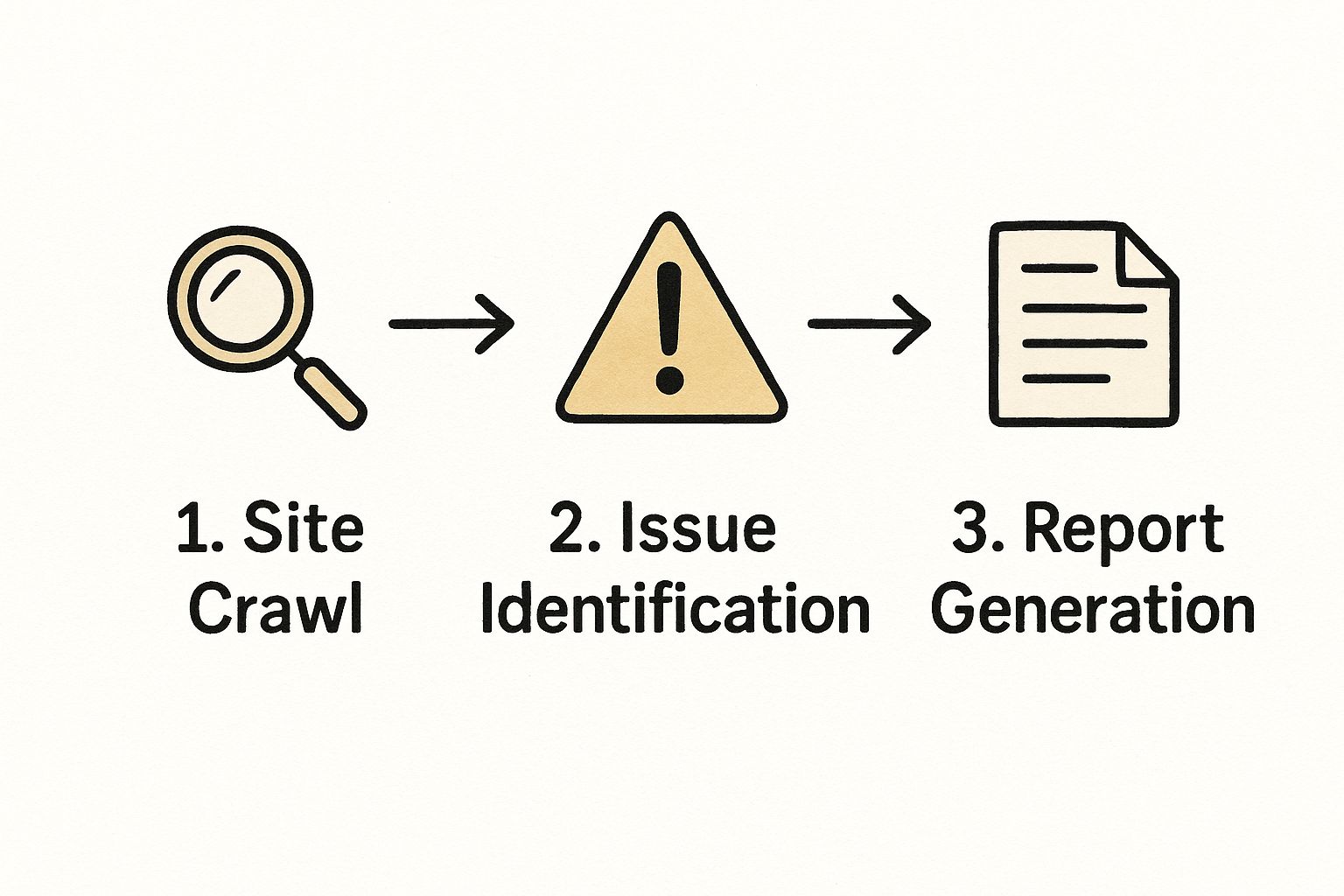
As you can see, each step logically follows the last, ensuring you’re building a complete picture of your site’s performance.
Gather Your Essential Toolkit
Once your objective is clear, it's time to assemble your tools. You don't need every shiny new platform, but a strategic mix of free and paid tools will give you the most complete data.
Some tools are simply non-negotiable. You can't conduct a serious audit without access to Google Search Console and Google Analytics. They provide a direct line of sight into how Google sees your site and how users behave on it. From there, you can layer on more specialized software.
A great way to keep your process organized is by following a structured guide. This ultimate website audit checklist is one of the best I've seen for making sure you don't miss any critical steps.
Here’s a look at the types of tools you’ll want to have on hand.
Your Essential Website Audit Toolkit
Having the right software makes all the difference. This table breaks down my go-to tools for getting a comprehensive view of any website.
| Tool Category | Recommended Tools | Primary Use Case |
|---|---|---|
| Technical SEO Crawlers | Screaming Frog, Sitebulb | Finding broken links, redirect chains, duplicate content, and other technical issues. |
| All-in-One SEO Platforms | Semrush, Ahrefs | Keyword research, backlink analysis, competitor tracking, and rank monitoring. |
| Analytics & Performance | Google Search Console, Google Analytics | Tracking organic traffic, user behavior, keyword performance, and indexing status. |
| Page Speed Analysis | Google PageSpeed Insights, GTmetrix | Measuring load times, diagnosing performance bottlenecks, and getting optimization tips. |
This combination gives you everything you need to cover technical health, content performance, and competitive positioning.
The stakes are higher than ever. With over 5 billion people online, user patience is incredibly thin. A mere one-second delay in your page load time can slash conversions by up to 7%.
That single statistic underscores why technical performance, particularly on mobile, has to be a top priority in any audit. You’re not just optimizing for search engine bots; you’re optimizing for real people who expect a fast, smooth experience. By starting with a clear purpose and the right tools, you're setting yourself up to find meaningful insights that drive real growth.
Getting Your Hands Dirty with a Technical SEO Deep Dive
Alright, let's roll up our sleeves and pop the hood on your website. This is where we get into the nuts and bolts of your site's health—the technical SEO deep dive. Think of it as checking the foundation of a house. Without a solid technical base, even the most beautifully decorated rooms (your content) won't matter if the structure is crumbling.
It all boils down to two critical concepts: crawlability and indexability. Can search engines like Google even find your pages? And if they do, can they successfully add them to their massive library? If the answer is 'no' to either, you're essentially invisible online.
Can Search Engines Actually Find Your Pages?
First things first, you need to see your site the way a search engine bot does. This means looking for any digital roadblocks, dead ends, or confusing signals that could stop a crawler in its tracks.
I always start this process with a tool like Screaming Frog. It's like sending your own little spider to crawl every nook and cranny of your site, mapping out every link. While it works, you’re basically on a mission to hunt down some very specific red flags.
Here's what I'm always on the lookout for:
- Crawl Errors (404s): These are the classic "page not found" errors. They’re a dead end for users and a complete stop sign for search engine bots.
- Broken Redirects: Nothing is worse than a redirect that points to another broken page. It's a frustrating loop that just eats up your crawl budget for no reason.
- Redirect Chains: When one URL redirects to another, which then redirects to a third… you get the idea. It slows everything down for both bots and actual people. You want a single, clean redirect wherever possible.
Fixing these issues is non-negotiable in any website audit. Every broken link or janky redirect is a crack in your site’s foundation that undermines its authority and frustrates visitors.
I can't tell you how many times I've seen a beautiful website that's a technical mess behind the scenes. People assume that if it looks good, it must be working. But technical SEO is all about what's happening under the hood, and it determines whether your content even gets a chance to rank.
Mapping Out Your Site Architecture and Internal Links
Once you're sure your site is crawlable, it's time to look at its blueprint. A logical site architecture is like a well-organized map, guiding both search engines and users to your most valuable content. The roads on that map? Those are your internal links.
A well-structured site groups related content together intuitively. For example, a university website might have a top-level "Admissions" section, with pages for "Tuition," "Application Deadlines," and "Campus Tours" nested underneath. This hierarchy helps Google understand how your pages relate to one another and spreads ranking power (link equity) through your site. How you connect these pages is a cornerstone of an effective SEO strategy. For instance, for education websites, clear linking pathways are vital for guiding potential students to critical information: https://blog.marcomsociety.org/seo-for-education-websites/
This graphic from Google perfectly illustrates the journey from discovery (crawling) to actually showing up in search (serving).

As you can see, if Google bots can't properly crawl and index your pages, they simply won't get served to users. It's that simple.
Technical glitches are way more common than people think and can absolutely tank a site's performance. For instance, a staggering 66% of backlinks are broken, and a surprising 7.4% of pages in the top 10 search results are missing a title tag—one of the most basic SEO elements! To get a better handle on these fundamentals, it’s worth exploring various technical SEO strategies that are essential for any audit.
Putting Speed and Security in the Spotlight
Finally, no technical audit is complete without addressing three deal-breakers for Google: site speed, mobile-friendliness, and security (HTTPS). These aren't just nice-to-haves; they directly affect user experience and your rankings.
- Site Speed: In today’s world, people expect pages to load in the blink of an eye. A slow site sends bounce rates through the roof and your rankings down the drain. Use Google's PageSpeed Insights to get a performance score and, more importantly, a checklist of what to fix, like compressing images or improving server response time.
- Mobile-Friendliness: The majority of searches now happen on phones. Your site must work flawlessly on a small screen. Run it through Google’s Mobile-Friendly Test to make sure text is readable and buttons are easy to tap without needing to pinch and zoom.
- Security (HTTPS): Having an SSL certificate is mandatory these days. It encrypts the connection between a user and your site, protecting their data and signaling to them (and Google) that you’re trustworthy. Google has long used HTTPS as a ranking signal, so this one is a no-brainer.
Getting these technical elements right is one of the highest-impact things you can do in a website audit. When you give search engines a fast, secure, and easy-to-navigate site, you're building a powerful foundation that sets all of your future content and SEO work up for success.
With your site's technical health sorted, it’s time to turn your attention to what that foundation is actually holding up: your content. A technically sound website gets you into the race, but it’s your content that will get you across the finish line. We're moving beyond code and crawlers to focus on the words, images, and ideas that actually connect with your audience.
The big goal here is to get a complete picture of every single piece of content you own. You need to know what you have, how it's actually performing, and—most importantly—where the blind spots are. This isn't just a spell-check; it's a full-blown strategic review of your entire content library.
Building Your Content Inventory
First things first, you need to map out every significant page on your website. I’m talking about your blog posts, service pages, case studies, landing pages—everything. A tool like Screaming Frog is perfect for this; you can run a crawl and export a neat list of all your URLs. From there, you'll want to pull in performance data from your Google Analytics and Google Search Console accounts.
Your spreadsheet should track the vital signs for each page:
- Organic Traffic: How many people are finding this page through search?
- Keyword Rankings: What search terms is this page actually ranking for?
- Engagement Rate: Are people sticking around, or are they bouncing right away?
- Conversions: Is this page pulling its weight by generating leads or sales?
- Backlinks: Who is linking to this content? This is a huge indicator of authority.
This data-first approach takes the guesswork out of the equation. You’ll immediately spot your superstars and the pages that are just dead weight. This process is particularly vital for organizations that need to clearly communicate their value, which is a cornerstone of any good content marketing for education.
Looking Past Keywords to User Intent
Modern SEO has moved far beyond just cramming keywords into a page. The real question is, what does someone actually want when they search for something? Are they looking for a quick definition, a detailed how-to guide, or a comparison between two products? This is user intent, and it’s everything.
With that in mind, you need to dissect your on-page elements with a sharp eye.
- Title Tags: Does the title accurately describe what’s on the page and use your main keyword in a natural way? Is it interesting enough to make someone click?
- Meta Descriptions: Think of this as the ad copy for your page. While it's not a direct ranking factor, a good one can dramatically improve your click-through rate.
- Headings (H1, H2, H3): Your headings need to create a logical, scannable structure for the reader. They break up walls of text and tell search engines what the most important topics on the page are.
A classic mistake I see all the time is optimizing a page for a keyword without first looking at what’s already ranking. If the entire first page of Google is filled with video tutorials and you’ve just published a massive blog post, you’re trying to swim upstream. Always check the search results to see what type of content Google thinks users want.
Auditing for Quality and E-E-A-T
Google has a set of quality standards they call E-E-A-T: Experience, Expertise, Authoritativeness, and Trustworthiness. It’s a mouthful, but it’s non-negotiable. Your content has to be credible. As you audit, measure your content against these pillars.
| E-E-A-T Component | What to Look For | Example Action Item |
|---|---|---|
| Experience | Does the content feel like it comes from someone who's actually done this before? | Weave in personal stories or real-world case studies to your service pages. |
| Expertise | Is the author a genuine expert on the topic? | Add author bios with credentials and links to their LinkedIn or other professional profiles. |
| Authoritativeness | Is your entire website seen as a go-to source in your field? | Earn backlinks from respected industry sites and publish interviews with other experts. |
| Trustworthiness | Does your site feel safe and is the information accurate? | Make sure your site uses HTTPS, cite your sources, and have clear contact info. |
Looking at your content through this lens helps you build a site that people—and search engines—will trust for the long haul.
Making the Tough Calls on Your Content
Once your inventory is built and you’ve analyzed your pages, it’s decision time. Every piece of content should fall into one of three buckets.
Keep and Improve: These pages have potential. Maybe they get decent traffic but don't convert, or they're stuck on the second page of Google for a valuable keyword. These are your top candidates for a content refresh—update the stats, add new visuals, and sharpen the on-page SEO.
Consolidate: Do you have five different blog posts that all touch on the same topic? This is "keyword cannibalization," and it confuses search engines. The fix is to combine them into one definitive "mega-post" and redirect the old URLs to the new one.
Remove: Some content just isn’t working. If a page has no traffic, no backlinks, and serves no real purpose, it might be time to prune it. Deleting underperforming content can actually help by focusing your site's authority on the pages that truly matter.
Understanding how users find you is crucial. Globally, organic search is still the king of discovery, with 94% of all clicks coming from organic results. But the competition is fierce; 75% of users never click past the first page. Interestingly, depth often wins—pages with over 3,000 words tend to get three times more traffic and far more social shares. Knowing these numbers helps put your audit findings into perspective and guides your next steps.
Analyzing User Experience and Conversion Paths

Let's be honest. You can have a technically flawless site with incredible content, but if it's a nightmare for a real person to use, none of that matters. All your hard work goes right out the window if visitors get confused, frustrated, or simply can't figure out what to do next.
This is where we shift our focus from search engine bots to actual human beings. It’s time to put yourself in your audience’s shoes and experience your site as they do. Is the navigation straightforward? Does it work smoothly on a phone? Are your calls-to-action (CTAs) obvious and compelling? A clunky user experience is a killer—a staggering 88% of users say they won't return to a site after just one bad experience.
Seeing Your Site Through Your Users' Eyes
Your analytics can tell you what users did, but they rarely tell you why. To get that story, you need to see your site from their perspective. This is how you uncover the hidden friction points that are quietly sabotaging your goals.
I've found that tools like Hotjar or Crazy Egg are indispensable for this. They add a layer of qualitative, behavioral data that puts your quantitative analytics into context.
- Heatmaps: These are fantastic for visualizing user behavior in aggregate. You can see exactly where people are clicking, how they move their mouse, and how far they scroll. You might discover users are furiously clicking on an image that isn't even a link, which is a clear signal that your design is misleading.
- Session Recordings: This is where things get really interesting. You can watch anonymized videos of real people trying to use your site. It’s like looking over their shoulder as they hesitate on a form, get lost in your navigation, or abandon their cart.
Analyzing these patterns takes the guesswork out of the equation. You're no longer assuming what the problem is; you're seeing it happen in real-time.
I'll warn you, watching session recordings for the first time can be a humbling experience. You'll see people interact with your carefully planned design in ways you never could have predicted. But it’s one of the fastest and most powerful ways to build real empathy for your users and identify their biggest pain points.
Evaluating Key Conversion Pathways
Every site has a purpose—to sell a product, generate a lead, get a newsletter signup. A core part of your audit is to walk through the exact steps a user must take to complete these actions. If that path is long, confusing, or full of roadblocks, you're losing business.
Start by mapping out your most important conversion funnels. For an e-commerce site, that’s usually from a product page to the final "thank you" page. For a B2B company, it might be the journey from a blog post to a "Contact Us" form submission.
As you walk through these paths yourself, ask some hard questions:
- Is the CTA Clear? Is the button text compelling and action-oriented (think "Get Your Free Quote" instead of a vague "Submit")? Does it stand out visually?
- Are There Distractions? Look at your key landing pages. Are there unnecessary links or pop-ups that might pull a user away from the main goal?
- Is the Process Simple? How many clicks does it take? How many fields are on your form? Every single extra step is another chance for someone to give up.
This is the heart of Conversion Rate Optimization (CRO). Sometimes, a tiny change—like tweaking the color of a button or removing one form field—can have an outsized impact on your results. By combining this critical review of your funnels with the behavioral insights you've gathered, your audit will uncover some of the most valuable opportunities for growth.
Creating Your Audit Report and Action Plan

You've done the heavy lifting—crawling, analyzing, and digging into every nook and cranny of the website. But here’s the reality: all that data is just noise until you turn it into a clear, actionable roadmap. An audit without a solid plan is just an interesting academic exercise; it doesn't move the needle.
The last thing anyone wants is a hundred-page document that gathers digital dust. Your real goal is to distill your findings into a concise report that spotlights the most critical issues and lays out a clear path forward. This document is your primary tool for getting buy-in and, more importantly, getting things done.
Always start your report with a high-level summary. This is the executive overview for busy stakeholders who need to grasp the site's overall health, the key findings, and your top three to five recommendations at a glance. Think of it as the TL;DR version that cuts right to the chase.
From Findings to Actionable Recommendations
Simply pointing out problems is a dead end. "Broken links found" is a finding. "Fix 87 broken internal links to improve user experience and reclaim lost link equity" is a recommendation that demands action. For every issue you uncover, you need to propose a concrete solution.
I find it’s best to structure recommendations by category. Grouping them this way makes the entire report easier to digest and helps different teams see how the issues are interconnected.
- Technical SEO: This is where you’ll put things like crawl errors, site speed bottlenecks, and indexing problems.
- On-Page SEO: Here, you'll detail the recommendations for optimizing title tags, headers, and meta descriptions.
- Content: This section houses the plan for updating, consolidating, or pruning underperforming pages.
- User Experience (UX): Use this for fixes related to confusing navigation, unclear calls-to-action, or mobile usability issues.
This kind of organization transforms a chaotic mess of problems into a structured plan for improvement. For an organization like a school, this clarity is crucial for aligning departments, much like a well-defined https://blog.marcomsociety.org/school-communication-plan/ gets everyone on the same page.
Prioritizing Your Action Plan
Let's be realistic: you can't fix everything at once. Trying to is a surefire way to get overwhelmed and accomplish nothing. The secret to making real, tangible progress is ruthless prioritization. The most effective way I've found to do this is with a simple impact vs. effort matrix.
This framework is fantastic for spotting the quick wins—those high-value fixes that require the least amount of work. For instance, fixing a faulty robots.txt file that’s blocking your entire site is incredibly high-impact but low-effort. On the other hand, rewriting 200 minor meta descriptions is low-impact and very high-effort.
A classic mistake is getting bogged down in minor, low-impact tasks. Your prioritization matrix is your best defense against this. It forces you and your team to focus on the changes that will actually move the needle on traffic, conversions, and revenue.
To help you get started, here's a simple framework to visualize and organize your priorities.
Your Audit Prioritization Matrix
This table will help you categorize every task, ensuring you tackle the most important items first instead of just the easiest ones.
| Priority Level | Impact (High/Medium/Low) | Effort (High/Medium/Low) | Example Task |
|---|---|---|---|
| P1 – Top Priority | High | Low | Fix a robots.txt file blocking search engines from crawling the entire site. |
| P2 – Plan For | High | High | Overhaul the site's information architecture and navigation. |
| P3 – Quick Wins | Medium | Low | Optimize title tags and headers for 10 high-potential pages. |
| P4 – Reconsider | Low | High | Manually update alt text for 500 old blog images. |
This matrix gives you a clear hierarchy of what to do now, what to plan for next, and what to put on the back burner.
Once your tasks are prioritized, you can build out a realistic timeline. Assign each action item to a specific person or team, set firm deadlines, and define what success looks like. To keep everything running smoothly, it helps to incorporate some effective time management strategies to keep the project on track. This final step is what turns your audit from a simple report into a living, breathing strategy for growth.
Frequently Asked Questions About Website Audits
When you're first diving into website audits, it's natural to have a few questions. I hear the same ones all the time from people trying to get a handle on their site's performance. Let's walk through the big ones so you can get started with confidence.
How Often Should I Be Auditing My Website?
This is easily the most common question, and the honest answer is: it depends. There’s no one-size-fits-all schedule.
For a thorough, top-to-bottom audit, plan on doing one at least once a year. This is your chance to really dig into the big picture—strategy, performance, and overall health. Think of it as your annual physical.
But if you’re running a more complex site, like an e-commerce platform where products and pages are always in flux, you’ll want to bump that up to every six months.
On top of those deep dives, I always recommend quick "health checks" every quarter. These aren't massive undertakings. You're just spot-checking the vitals to catch problems before they grow.
- Site Speed: Is everything still loading quickly?
- Crawl Errors: Pop into Google Search Console and see if any new errors have appeared.
- Broken Links: Run a quick scan to fix any dead ends.
This routine maintenance makes the big annual audit a much smoother process.
What Are the Most Common Problems You Find?
After doing this for years, you definitely start to see patterns. Every site has its own unique quirks, but a few usual suspects show up almost every time.
Slow page speed is probably the biggest one. It’s a classic for a reason. With 40% of people bouncing if a site takes longer than three seconds to load, speed is non-negotiable. Right behind that is poor mobile experience—it's shocking how many sites still aren't truly mobile-friendly.
I'd say the most frequent issues are slow load times, a clunky mobile experience, broken links, bland title tags and meta descriptions, duplicate content, and a messy internal linking structure. A lot of sites also suffer from major content gaps or completely miss what their visitors are actually looking for.
Can I Just Do This Myself?
You absolutely can, and you should! By following the steps in this guide and using fantastic free tools like Google Search Console and PageSpeed Insights, you can conduct a very effective audit on your own. It's the best way to really learn the ins and outs of your own website.
That said, there are times when calling in an expert makes sense. For a truly deep technical or strategic analysis, especially on a large or business-critical site, an experienced SEO professional can often spot things you might miss. They can turn a list of problems into a clear, prioritized action plan that delivers real results.
At The MarCom Society, we give K-12 marketing professionals the strategic tools and expert community they need to tackle challenges just like this. If you want to elevate your school's marketing and digital strategy, join our network of pros today at https://marcomsociety.org.