Reimagine Your School's Communication: Exploring the Power of Newsletters
Effective school communication strengthens community and engagement. This listicle presents eight diverse newsletter examples to revitalize your outreach strategy. Discover how print, digital, and blended formats—from PDFs and email campaigns to interactive web pages and video newsletters—can connect with families. Find the ideal approach to elevate your communication and create a thriving school environment. MarCom Society members can access additional resources and best practices.
1. Digital PDF Newsletters
Digital PDF newsletters are a popular and effective way to share information with the school community. These electronic documents combine the visual appeal of a printed newsletter with the convenience and reach of digital distribution. They leverage text, images, and design elements within a fixed-layout format, ensuring consistent presentation across various devices like computers, tablets, and smartphones. Furthermore, they offer the flexibility of online access while retaining the option for printing if desired.
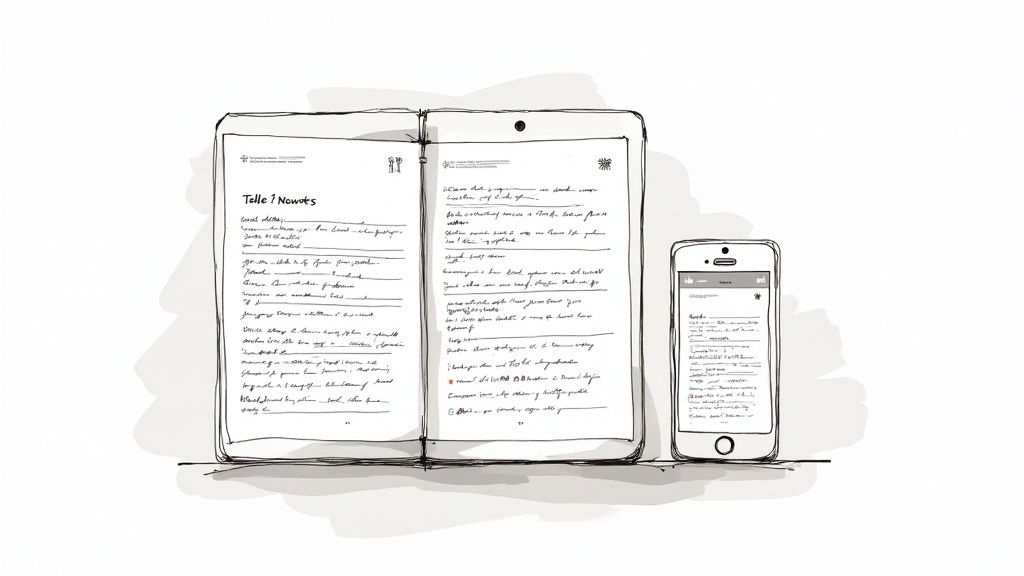
This approach is particularly valuable for schools seeking to maintain a professional and polished communication style while taking advantage of digital platforms. The fixed-layout ensures your design’s integrity, preventing formatting issues that can occur with HTML emails or website articles. The ability to incorporate rich media, such as high-quality images and even embedded videos (through linked URLs), enhances engagement and allows for more dynamic storytelling.
Features and Benefits:
- Fixed layout: Guarantees a consistent visual experience regardless of the device used for viewing.
- Hyperlinks: Directly link readers to important school resources, online forms, or relevant websites.
- Easy distribution: Share quickly and efficiently via email or by posting on the school website.
- Rich media support: Include vibrant imagery and graphics to create a visually appealing newsletter.
- Digital archiving: Easily store and retrieve past issues for future reference.
Pros:
- Professional appearance: Allows for complete design control, creating a polished and branded communication piece.
- Offline viewing: Once downloaded, the newsletter can be read anytime, anywhere, even without internet access.
- Cost-effective: Eliminates printing and mailing costs when distributed electronically.
- Searchable content: If properly formatted, PDF newsletters allow recipients to easily find specific information.
- Interactive elements: Clickable links enhance engagement and provide quick access to further resources.
Cons:
- File size: Graphics-heavy newsletters can result in large file sizes, potentially causing email delivery issues.
- Software requirement: Requires design software like Adobe InDesign, Canva, or Microsoft Publisher for creation.
- Post-publication edits: Less flexible for making changes once the PDF is finalized and distributed.
- Mobile responsiveness: May require specific formatting considerations to ensure optimal viewing on smaller screens.
- Print preference: Some parents or community members may still prefer receiving a physical copy.
Examples of Successful Implementation:
- Lakewood Elementary's monthly "Eagle Eye" PDF newsletter effectively uses the format to share a principal's message and spotlight individual classrooms.
- St. Mary's School's quarterly "Cardinal News" enhances engagement with embedded video links and interactive elements.
- Washington High School's "Bulldog Bulletin" showcases student artwork and celebrates achievements within a visually engaging PDF format.
Tips for Creating Effective PDF Newsletters:
- Optimize file size: Aim to keep the file size under 5MB for seamless email delivery.
- Include a table of contents: Improve navigation with hyperlinked sections within the document.
- Embed fonts: Ensure consistent appearance across all devices by embedding the fonts used in your design.
- Use templates: Maintain consistent branding and streamline the creation process with pre-designed templates.
- Test hyperlinks: Before distribution, thoroughly check all hyperlinks to verify they are functioning correctly.
Popularized By: The widespread adoption of digital PDF newsletters has been facilitated by software like Adobe Creative Suite, Canva Education templates, Microsoft Publisher, and Lucidpress.
Digital PDF newsletters deserve a prominent place in any school's communication toolkit. They offer a balanced approach, combining visually appealing design with the convenience and accessibility of digital distribution. By following the tips outlined above, schools can leverage this format to create effective and engaging communication pieces for their community.
2. Email Newsletter Campaigns
Email newsletter campaigns are a powerful way to connect with your school community directly. Leveraging email marketing platforms, schools can deliver rich, engaging content straight to parents' and community members' inboxes. These platforms allow for responsive design, ensuring readability across devices (desktops, tablets, and smartphones). Beyond simple text, email newsletters can incorporate interactive elements like buttons, embedded forms, and even videos. Furthermore, built-in analytics provide valuable data on open rates, click-through rates, and overall engagement, allowing schools to refine their communication strategies over time. Scheduled sending ensures timely delivery and removes the manual effort of individual emails.
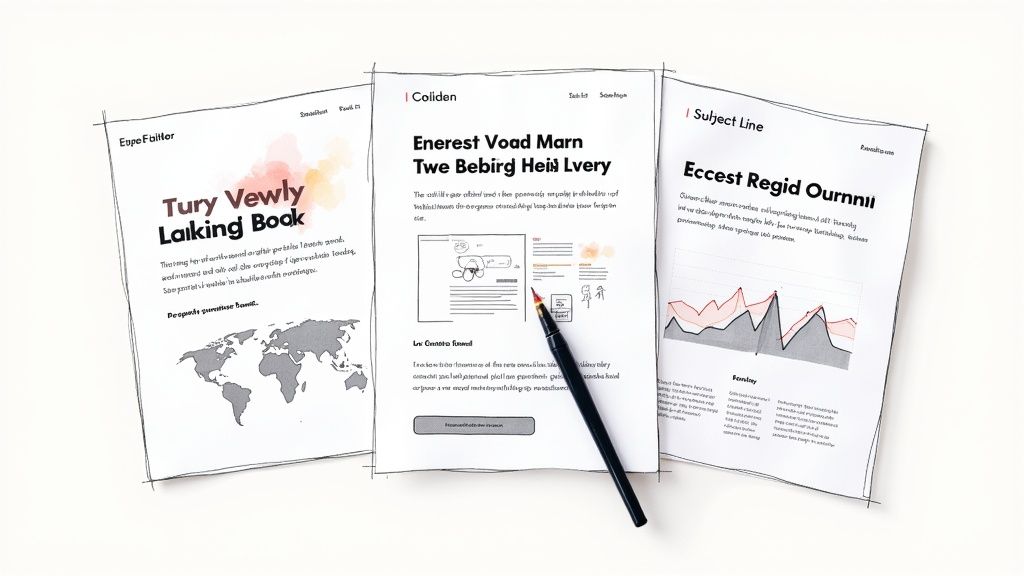
Email newsletters earn their spot on this list due to their versatility, measurable impact, and ease of dissemination. Features like segmentation allow schools to target specific groups (e.g., parents of certain grade levels, sports teams, or club members) with tailored information, increasing relevance and engagement. Automated scheduling streamlines the communication process, freeing up staff time for other tasks.
Examples of Successful Implementation:
- North Shore Elementary's "Friday Flash": A concise weekly update featuring upcoming events, important reminders, and quick news bites.
- Lincoln Middle School's "Parent Connect": A more comprehensive newsletter with dedicated sections for each teacher, enabling personalized communication and custom tracking of engagement by teacher.
- Westfield Academy's "Monthly Digest": A longer-form newsletter providing in-depth articles, student spotlights, and personalized content based on grade level.
Actionable Tips for Effective Email Newsletters:
- Craft compelling subject lines: Use a clear, recognizable subject line format that avoids spam triggers and entices recipients to open the email.
- Mobile-first design: Prioritize a simple, single-column layout that renders well on mobile devices.
- Clear calls to action: Include prominent buttons and links for important events, registration forms, or further information.
- Segmentation is key: Divide your email list into relevant segments to deliver targeted information based on grade level, interests, or involvement.
- Optimize send times: Schedule your emails for optimal open rates, typically Tuesday-Thursday mornings.
Pros:
- Immediate delivery to subscribers
- Cost-effective distribution
- Easy to share on social media
- Targeted content through audience segmentation
- Measurable engagement metrics and analytics
Cons:
- Potential for spam filtering
- Requires maintaining an updated email list
- Less tangible than printed newsletters
- Demands technical knowledge of email marketing platforms
- Potential subscription costs for advanced features
Popular Email Marketing Platforms:
- Mailchimp
- Constant Contact
- Smore
- ParentSquare
- Blackboard Communications
When to Use Email Newsletter Campaigns:
Email newsletters are ideal for regular communication, keeping the school community informed about upcoming events, important deadlines, student achievements, and general school news. They provide a consistent touchpoint and a platform for sharing richer content than short-form announcements or social media posts. The ability to segment audiences and track engagement makes them a valuable tool for targeted communication and continuous improvement of outreach efforts.
3. Print Newsletters
Print newsletters are the time-tested, tangible communication method for sharing school news and information directly with families. These physical documents, distributed to students to take home, offer a reliable way to reach every household, regardless of their technological access. While the digital age has brought many new communication tools, print newsletters remain a valuable asset, particularly for schools serving communities with limited internet access or where a physical reminder of school events is beneficial.
How They Work:
Print newsletters are typically created using desktop publishing software and then printed in bulk. They can range in format from a simple single sheet to a multi-page booklet or even a magazine-style publication. The content often includes a mix of school news, upcoming events, classroom highlights, student artwork, important dates, and educational resources for families. Distribution usually happens through students, who carry the newsletters home in their backpacks or designated folders.
Examples of Successful Implementation:
- Oakridge Elementary's "Oak Leaf": This monthly one-page newsletter focuses on essential updates and keeps it concise, making it easy for families to quickly digest key information.
- Sunset Valley School's "Family Times": This quarterly publication adopts a magazine-style format, showcasing student work, in-depth articles about school initiatives, and community spotlights. This richer format allows for more engaging storytelling and a stronger sense of community.
- King Elementary's "Weekly Folder" System: King Elementary utilizes a standardized newsletter format within a weekly folder system. This ensures consistent communication and provides a designated space for other important documents like permission slips and graded assignments.
Tips for Effective Print Newsletters:
- Visual Appeal: Use colored paper to make your newsletter stand out from other papers sent home. Consider incorporating school colors and logos for branding consistency.
- Consistency: Establish a regular distribution schedule (e.g., every Monday, the first of the month) so families know when to expect the newsletter.
- Sustainability: Be mindful of the environmental impact. Limit the number of pages and consider using recycled paper.
- Bridging the Gap: Incorporate QR codes to link to online resources, videos, or expanded articles on the school website, connecting the print and digital worlds.
- Multilingual Approach: For diverse communities, consider offering the newsletter in multiple languages to ensure inclusivity and accessibility for all families.
Pros:
- Reaches Everyone: Effectively communicates with families who lack reliable internet access or prefer printed materials.
- High Visibility: The physical presence of a newsletter increases the likelihood of it being seen and read.
- No Tech Barriers: Easy to access and doesn't require any technology to read.
- Tangible Reminders: Can be posted on refrigerators or bulletin boards, serving as constant reminders of important dates and events.
- Archival Record: Creates a physical archive of school history and activities.
Cons:
- Cost: Printing and distribution can incur costs for paper, ink, and staff time.
- Environmental Impact: Paper usage contributes to environmental concerns.
- Risk of Loss: Newsletters can get lost or damaged in transit between school and home.
- Static Content: Cannot be updated once printed, making timely information dissemination challenging.
- Space Limitations: Offers limited space compared to digital formats.
Why Print Newsletters Deserve a Place in Your Communication Strategy:
Despite the rise of digital communication, print newsletters offer a unique set of advantages. They provide a tangible connection with families, ensure accessibility for all, and serve as a valuable reminder of school events. By implementing the tips above, schools can create effective print newsletters that complement their digital strategies and strengthen their communication with the entire school community. Print newsletters are particularly valuable for reaching families who may be digitally disconnected, ensuring that everyone stays informed and engaged. They represent a dependable and inclusive communication method that remains relevant in today's educational landscape.
Popularized By: Historically, tools like Microsoft Publisher templates and Xerox school printing programs have facilitated print newsletter creation. School PTAs/PTOs often play a key role in their design and distribution. Even traditional yearbook companies have expanded their services to offer newsletter printing and design options for schools.
4. Interactive Web-Based Newsletters
Interactive web-based newsletters represent a significant shift from traditional print and even basic PDF formats. These dynamic, browser-based publications reside on dedicated platforms or school websites, offering a richer, more engaging experience for readers. Unlike static documents, they incorporate interactive elements like embedded videos, slideshows, polls, and comment sections, creating a multimedia experience that can be updated in real-time. This approach transforms the newsletter from a simple announcement board into a dynamic communication hub.
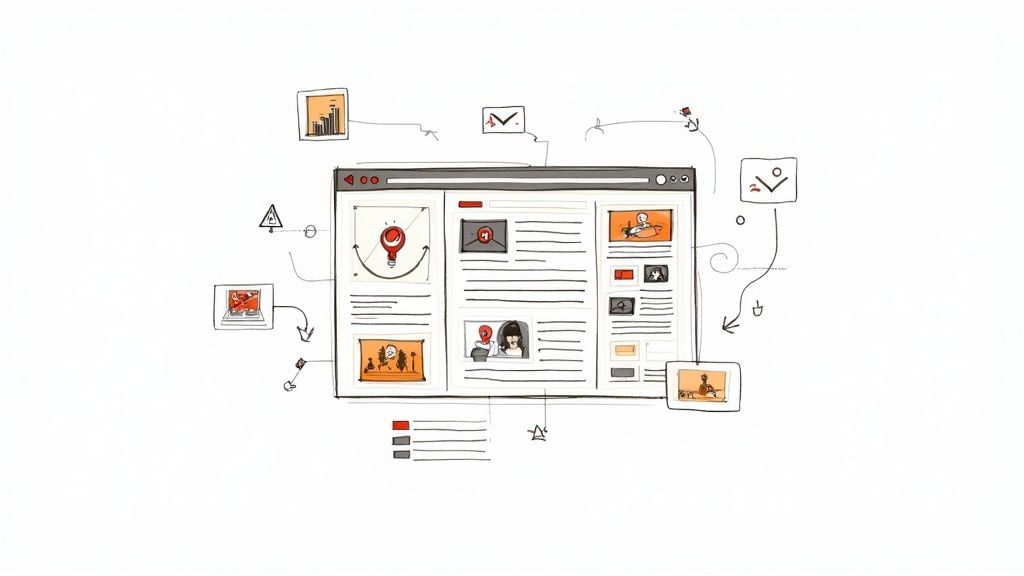
Web-based newsletters offer a range of features that enhance communication and engagement. Dynamic content allows for updates even after publishing, ensuring information is always current. Embedded multimedia, including videos, slideshows, and audio clips, brings stories to life and caters to diverse learning styles. Interactive elements such as polls and surveys gather valuable feedback from parents and students, while commenting capabilities foster a sense of community and open dialogue. Real-time updates and notifications ensure that the school community stays informed about important events and announcements. Crucially, built-in mobile responsiveness makes these newsletters accessible on any device.
Schools like Riverside High School have successfully implemented this approach with their 'River Current' newsletter, featuring embedded sports game highlights and scrolling photo galleries. Tech Academy's 'Innovation Newsletter' showcases student projects through interactive timelines, and Madison Elementary's 'MadisonWeb' integrates parent engagement activities directly within the newsletter. These examples demonstrate the versatility and impact of web-based newsletters.
Pros:
- Highly engaging through multimedia elements: Captures attention and caters to various learning styles.
- Easy to update with breaking news or corrections: Ensures accuracy and timeliness of information.
- Accessible from any internet-connected device: Reaches a wider audience, including parents on the go.
- Can gather feedback through interactive elements: Provides valuable insights and fosters two-way communication.
- Detailed analytics on reader behavior: Allows for data-driven improvements and content optimization.
Cons:
- Requires internet connection to access: Limits accessibility for those without reliable internet.
- May need subscription to specialized platforms: Can incur costs depending on the chosen platform.
- More complex to create than traditional formats: Requires some technical skills and planning.
- Potentially overwhelming with too many elements: Careful design is essential to avoid clutter and confusion.
- May require staff training on content management systems: Investment in training might be necessary for effective implementation.
Tips for Creating Effective Web-Based Newsletters:
- Focus on user experience with intuitive navigation: Ensure easy access to information.
- Keep load times fast by optimizing media files: Prevent frustration and maintain engagement.
- Include a printable version option for those who prefer physical copies: Caters to diverse preferences.
- Use responsive design principles for all device types: Ensures optimal viewing on any screen size.
- Incorporate accessibility features for all users: Prioritizes inclusivity and reaches a broader audience.
When to Use Web-Based Newsletters:
This approach is ideal for schools looking to enhance communication, engagement, and accessibility. It's particularly effective for sharing multimedia content, gathering feedback, and keeping the school community informed in real-time. While there's a slight learning curve, the benefits of interactive web-based newsletters make them a valuable tool for modern school communication. Popular platforms like Smore, Flipgrid, Google Sites, Microsoft Sway, Wakelet, and S'more offer user-friendly interfaces and a range of features to get started. This method deserves its place on this list because it represents the future of school newsletters, offering a dynamic and engaging alternative to traditional static formats.
5. Social Media Newsletter Formats
Social media newsletters offer a dynamic and engaging way to connect with your school community by adapting school news and announcements for platforms like Facebook, Instagram, Twitter/X, and even LinkedIn. This approach leverages the unique features of each platform to maximize reach and engagement. Instead of relying on families checking their email inboxes, social media newsletters meet them where they are already spending time online.
How It Works:
Social media newsletters utilize the native functionalities of each platform. This means tailoring content to fit the specific format and audience of each platform. For example, Facebook allows for longer, narrative-style posts and the creation of events, while Instagram thrives on visual storytelling through images, videos, and Stories. Twitter/X, on the other hand, demands concise updates perfect for quick announcements and real-time event coverage. LinkedIn can be used to share professional development opportunities and connect with alumni. By understanding the nuances of each platform, schools can effectively disseminate information and foster community interaction.
Examples of Successful Implementation:
- Franklin Middle School's "Monday Motivation": Weekly Facebook posts celebrating student achievements, showcasing extracurricular activities, and highlighting positive news stories create a sense of community pride and start the week on a high note.
- Highland High School's "Hawk Weekly" Instagram Story Series: Using tappable sections within their Instagram Stories, Highland High School segments their weekly news into categories like sports, arts, academics, and school events. This provides a visually engaging and easily navigable format for students and parents to access the information they’re most interested in.
- Parkside Elementary's Twitter Digest: Daily classroom highlights are shared on Twitter using consistent hashtags like #ParksideProud and #KindergartenCreativity. This allows parents to quickly catch up on classroom happenings and creates a searchable archive of school activities.
Tips for Effective Social Media Newsletters:
- Content Calendar: Plan your posts in advance using a content calendar to ensure consistent and strategic communication.
- Platform-Specific Features: Maximize engagement by utilizing platform-specific features like polls on Twitter/X, carousels on Instagram, and live videos on Facebook.
- Hashtags: Establish consistent hashtags to categorize and organize your content, making it easier for families to find relevant information. Examples: #ParksideProud, #FHSFootball, #BackToSchool.
- Social Media Team: Train multiple staff members on social media policies and best practices to ensure consistent messaging and timely posting.
- Scheduling Tools: Use scheduling tools like Hootsuite or Buffer to efficiently manage multiple social media accounts and schedule posts in advance.
Pros:
- Reach: Connects with parents where they already spend their time online.
- Cost-Effective: Free to implement with existing social media accounts.
- Community Engagement: Encourages community discussion and sharing through comments, likes, and shares.
- Immediate Delivery: Push notifications ensure instant delivery of important announcements.
- Viral Potential: Compelling content can quickly spread within the school community.
Cons:
- Accessibility: Not all parents use social media, potentially excluding some families.
- Platform Management: Requires creating different content for each platform, which can be time-consuming.
- Limited Control: Schools have limited control over how content appears in users' feeds due to ever-changing algorithms.
- Maintenance: Requires consistent monitoring and adaptation to algorithm changes.
- Privacy: Requires careful consideration of student privacy and adherence to school policies when sharing student information.
Why Social Media Newsletters Deserve a Place in Your Communications Strategy:
In today's digital age, social media is a powerful communication tool. Social media newsletters provide a dynamic, engaging, and cost-effective way to reach a broad audience, foster community interaction, and keep families informed. While careful planning and consistent management are crucial, the benefits of connecting with your school community in this immediate and accessible way make social media newsletters a valuable addition to any school's communication toolkit. This method is particularly well-suited for sharing timely updates, celebrating student achievements, and promoting school events. By embracing the unique capabilities of each platform, schools can build stronger relationships with families and create a more vibrant online community.
6. Video Newsletter Formats
Video newsletters offer a dynamic and engaging alternative to traditional text-based communications, transforming school updates into multimedia experiences. They leverage the power of visuals and audio to capture attention and convey information in a format that resonates with today's digital-savvy audiences. From simple webcam recordings to polished productions, video newsletters offer schools a powerful tool for connecting with their community.
How it Works:
Video newsletters can take many forms, adapting to the resources and skills available within a school. They can be as simple as a principal's weekly address filmed on a smartphone, or as complex as a student-produced news segment showcasing classroom projects and extracurricular activities. The key is to leverage the medium's ability to showcase school culture, student achievements, and important announcements in a visually compelling way.
Examples of Successful Implementation:
- Cedar Ridge Elementary's "Morning Announcement" Style: This weekly video features student anchors delivering school news and upcoming events, fostering a sense of community and student leadership.
- Westlake High School's Monthly "Principal's Update": This professionally edited video includes a message from the principal, spotlights on different departments, and interviews with students and staff, providing a comprehensive overview of school happenings.
- Pinewood Academy's "Pinewood TV": This program features news segments produced entirely by journalism students, offering valuable real-world experience and engaging content for the school community.
Actionable Tips:
- Keep it Concise: Aim for videos under 5 minutes to maintain viewer engagement.
- Brand Consistency: Create a simple intro/outro with school branding for a professional touch.
- Stay Focused: Use a script or talking points to ensure a clear and concise message.
- Accessibility: Always include closed captions for accessibility and comprehension.
- Scannable Content: Supplement the video with a brief written summary of key points.
When and Why to Use Video Newsletters:
Video newsletters are particularly effective for:
- Sharing visually rich content: Showcase student performances, classroom activities, school events, and facility upgrades.
- Increasing engagement: Capture attention and improve information retention compared to text-based formats.
- Reaching diverse audiences: Benefit non-readers, English language learners, and those who prefer visual learning.
- Demonstrating concepts visually: Explain complex ideas or procedures through demonstrations.
- Boosting student involvement: Engage students in video production, fostering creativity and technical skills.
Features and Benefits:
- Visual and Audio Communication: Combines the power of sight and sound for enhanced engagement.
- Scalable Production Quality: Adapts to various levels of technical expertise and resources.
- Shareability: Easily distributed across multiple platforms (website, social media, email).
- Accessibility: Closed captioning makes content accessible to a wider audience.
- Student Engagement: Provides opportunities for student participation in production.
Pros:
- Highly engaging format with higher retention rates.
- Showcases school personality and culture effectively.
- Accessible for diverse learners.
- Can demonstrate concepts visually.
- Popular with students, offering opportunities for participation.
Cons:
- Time-intensive to produce.
- Requires video equipment and possibly editing software.
- Larger file sizes/bandwidth requirements.
- May need staff with video production skills.
- Challenging to quickly scan for specific information.
Popularized By:
YouTube Edu channels, Flipgrid, WeVideo for Education, Animoto for Education, School morning announcement traditions
Video newsletters deserve a place in this list because they represent a significant evolution in school communication. They harness the power of visual storytelling to connect with audiences in a deeper and more meaningful way, ultimately strengthening the school community.
7. LMS-Integrated Newsletters
LMS-Integrated Newsletters represent a streamlined approach to school communication by leveraging the power of existing Learning Management Systems (LMS). Instead of managing a separate newsletter platform, schools can deliver news and announcements directly within platforms like Google Classroom, Canvas, Schoology, or ClassDojo. This creates a centralized information hub, connecting school news directly to the digital environment where families already engage with academic content. This method is particularly valuable for reaching families already actively using the LMS for academic purposes, simplifying information access and reducing communication overload.
How it Works:
LMS-integrated newsletters utilize the announcement, update, or story features within the specific LMS. Content is created and distributed within the platform, reaching families already registered and logged in. This eliminates the need for separate email lists or additional login credentials. Many LMS platforms offer features like scheduling, targeted delivery to specific classes or grade levels, and built-in translation tools. This allows schools to tailor communication and ensure accessibility for diverse families.
Examples of Successful Implementation:
- Jefferson Middle School uses weekly Canvas announcements to share department updates, linking directly to relevant course materials and assignments.
- Riverside Elementary leverages ClassDojo Story to showcase classroom achievements, share photos of school events, and announce upcoming activities.
- Central High School publishes a "Weekly Bulletin" within Schoology, featuring a counselor's corner, extracurricular highlights, and important school-wide announcements.
Actionable Tips:
- Consistency is Key: Establish a regular posting schedule (e.g., weekly, bi-weekly) so families know when to expect updates.
- Interactive Elements: Utilize LMS features like polls and surveys to gather feedback and encourage engagement.
- Classroom Reinforcement: Encourage teachers to reinforce important newsletter content in their classes.
- Structured Formatting: Use a consistent formatting structure (headings, bullet points, etc.) to improve readability and familiarity.
- Balanced Content: Include both student-relevant information (assignments, deadlines) and parent-relevant information (school events, PTA meetings).
When and Why to Use This Approach:
LMS-integrated newsletters are an excellent choice for schools seeking to streamline communications and reach families already actively engaged with their LMS. This approach is particularly effective when:
- High LMS Adoption: A majority of families consistently use the LMS for academic purposes.
- Centralized Communication: The school desires a single platform for both academic and general announcements.
- Simplified Access: The school wants to eliminate the need for additional logins or platforms.
Pros:
- Familiarity and Accessibility: Families already access the platform for academics, making news easily accessible.
- Streamlined Delivery: No need for separate email lists or additional login credentials.
- Contextual Relevance: Directly connects news to relevant academic content and resources.
- Built-in Features: Many LMS platforms offer translation, targeting, and scheduling features.
Cons:
- Design Limitations: LMS platforms typically offer less design flexibility compared to dedicated newsletter services.
- LMS Dependency: Functionality is limited by the capabilities of the chosen LMS.
- Limited Reach: Requires all families to be active LMS users; content is typically not publicly shareable.
- Potential Overlook: Newsletters may get overlooked amongst other academic notifications.
This approach deserves a place on this list because it offers a practical and efficient way to leverage existing technology for enhanced school communication. By integrating newsletters within the LMS, schools can create a centralized hub for information, reaching families directly within the digital space they already utilize for academic purposes. This fosters better engagement and reduces the likelihood of important announcements being missed. While limitations exist regarding design flexibility and reach, the convenience and streamlined nature of LMS-integrated newsletters make them a valuable tool for many K-12 schools.
8. Multichannel Newsletter Systems
In today's fragmented media landscape, reaching every parent and stakeholder requires a diversified approach. Multichannel newsletter systems offer a solution by distributing content across various platforms simultaneously, creating an integrated communication strategy. This approach ensures your information reaches everyone, regardless of their preferred communication method, combining elements of print, digital, social, and mobile delivery under consistent branding and messaging. This makes it a powerful tool for K-12 school marketing leaders, communications professionals, and administrators looking to maximize their reach and engagement.
How it Works:
Multichannel systems operate on the principle of "create once, publish everywhere." A centralized content creation hub allows schools to draft newsletters, announcements, and other communications, then format them automatically for different channels. This might involve generating a concise print version, a detailed email newsletter, social media snippets, and mobile app notifications, all stemming from the same core content.
Features:
- Coordinated messaging across multiple platforms: Ensure consistent narrative and information across all channels.
- Centralized content creation with channel-specific formatting: Streamlines workflow and maintains brand integrity.
- Integrated analytics across all channels: Offers a holistic view of engagement and reach.
- Consistent branding and voice: Reinforces school identity and builds trust.
- Preference options for recipients: Allows families to choose how they receive information, respecting their individual needs.
Pros:
- Reaches widest possible audience through channel diversity: Caters to varying communication preferences within the school community.
- Respects family communication preferences: Empowers stakeholders to choose their preferred channels.
- Creates consistent messaging across platforms: Avoids confusion and reinforces key information.
- Reinforces important information through repetition (across channels): Increases message retention and impact.
- Provides comprehensive engagement data: Enables data-driven decision-making for future communication strategies.
Cons:
- Resource-intensive to manage multiple channels: Requires dedicated staff and resources.
- Requires sophisticated content planning: Demands careful consideration of channel-specific content formatting and timing.
- Potential for message fragmentation: Requires careful planning to avoid diluting the core message.
- More complex analytics to synthesize: Data analysis across multiple platforms can be challenging.
- Higher learning curve for communication teams: Requires training and adaptation to new technologies and workflows.
Examples of Successful Implementation:
- Oakwood School District: Uses an integrated system with print summaries, detailed email newsletters, and social highlights, all originating from a single content repository.
- Mountain View Elementary: Implements a "Communication Hub" allowing parents to select their preferred delivery methods (email, SMS, app notifications).
- Westside High School: Publishes a "Digital Digest" with automatic cross-posting to five different platforms (website, Facebook, Twitter, Instagram, and school app).
Actionable Tips:
- Start with a content calendar that maps all channels: Plan your content strategically to ensure consistent and timely delivery across all platforms.
- Create templates that can be adapted across platforms: Streamline content creation and maintain consistent branding.
- Use automation tools to reduce duplication efforts: Maximize efficiency and minimize manual work.
- Track which channels perform best for different message types: Optimize your strategy based on data-driven insights.
- Implement a unified brand voice guide for consistency: Ensure all communications reflect the school's identity and values.
When and Why to Use This Approach:
Multichannel newsletter systems are ideal for schools seeking to enhance communication effectiveness, reach a broader audience, and streamline their communication workflows. This approach is particularly valuable in today's digital age, where families consume information through various channels. It ensures consistent messaging, respects individual preferences, and provides valuable data for continuous improvement.
Popularized By:
ParentSquare, Blackboard Communications Suite, Finalsite Communications, School Messenger, Apptegy. (Note: Links to these providers are not included as per the prompt guidelines, but could be easily added.)
This approach deserves its place on this list because it represents the future of school communication. By embracing a multichannel strategy, schools can foster stronger relationships with their communities, improve information dissemination, and ultimately, enhance the educational experience for all stakeholders.
8-Point Comparison: School Newsletter Formats
| Format | Implementation Complexity 🔄 | Resource Requirements ⚡ | Expected Outcomes 📊 | Key Advantages ⭐ |
|---|---|---|---|---|
| Digital PDF Newsletters | Medium – requires design software | Design tools and templates | Professional look with offline accessibility | Fixed layout integrity with clickable links |
| Email Newsletter Campaigns | Low to Medium – email platforms simplify the process | Email list management and analytics tools | Immediate delivery and engagement tracking | Targeted messaging and cost efficiency |
| Print Newsletters | Medium – involves design and print logistics | Printing budget and physical materials | Tangible reach and high visibility in homes | Accessible without technology and archival value |
| Interactive Web-Based Newsletters | High – dynamic content and CMS management | Web design expertise and content management systems | Real-time updates with multimedia engagement | Interactivity, flexibility, and robust analytics |
| Social Media Newsletter Formats | Low to Medium – adapting content for different platforms | Social media management and creative content production | Quick reach with high community interaction | Platform-specific design and potential for virality |
| Video Newsletter Formats | High – video production and editing required | Recording equipment and editing software | Enhanced engagement through visual storytelling | Captivating, personality-driven, and high retention rates |
| LMS-Integrated Newsletters | Low – leverages existing LMS functionality | Minimal extra tools; depends on school’s LMS | Direct academic integration with targeted messaging | Centralized delivery with secure and relevant academic links |
| Multichannel Newsletter Systems | High – requires coordinated planning across multiple channels | Extensive planning, automation, and cross-platform tools | Broad reach and consistent messaging across all channels | Unified branding, diverse channel delivery, and comprehensive analytics |
Elevate Your School's Story: Choosing the Right Newsletter Approach
From digital PDFs to interactive web experiences, video newsletters to social media formats, this article has explored a variety of approaches to crafting compelling school newsletters. The key takeaway? There’s no one-size-fits-all solution. The most effective newsletter is the one that best serves your school community and aligns with your communication objectives. Whether you're aiming to celebrate student achievements, share important updates, or promote upcoming events, choosing the right format and distribution method is crucial for maximizing engagement and impact. Remember, consistency, clarity, and an audience-centric approach are paramount, regardless of the platform you choose. Building a strong school community is just as important as the content of your newsletter. Check out these community engagement best practices from Creativize for insights on fostering meaningful connections. By mastering these concepts, you can transform your school newsletter from a simple bulletin into a powerful tool for connection, engagement, and community building – ultimately fostering a stronger and more informed school environment.
Ready to elevate your school's communication strategies and explore even more innovative approaches? Join The MarCom Society, a community designed to empower K-12 communication professionals with the resources and support they need to excel. Discover best practices, connect with peers, and unlock the full potential of your school's communication channels.