
Juggling class schedules, parent communications, and student events is complex enough without adding manual social media updates to the mix. For busy K-12 marketing and communications teams, a reliable scheduling tool isn't a luxury; it's essential for maintaining a consistent, engaging online presence. The right platform can save dozens of hours per month, streamline content approvals, and provide the data you need to prove your impact. But with so many options available, which one is the best fit for a school or district's unique needs?
This guide breaks down the 12 best social media scheduling tools, analyzing them specifically for the demands of educational environments, from single-person communications departments to large, multi-campus districts. We dive deep into the features that matter most to schools: robust approval workflows for stakeholder sign-offs, multi-account management for district-wide consistency, and detailed analytics to track engagement with parents and the community. To truly master your school's social media and maximize the value of your content, exploring effective content repurposing strategies is essential, a task made easier with the right scheduling tools.
Forget generic reviews. We provide an honest assessment of each tool’s pros, cons, and pricing, complete with screenshots and direct links to help you make an informed decision. This resource is designed to help you find the perfect partner for your communications strategy, transforming how you manage your school’s digital voice. Let’s find the right tool to help you work smarter, not harder.
1. Hootsuite
Hootsuite is one of the original and most comprehensive social media scheduling tools, making it a powerful choice for school districts needing robust governance and detailed reporting. It offers a centralized dashboard where teams can manage multiple social accounts, schedule content in bulk, and engage with their community, all from a single location. This unified approach is ideal for coordinating messaging across different schools or departments within a district.

The platform stands out for its enterprise-level features, including sophisticated approval workflows that are critical for K-12 environments where messaging requires careful review. Its deep analytics allow communications teams to track performance, benchmark against peer districts, and demonstrate the ROI of their social media efforts to stakeholders. Integrations with tools like Canva and an AI assistant streamline content creation directly within the scheduler.
Key Features for Schools
- Advanced Scheduling: A unified calendar allows for drag-and-drop planning, bulk scheduling via CSV, and AI-powered "best time to post" suggestions to maximize reach with parents and students.
- Centralized Engagement: The all-in-one inbox aggregates comments and direct messages, preventing missed inquiries and ensuring timely responses.
- Approval Workflows: Multi-step approval processes ensure content is vetted by leadership before publishing, maintaining brand consistency and compliance.
Pricing and Plans
Hootsuite offers a 30-day free trial to test its capabilities. Paid plans are structured as follows:
| Plan | Pricing (Billed Annually) | Key Benefit for Schools |
|---|---|---|
| Professional | $99/month | Good for a single user managing up to 10 accounts. |
| Team | $249/month | Supports 3 users and 20 accounts, unlocking team roles and permissions. |
| Enterprise | Custom Pricing | Designed for large districts needing advanced analytics, security, and employee advocacy tools. |
Pros & Cons for K-12 Teams
- Pros: Mature, all-in-one platform with extensive integrations. Powerful analytics and reporting features. Strong governance and team collaboration tools.
- Cons: The interface can feel complex for beginners or small teams. The price increases significantly as you add users and features.
Website: https://www.hootsuite.com
2. Sprout Social
Sprout Social is a premium, all-in-one social media management platform designed for organizations that require sophisticated reporting, team collaboration, and deep audience insights. Its enterprise-grade toolset makes it one of the best social media scheduling tools for larger school districts or private schools needing granular control and comprehensive analytics. The platform combines scheduling, monitoring, engagement, and reporting into a clean, user-friendly interface.
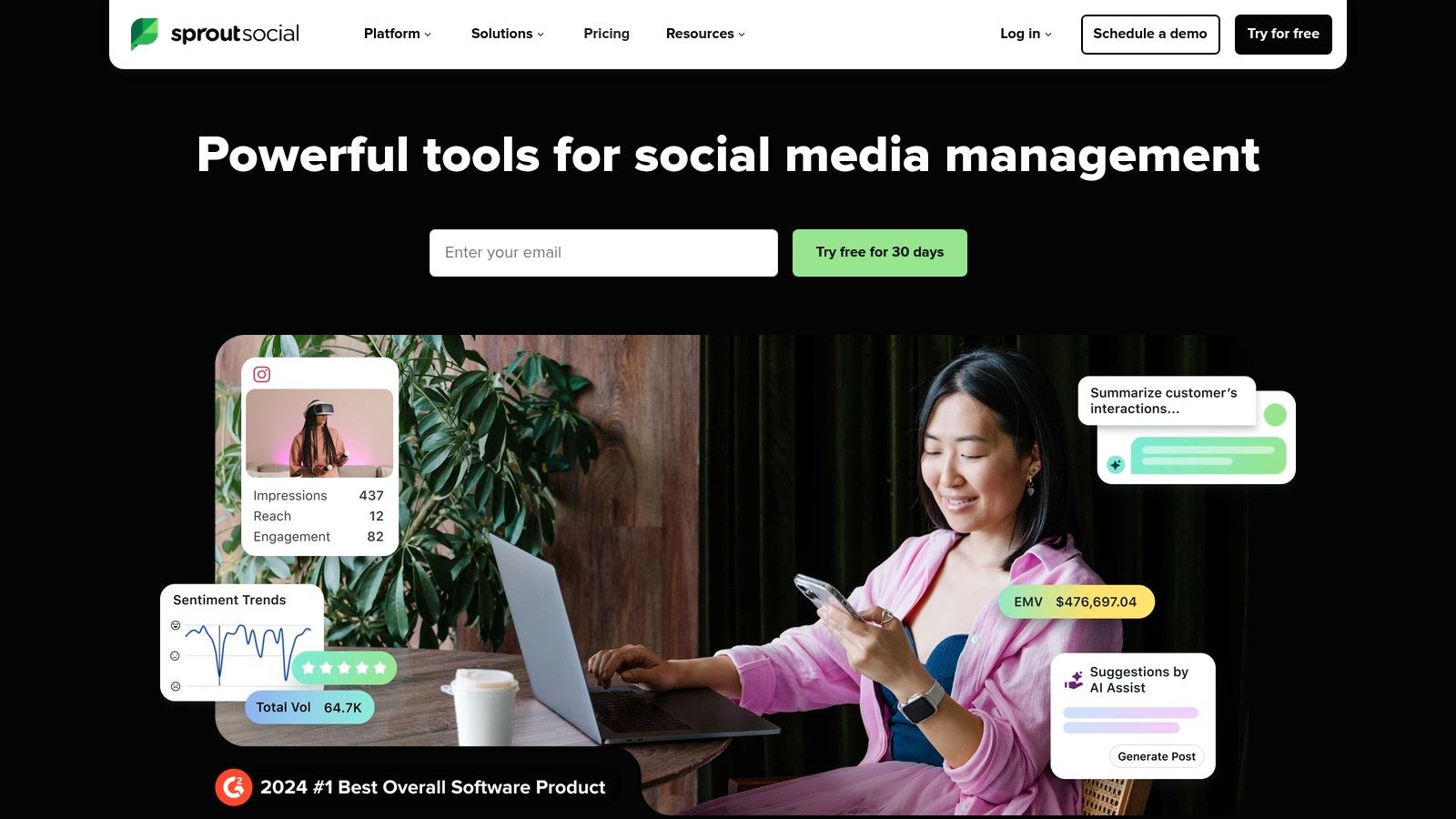
What sets Sprout Social apart is its powerful analytics suite, which provides detailed reports on everything from post-performance to competitive analysis. This allows school communications teams to effectively measure social media engagement and justify their strategy to leadership. Its integrated Smart Inbox and CRM tools also help manage community interactions at scale, ensuring no parent question or student comment is missed.
Key Features for Schools
- Advanced Reporting: Generate presentation-ready reports on post-performance, competitor activity, and audience demographics to track progress toward communication goals.
- Team Workflows: Assign tasks, manage approval queues, and set user-level permissions to ensure content is reviewed and on-brand before it goes live.
- Unified Smart Inbox: Consolidate messages from all connected profiles into a single stream with message tagging and filtering for efficient response management.
Pricing and Plans
Sprout Social offers a 30-day free trial to explore its premium features. Its paid plans are priced per user.
| Plan | Pricing (Billed Annually) | Key Benefit for Schools |
|---|---|---|
| Standard | $249/user/month | Ideal for smaller teams managing up to 5 profiles needing core publishing and engagement tools. |
| Professional | $399/user/month | Adds competitive reports, content tagging, and optimal send times for data-driven teams. |
| Advanced | $499/user/month | Provides a full suite of features including chatbots, digital asset libraries, and advanced inbox automation. |
Pros & Cons for K-12 Teams
- Pros: Industry-leading analytics and beautiful, easy-to-understand dashboards. Scales well with complex teams and permission needs. Offers a generous 30-day free trial.
- Cons: Per-seat pricing can become expensive as communications teams grow. Some advanced features are sold as costly add-ons.
Website: https://sproutsocial.com
3. Buffer
Buffer is known for its clean, intuitive interface and straightforward scheduling capabilities, making it one of the best social media scheduling tools for smaller districts or individual school communicators. It provides a simple, clutter-free dashboard where users can easily plan, create, and schedule posts across multiple platforms. Its approachability is perfect for teams that need efficiency without the steep learning curve of more complex, enterprise-level systems.
The platform shines with its flexible, per-channel pricing, which allows schools to start small and scale as needed. Features like the AI Assistant for generating post ideas, a browser extension for quick sharing, and first-comment scheduling for Instagram help streamline the content creation workflow. While it may lack the deep analytics of its competitors, its core scheduling function is exceptionally fast and reliable.
Key Features for Schools
- Simple Scheduling Queue: A visual calendar and post queue make it easy to see your content plan at a glance and ensure a consistent posting cadence.
- AI Assistant: Helps overcome writer's block by generating post ideas, rewriting copy, and repurposing content, saving valuable time for busy communications staff.
- Team Collaboration: The Team plan adds user permissions and draft approvals, allowing a communications director to review posts from individual school contributors before they go live.
Pricing and Plans
Buffer offers a generous free plan and a 14-day trial on paid tiers. Its pricing is unique as you can mix and match products.
| Plan | Pricing (Billed Annually) | Key Benefit for Schools |
|---|---|---|
| Free | $0/month | Manage up to 3 channels with 10 scheduled posts per channel. |
| Essentials | $6/month per channel | Unlocks analytics, engagement tools, and unlimited post scheduling. |
| Team | $12/month per channel | Best for districts needing collaboration, user permissions, and approval workflows. |
Pros & Cons for K-12 Teams
- Pros: Very approachable pricing model for small schools or tight budgets. Simple, fast workflow with an excellent user experience. A functional free plan is available for getting started.
- Cons: Analytics and social listening features are less robust than enterprise tools. The per-channel pricing can become expensive for districts managing many accounts.
Website: https://buffer.com
4. Later (Later Social)
Later is a visually-focused platform that began as an Instagram-first scheduler and has since grown into one of the best social media scheduling tools for visual storytelling. Its drag-and-drop visual planner is perfect for school districts that want to carefully curate their Instagram grid or plan video content for TikTok and Reels. The interface is clean and intuitive, making it highly accessible for teams without extensive social media management experience.

The platform excels at simplifying content creation and distribution on image-heavy networks. Its Link in Bio feature allows schools to create a clickable landing page from their Instagram or TikTok profile, driving traffic to newsletters, event registrations, or the district website. For districts looking to share authentic moments, Later also includes tools for finding and collecting user-generated content (UGC), making it easy to reshare photos from school events posted by students and parents with proper credit.
Key Features for Schools
- Visual Planner: Drag-and-drop calendar lets you see exactly how your Instagram grid will look, ensuring a polished and professional feed.
- Link in Bio: A powerful tool to create a custom, trackable link landing page, turning your social media profile into a traffic-driving hub.
- Best Time to Post Suggestions: AI-driven recommendations help you schedule content for when your specific parent and student audience is most active.
- UGC Collection: Easily find, organize, and request permission to use content shared by your school community using hashtags and mentions.
Pricing and Plans
Later offers a 14-day free trial on its paid plans. There is also a free-forever plan with limitations.
| Plan | Pricing (Billed Annually) | Key Benefit for Schools |
|---|---|---|
| Starter | $25/month | Ideal for a single school or a small district getting started. |
| Growth | $45/month | Adds analytics, a Social Inbox, and team collaboration for 3 users. |
| Advanced | $80/month | Unlocks support for up to 6 users and more advanced features. |
Pros & Cons for K-12 Teams
- Pros: Excellent visual planning tools for Instagram and TikTok. User-friendly interface is great for beginners. Growth-friendly plans with clear feature tiers.
- Cons: Lower-tier plans have monthly post limits. Key analytics and team features are reserved for more expensive plans.
Website: https://later.com
5. Loomly
Loomly is an intuitive, calendar-centric social media scheduling tool that excels at simplifying the content creation and approval process. Its visual approach makes it highly approachable for school communication teams who need a clear, at-a-glance view of their upcoming content calendar. The platform is designed around collaboration, making it easy to draft, comment on, and approve posts before they go live across multiple channels.
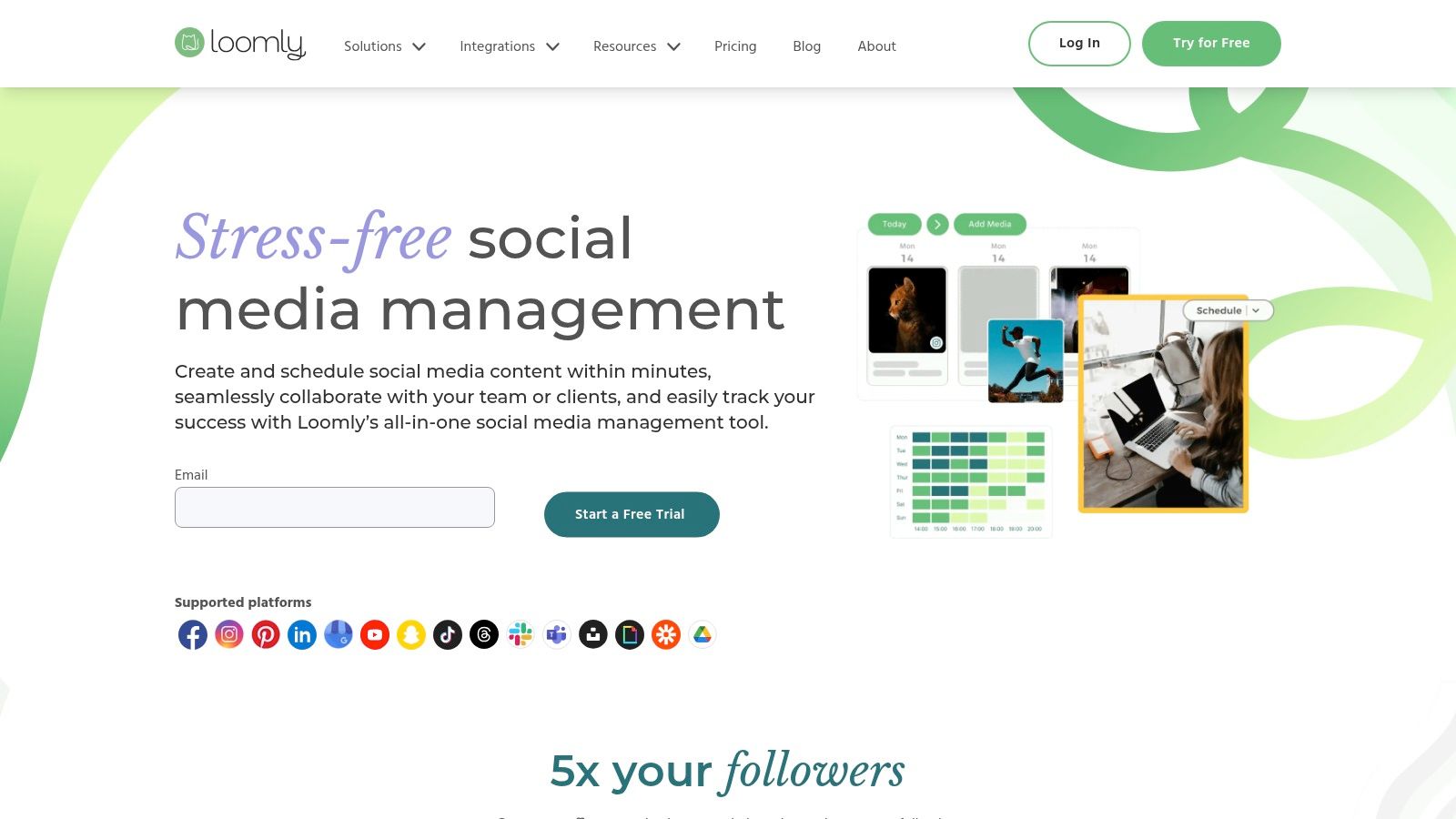
What sets Loomly apart is its emphasis on the entire content lifecycle, from brainstorming to reporting. It provides post ideas, hashtag suggestions, and audience optimization tips directly within the post composer. For districts managing content with multiple stakeholders, its built-in approval workflow is straightforward yet effective, ensuring every announcement and update is properly vetted. The platform's clean interface and guided workflows lower the learning curve for new users.
Key Features for Schools
- Visual Content Calendar: A clear, drag-and-drop calendar provides a bird's-eye view of all scheduled content, simplifying planning for events and campaigns.
- Collaborative Workflows: Teams can draft, comment on, edit, and approve mockups of posts before they are published, maintaining message consistency.
- Content Idea Generator: Loomly offers inspiration based on trending topics, holidays, and social media best practices, helping to overcome creative blocks.
Pricing and Plans
Loomly offers a 15-day free trial. It also provides a significant 50% discount for eligible nonprofit organizations, which many schools may qualify for.
| Plan | Pricing (Billed Annually) | Key Benefit for Schools |
|---|---|---|
| Base | $32/month | Ideal for a small team of 2 users managing up to 10 social accounts. |
| Standard | $64/month | Supports 6 users and 20 accounts, adding advanced analytics and content export features. |
| Advanced | $132/month | Best for larger districts with 14 users and 35 accounts, includes custom roles and workflows. |
Pros & Cons for K-12 Teams
- Pros: Very user-friendly and visual calendar interface. Strong collaboration and approval features. A 50% discount is available for nonprofits.
- Cons: Connecting multiple accounts from the same platform (e.g., two Facebook pages) requires a higher-tier plan or multiple calendars. Some analytics features are less robust than enterprise-focused tools.
Website: https://www.loomly.com
6. SocialPilot
SocialPilot delivers a powerful and cost-effective scheduling solution, making it one of the best social media scheduling tools for school districts managing numerous accounts on a tight budget. It provides a clean, user-friendly interface for scheduling posts, curating content, and analyzing performance without the high costs associated with enterprise-level platforms. Its generous account and user limits on all plans are particularly beneficial for districts needing to coordinate across multiple schools or departments.
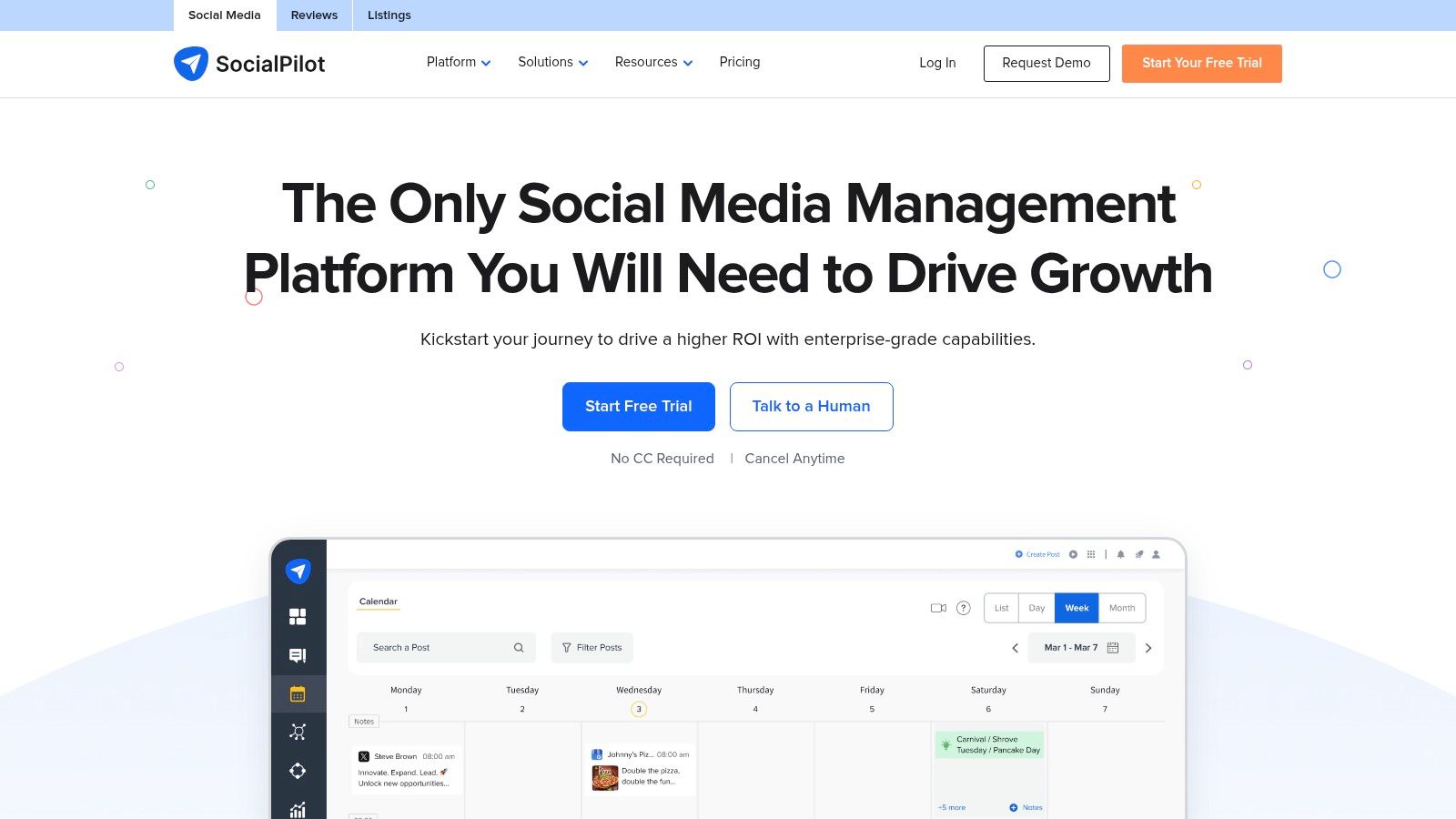
The platform excels in value, offering features like bulk scheduling, a content library, and team collaboration even on its entry-level plans. For districts that need to present social media data to school boards or leadership, the white-label reports available on higher tiers allow for professional, branded presentations. The ability to add extra users and accounts at a low cost provides excellent scalability as a district’s social media presence grows.
Key Features for Schools
- Bulk Scheduling & Content Library: Easily upload up to 500 posts at once via a CSV file, perfect for planning a month of announcements or events. Store evergreen content like safety reminders or school values in a content library for reuse.
- Team Collaboration & Approvals: Invite team members to manage specific accounts with role-based access. A simple approval workflow ensures that a communications director can review and approve posts before they are published.
- Analytics & Reporting: Generate and download comprehensive analytics reports to track engagement, follower growth, and post performance. Higher-tier plans offer white-labeled reports for a professional touch.
Pricing and Plans
SocialPilot offers a 14-day free trial. Its plans provide significant value, especially for teams.
| Plan | Pricing (Billed Annually) | Key Benefit for Schools |
|---|---|---|
| Professional | $25.50/month | Ideal for a small communications team managing 10 school accounts. |
| Agency | $85/month | Supports 50 accounts and 5 users, perfect for larger districts or education service agencies. |
| Agency+ | $170/month | Best for large districts needing 100+ accounts and white-label reports for stakeholders. |
Pros & Cons for K-12 Teams
- Pros: Strong value with high account and user limits on all plans. Straightforward and affordable pricing. Agency-oriented features like white-label reports are great for district-level presentations.
- Cons: The user interface and reporting are less polished than some premium competitors. Certain advanced features require higher-tier plans.
Website: https://www.socialpilot.co
7. Sendible
Sendible is a powerful social media scheduling tool designed with agencies in mind, but its structure translates perfectly for districts managing multiple school or department accounts. It provides a clean, unified dashboard for unlimited scheduling, client-friendly reporting, and streamlined content approvals. This makes it an excellent choice for a central communications office overseeing social media for an entire district.
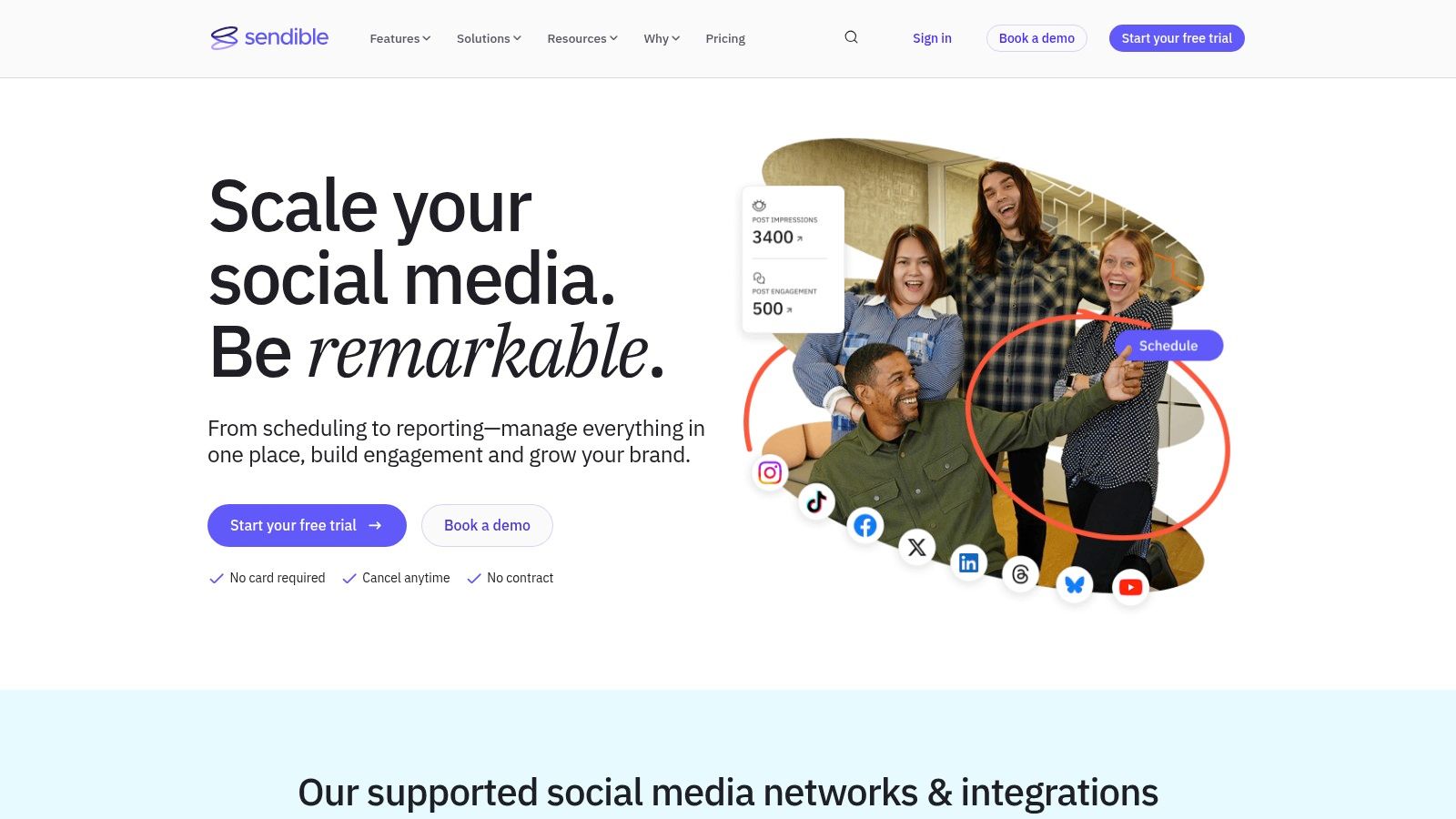
The platform's key advantage is its ability to bundle user access and social profiles, offering scalability as a district’s social media presence grows. Features like shared content libraries and hashtag suggestions help maintain brand consistency across all school accounts. On higher-tier plans, the option for white-labeling allows a district to create a branded social media management portal for its team.
Key Features for Schools
- Unlimited Scheduling: Plan an entire semester's worth of content using the visual calendar, content queues, or bulk CSV uploads without post limits.
- Client Dashboards & Approval Workflows: Grant principals or department heads access to a simplified dashboard to review and approve content before it goes live, ensuring oversight.
- Content Libraries: Create and share approved image assets, post templates, and hashtag groups to empower school-level content creators while maintaining district standards.
Pricing and Plans
Sendible offers a 14-day free trial on its standard plans, which operate on a no-contract basis.
| Plan | Pricing (Billed Annually) | Key Benefit for Schools |
|---|---|---|
| Creator | $25/month | Ideal for one person managing a small district’s main accounts (up to 6 profiles). |
| Traction | $76/month | Supports up to 4 users and 24 profiles, suitable for small to mid-sized districts. |
| Scale | $240/month | Built for larger districts with 7 users, 49 profiles, and advanced approval workflows. |
| Expansion | Custom Pricing | Offers custom user/profile limits, white-labeling, and dedicated support for large districts. |
Pros & Cons for K-12 Teams
- Pros: Agency-ready features are great for central district management. Bundled profiles/users offer scalable value. Rich reporting and strong onboarding support.
- Cons: The price increases significantly with each tier. Some desirable features, like advanced analytics, may be add-ons.
Website: https://www.sendible.com
8. Agorapulse
Agorapulse is a powerful, all-in-one social media management platform that excels at team collaboration, engagement, and reporting. It is particularly well-suited for school districts that prioritize community interaction and need to demonstrate the return on investment (ROI) of their social media activities. Its unified inbox is a standout feature, consolidating comments, mentions, and messages from all connected profiles into a single, manageable stream.

This tool goes beyond simple scheduling by offering robust features for monitoring and engagement. School communication teams can use the Inbox Assistant to automatically moderate comments, which is crucial for maintaining a safe online environment on district pages. Detailed reporting on team performance helps leaders track response times and ensure that no parent or student inquiry is missed, making it one of the best social media scheduling tools for districts focused on structured engagement.
Key Features for Schools
- Unified Social Inbox: Manage all incoming comments, ad comments, and private messages in one place to ensure timely and organized responses.
- Shared Calendars & Content Queues: Collaborate on content plans with a unified, color-coded calendar. Create content categories and queues to ensure a steady flow of posts about events, announcements, and student achievements.
- Advanced Reporting: Generate in-depth reports on audience growth, engagement metrics, and team activity to present clear results to school boards and stakeholders.
Pricing and Plans
Agorapulse offers a 30-day free trial. It is also known for providing a discount for nonprofit organizations, which some school districts may qualify for.
| Plan | Pricing (Billed Annually) | Key Benefit for Schools |
|---|---|---|
| Standard | $49/user/month | Ideal for a small team or single communications manager. |
| Professional | $79/user/month | Adds features like a content library and advanced reporting. |
| Advanced | $119/user/month | Unlocks shared calendars, content approval, and deep analytics for district-wide use. |
Pros & Cons for K-12 Teams
- Pros: Strong engagement and inbox management tools. Team performance reporting and approval workflows. 30-day free trial and a potential nonprofit discount.
- Cons: The per-user pricing model can become expensive for larger communication teams. Adding extra social profiles can also incur additional fees.
Website: https://www.agorapulse.com
9. Metricool
Metricool is an excellent budget-friendly option for smaller school districts or individual school managers looking for robust planning and analytics without a hefty price tag. It combines social media scheduling with competitor analysis and ad campaign reporting, offering a surprisingly comprehensive toolset for its cost. Its straightforward interface makes it one of the more approachable social media scheduling tools for teams just getting started.
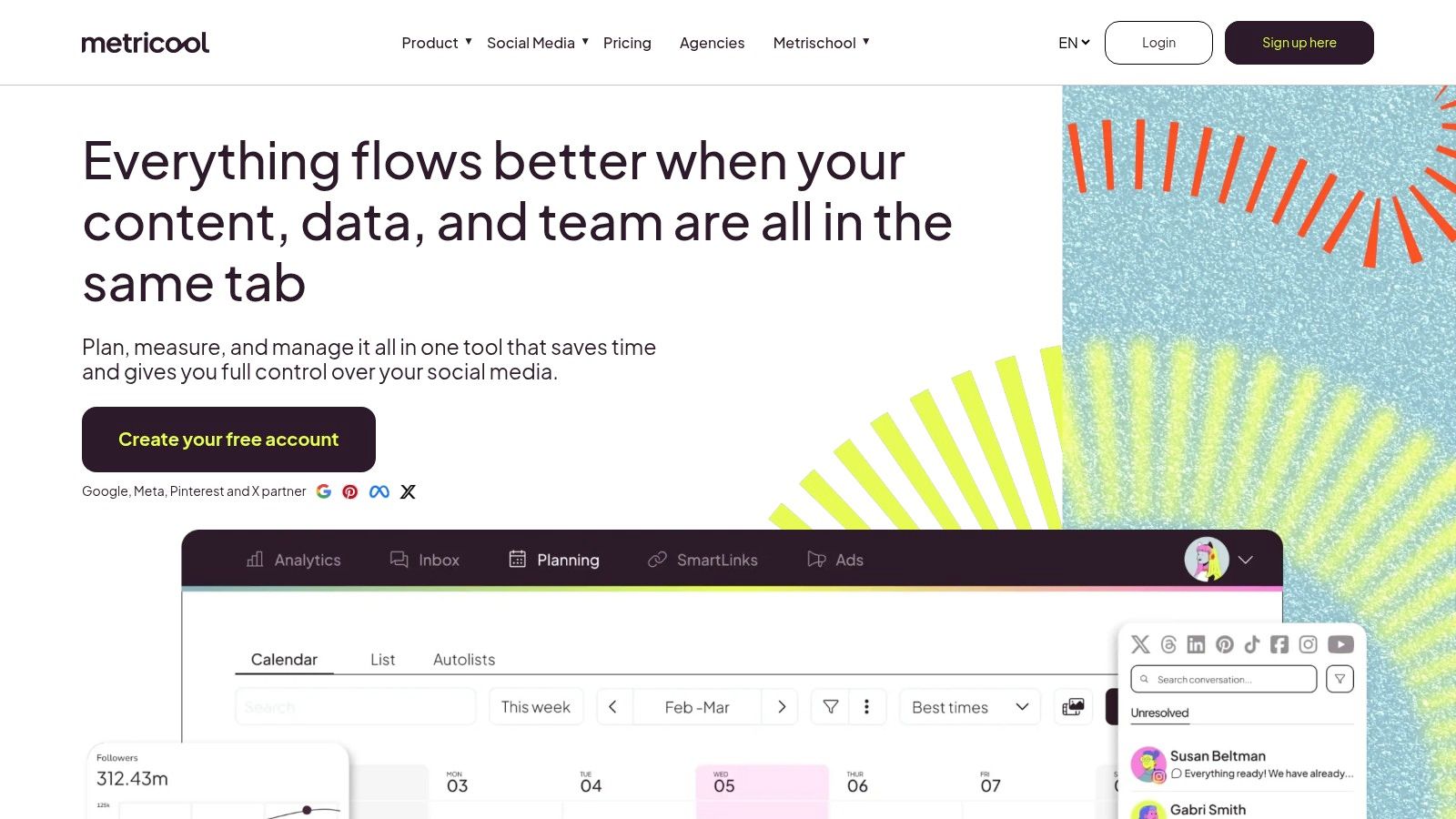
The platform's strength lies in its blend of organic and paid social media management. Schools running small ad campaigns for open enrollment or events can track performance alongside their regular content. The planner includes a "best times to post" feature based on audience engagement, and its generous free plan allows districts to test the core functionalities extensively before committing.
Key Features for Schools
- Unified Planner: A visual calendar supports auto-publishing for most major networks, including Instagram, Facebook, and Google Business Profile, with best-time recommendations.
- Competitor Analysis: Track the social media growth and top-performing content of neighboring districts to benchmark your own strategy.
- Ads Integration: Connect Facebook and Google Ads accounts to create, manage, and review campaign performance directly within the Metricool dashboard.
Pricing and Plans
Metricool offers a forever-free plan, making it highly accessible. Paid plans unlock more features and higher limits.
| Plan | Pricing (Billed Annually) | Key Benefit for Schools |
|---|---|---|
| Free | $0/month | Manage 1 brand with 50 scheduled posts per month. |
| Starter | $18/month | Increases post limit to 2,000 and adds LinkedIn integration. |
| Advanced | $45/month | Supports 10 brands, ideal for a district managing multiple school accounts. |
Pros & Cons for K-12 Teams
- Pros: Highly affordable with a feature-rich free plan. Integrated competitor and ad campaign analysis. Simple, user-friendly interface.
- Cons: The free plan has notable limitations, like the exclusion of X/Twitter and LinkedIn. Advanced reporting and team workflows are less robust than enterprise-level tools.
Website: https://metricool.com
10. CoSchedule (Social Calendar)
CoSchedule stands out by integrating social media scheduling into a broader marketing calendar suite, making it an excellent choice for school districts that want a unified view of all their communication efforts. It allows teams to plan, organize, and execute their entire marketing strategy, from blog posts and email newsletters to social media campaigns, all in one place. This holistic approach helps ensure that social media messaging aligns perfectly with other district-wide initiatives.
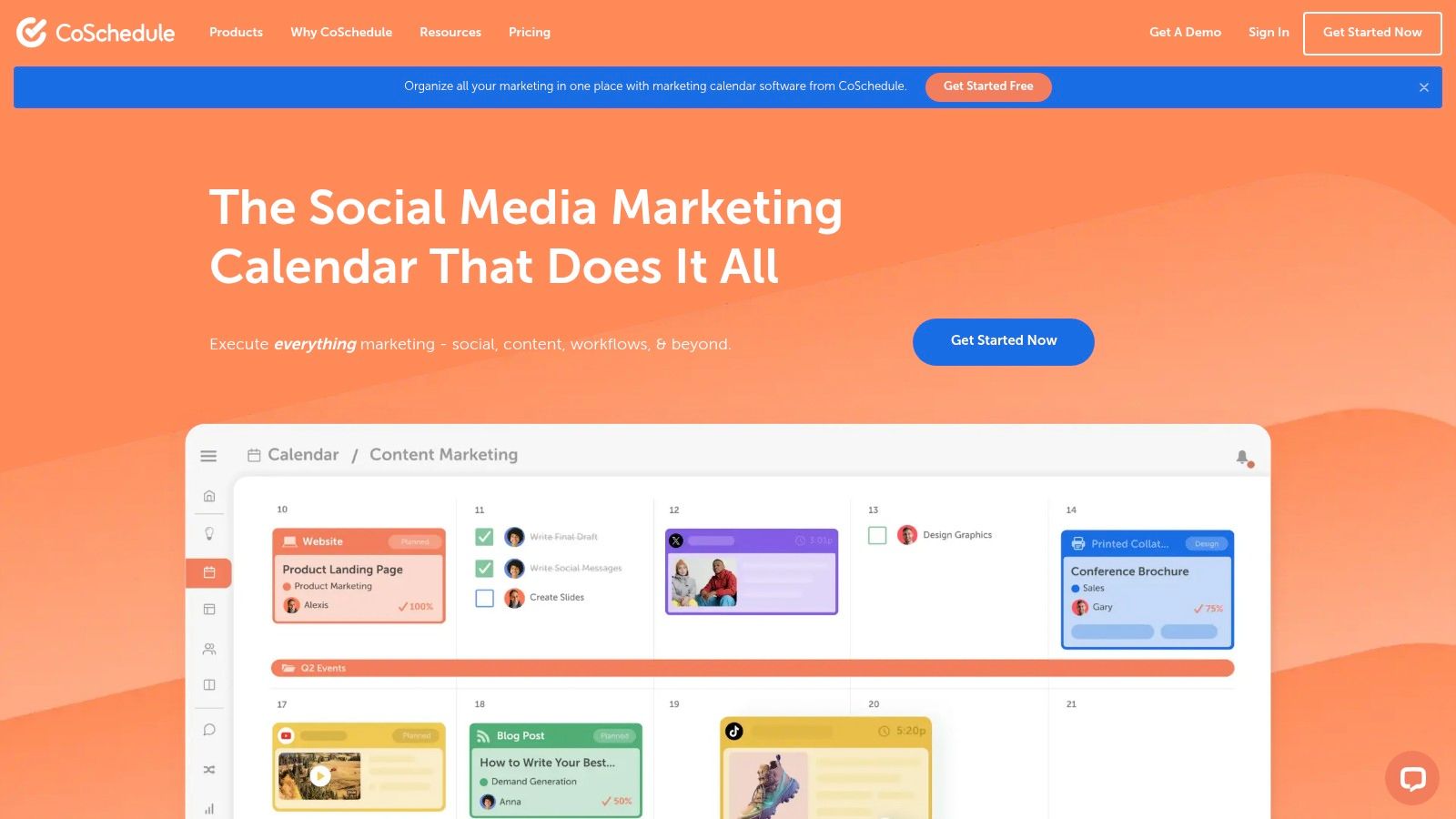
The platform is particularly strong for content-heavy teams. Its ReQueue feature intelligently re-shares top-performing evergreen content, saving time and maximizing the lifespan of valuable posts about school achievements or enrollment deadlines. This focus on a comprehensive content calendar makes CoSchedule one of the best social media scheduling tools for teams seeking organizational efficiency. For guidance on structuring your content plan, explore our resource on how to create a social media content calendar.
Key Features for Schools
- Unified Marketing Calendar: Visualize every project, including social campaigns, email, and events, on a single drag-and-drop calendar.
- ReQueue Automation: Automatically fills gaps in your schedule with your best evergreen content, ensuring consistent posting without constant manual effort.
- Unlimited Scheduling: Paid plans offer unlimited social media messages, ideal for districts with multiple accounts and frequent communication needs.
Pricing and Plans
CoSchedule provides a free calendar with basic features. Paid plans unlock more powerful social media and marketing tools.
| Plan | Pricing (Billed Annually) | Key Benefit for Schools |
|---|---|---|
| Social Calendar | $19/user/month | Unlimited scheduling and social profiles for a small team. |
| Content Calendar | $29/user/month | Adds marketing project management and content organization. |
| Marketing Suite | Custom Pricing | A complete set of agile marketing products for large districts. |
Pros & Cons for K-12 Teams
- Pros: Unlimited scheduled messages on paid tiers. Integrates social with a broader content marketing calendar. Free calendar is available for basic use.
- Cons: X/Twitter profiles are billed separately. Advanced suite features require sales-assisted plans, which may be complex for smaller districts.
Website: https://coschedule.com
11. PLANOLY
PLANOLY is a visually-focused social media planner that began with a strong emphasis on Instagram and has since expanded to include other key platforms like TikTok and Pinterest. Its clean, grid-based layout makes it an excellent tool for school districts wanting to maintain a polished and cohesive visual brand, especially on image-heavy networks. The platform is designed for planning first, allowing teams to arrange their content calendars with a clear visual preview before scheduling.
What makes PLANOLY one of the best social media scheduling tools for visually-driven school communications is its intuitive, creator-friendly user experience. Features like the AI Caption Writer and integrated hashtag manager help streamline content creation, which is a significant time-saver for busy communication teams. The inclusion of mobile apps for iOS and Android also allows for on-the-go content management, perfect for capturing and posting live events like sporting games or school assemblies.
Key Features for Schools
- Visual Planner: Drag-and-drop grid interface to visually plan your Instagram feed, ensuring a consistent and professional look for your school’s profile.
- AI Caption Writer: Generates creative and engaging captions, helping teams overcome writer's block and produce content more efficiently.
- Multi-Channel Workspace: Schedule and publish content not only to Instagram but also to TikTok, Pinterest, Facebook, and X (Twitter) from a single workspace.
Pricing and Plans
PLANOLY offers a free plan with limited uploads, with paid plans available to unlock more features and higher limits.
| Plan | Pricing (Billed Annually) | Key Benefit for Schools |
|---|---|---|
| Personal | $0/month | Free for 1 user to manage 1 social set with limited uploads. |
| Starter | $14/month | Unlocks unlimited uploads for one social set, ideal for a single school. |
| Growth | $24/month | Adds a second user and social set, great for a small communications duo. |
| Professional | $36.50/month | Supports up to 6 users and 6 social sets for district-level coordination. |
Pros & Cons for K-12 Teams
- Pros: Excellent for visual-first platforms like Instagram. Creator-friendly interface is easy to learn. Free plan is available for getting started.
- Cons: Upload limits on lower-tier plans can be restrictive. Some advanced planning features are only available on the web app, not mobile.
Website: https://www.planoly.com
12. Meta Business Suite
For districts primarily focused on Facebook and Instagram, Meta Business Suite is the official, no-cost scheduling tool directly integrated into the platforms. It provides a simple and effective way to manage content for Facebook Pages and Instagram accounts from one centralized planner. This native solution eliminates the API-related glitches that can sometimes occur with third-party tools, ensuring reliable post delivery.
The platform is an excellent starting point for smaller districts or those with limited budgets that do not need to manage other networks like X or LinkedIn. Its key advantage is the "Active times" feature, which suggests optimal posting times based on when a school's specific audience is most engaged. Understanding the nuances of social media marketing for schools is easier when using data straight from the source.
Key Features for Schools
- Native Scheduling: Create, schedule, and publish posts, Stories, and Reels for both Facebook and Instagram from a single, unified content calendar.
- Planner & Insights: The visual planner allows teams to see scheduled content at a glance, while "Active times" provides data-driven suggestions for maximizing reach.
- Unified Inbox: Manage comments and direct messages from both Facebook and Instagram in one place, helping teams stay on top of parent and student inquiries.
Pricing and Plans
Meta Business Suite is entirely free to use for anyone with a Facebook Page and a connected Instagram business or creator account.
| Plan | Pricing (Billed Annually) | Key Benefit for Schools |
|---|---|---|
| Business Suite | Free | A no-cost, native tool for managing Facebook and Instagram presence effectively. |
Pros & Cons for K-12 Teams
- Pros: Completely free to use. Direct platform integration ensures high reliability. Provides audience engagement data to inform scheduling.
- Cons: Limited to only Facebook and Instagram. The scheduling window is often shorter than paid tools. Users sometimes report UI glitches and limited customer support.
Website: https://business.facebook.com
Top 12 Social Media Scheduling Tools Comparison
| Tool | Core features | UX & quality | Value proposition | Best for / Target audience | Pricing notes |
|---|---|---|---|---|---|
| Hootsuite | Unified calendar, bulk scheduling, inbox, analytics, AI, Canva integration | Mature, feature-rich; can feel heavy for very small teams | Enterprise-grade governance, reporting at scale | Mid-market to enterprise school districts and comms teams | Scales quickly; 30-day free trial |
| Sprout Social | Advanced reporting, listening, unified inbox, approvals, AI Assist | Premium dashboards and governance; highly polished | Deep analytics + team workflows for ROI-driven programs | Mid-market/enterprise teams and district communications leads | Per-seat pricing can be expensive; 30-day free trial |
| Buffer | Visual calendar, queue, browser extensions, AI assistant, analytics by plan | Clean, simple, fast workflow | Affordable, approachable scheduling for small teams | Small schools, individual communicators, creators | Free plan (3 channels); pricing grows with channels |
| Later | Visual planning (IG/TikTok), auto-publish, link-in-bio, UGC collection | Creator-focused visual UX | Strong visual/content planning for Instagram/TikTok strategy | Schools prioritizing visual/social recruitment and engagement | Starter post caps; 14-day free trial |
| Loomly | Idea board, calendar UX, bulk uploads, approvals, Canva import | Easy calendar UX for teams and clients | Collaborative planning with flexible billing and nonprofit discount | SMBs, small districts, agencies supporting schools | Flexible monthly/annual billing; 50% nonprofit discount |
| SocialPilot | Bulk scheduling, content library, analytics, white-label reports | Straightforward UI; less polished than premium suites | High account/user limits and strong value for agencies | Agencies and SMBs managing many school accounts | Competitive pricing; 14-day trial; low-cost add-ons |
| Sendible | Unlimited bulk scheduling (CSV), client dashboards, approvals, white-label | Agency-friendly dashboards; rich reporting on higher plans | Client/agency-focused workflow and onboarding | Agencies and district teams managing client accounts | Pricing rises by tier; 14-day free trial; add-on features |
| Agorapulse | Unlimited scheduling, unified inbox, inbox assistant, ad comment moderation | Strong engagement and inbox management tools | Engagement-centric platform with team performance reporting | Teams needing structured inbox workflows and moderation | Per-user fees add up; 30-day free trial; nonprofit discount |
| Metricool | Planner, auto-publish, competitor analysis, ads integrations | Budget-friendly, clear plan limits | Affordable analytics and ads tracking for small teams | Freelancers, small agencies, single-school marketers | Generous free tier (50 posts/month); low-cost paid plans |
| CoSchedule (Social Calendar) | Marketing calendar, ReQueue automation, social analytics, bulk | Integrates social with broader content planning | Centralizes social + content calendar for coordinated campaigns | Schools wanting integrated content and social planning | Unlimited scheduling on paid tiers; some features require sales |
| PLANOLY | Visual planner, AI captions, hashtag manager, link-in-bio, mobile apps | Instagram-first, creator-friendly UX | Strong Instagram/TikTok tooling and mobile workflows | Creators and schools focused on visual social channels | Free Personal plan (limited uploads); add-on sets/users |
| Meta Business Suite | Native FB/IG scheduling, planner calendar, active times, ad tools | Platform-native; basic but direct integration (some reliability/UI issues) | No-cost native scheduling and direct platform access for FB/IG | Small teams using only Facebook & Instagram | Free with Facebook Page/Instagram business account; limited scheduling window |
Choosing Your Tool and Building a Sustainable Workflow
Navigating the landscape of the best social media scheduling tools can feel overwhelming, but the journey from selection to successful implementation is a strategic process, not a sprint. We've explored a dozen powerful platforms, from enterprise-level giants like Sprout Social and Agorapulse to budget-friendly and user-centric options like Buffer and SocialPilot. Each tool offers a unique combination of features, from intricate approval workflows and deep analytics to simple, intuitive scheduling interfaces. The key takeaway is that the "perfect" tool doesn't exist in a vacuum; it's the one that aligns most closely with your school district's specific operational realities, team structure, and communication goals.
The right choice hinges on a clear-eyed assessment of your primary needs. A small, one-person communications office at a single charter school will have vastly different requirements than a large district managing dozens of individual school accounts. Before you commit, revisit your core objectives.
Making Your Final Decision: A Quick-Start Checklist
To narrow down your options from our comprehensive list, consider these critical factors:
- Budgetary Constraints: Is your budget fixed, requiring a tool like Meta Business Suite or a lower-cost plan from Metricool? Or can you invest in a premium solution like Hootsuite or Sprout Social for its advanced features?
- Team Size and Collaboration: How many people need access? If you require multi-step approval workflows involving principals, department heads, and communications staff, platforms like Loomly and Sendible, which are built around collaboration, should be at the top of your list.
- Analytics and Reporting: Are you focused solely on scheduling, or do you need to demonstrate ROI to the school board? Tools known for robust analytics, such as Agorapulse and Sprout Social, provide the deep data needed for comprehensive performance reports.
- Platform Focus: Does your strategy heavily prioritize visual platforms like Instagram? If so, tools like Later and PLANOLY, designed with a visual-first approach, offer specialized features that generalist schedulers might lack.
Once you have identified your top two or three contenders, take advantage of their free trials. There is no substitute for hands-on experience. Test the user interface, set up a mock approval workflow, and schedule a few test posts. This trial period is your best opportunity to see if a tool's logic and design resonate with your team's natural way of working.
Beyond the Tool: Building a Sustainable Workflow
Remember, selecting one of the best social media scheduling tools is only the first step. True success comes from building a simple, repeatable, and sustainable workflow around it. This process is what transforms a powerful platform from a simple scheduler into the central hub of your district's digital communications strategy.
A successful workflow should clearly define each stage of a post's life cycle: planning, content creation, review and approval, scheduling, and finally, performance analysis. Documenting this process ensures consistency, even during staff turnover or busy periods like the start of the school year. To truly master your workflow, integrating your scheduler with effective Instagram content calendar templates can ensure consistent and engaging posts, helping you map out key dates, themes, and content pillars well in advance. This foundational planning makes the scheduling process smoother and far more strategic. By creating a documented system, you empower your team to work efficiently, reduce errors, and focus more on creating meaningful content that connects with your school community.
Ultimately, your chosen tool should empower your team, not complicate its work. It should save you time, provide valuable insights, and help you build a more consistent and engaging online presence for your students, parents, and staff.
Ready to move beyond just choosing a tool and start mastering your entire communications workflow? The MarCom Society is a dedicated professional community for K-12 marketing and communications leaders just like you. Join us to access expert-led workshops, proven templates, and a network of peers who understand the unique challenges and opportunities of school marketing. The MarCom Society is where you'll find the support to maximize the value of your tools and elevate your district's strategy.