In today's digitally-driven educational landscape, K-12 marketing and communications teams are more distributed than ever. The right digital toolkit isn't just a luxury; it's essential for coordinating campaigns, managing parent communications, and executing strategic initiatives without missing a beat. This guide cuts through the noise to identify the best collaboration tools for remote teams in schools, focusing on the unique needs of K-12 professionals. We'll explore platforms that not only boost productivity but also adhere to critical data privacy standards like FERPA, ensuring your team can connect, create, and communicate securely and effectively.
Navigating the vast market of software solutions can be overwhelming. This resource is designed to simplify that process. We provide a comprehensive analysis of top-tier platforms like Slack, Microsoft Teams, Asana, and more, helping you find the perfect fit for your school's MarCom efforts. For a deeper dive into how collaborative tools drive efficiency, explore insights on powering productivity in a remote work world.
This curated list moves beyond generic feature rundowns to offer practical, actionable insights tailored for educational administrators and marketing leaders. You will find detailed evaluations of each tool, covering:
- Key Features & Ideal Use-Cases: Discover how specific functionalities solve real-world challenges in a school setting.
- Pros & Cons: An honest assessment of each platform's strengths and limitations.
- Pricing & FERPA Compliance: Understand costs and critical data privacy considerations.
- Integrations & Adoption Tips: Learn how these tools fit into your existing tech stack and how to onboard your team smoothly.
Each entry includes screenshots and direct links, providing a clear, scannable overview to help you make an informed decision quickly. Let’s find the right tools to streamline your team’s workflow and amplify your school's message.
1. Slack
Slack is a channel-based messaging platform that has become the gold standard for real-time, asynchronous communication. For remote K-12 marketing and communications teams, it centralizes conversations that would otherwise be lost in email threads, creating a searchable archive of decisions, files, and project updates. Its primary strength lies in organizing discussions into dedicated channels for specific topics like #enrollment-campaign-fall, #social-media, or #website-updates.
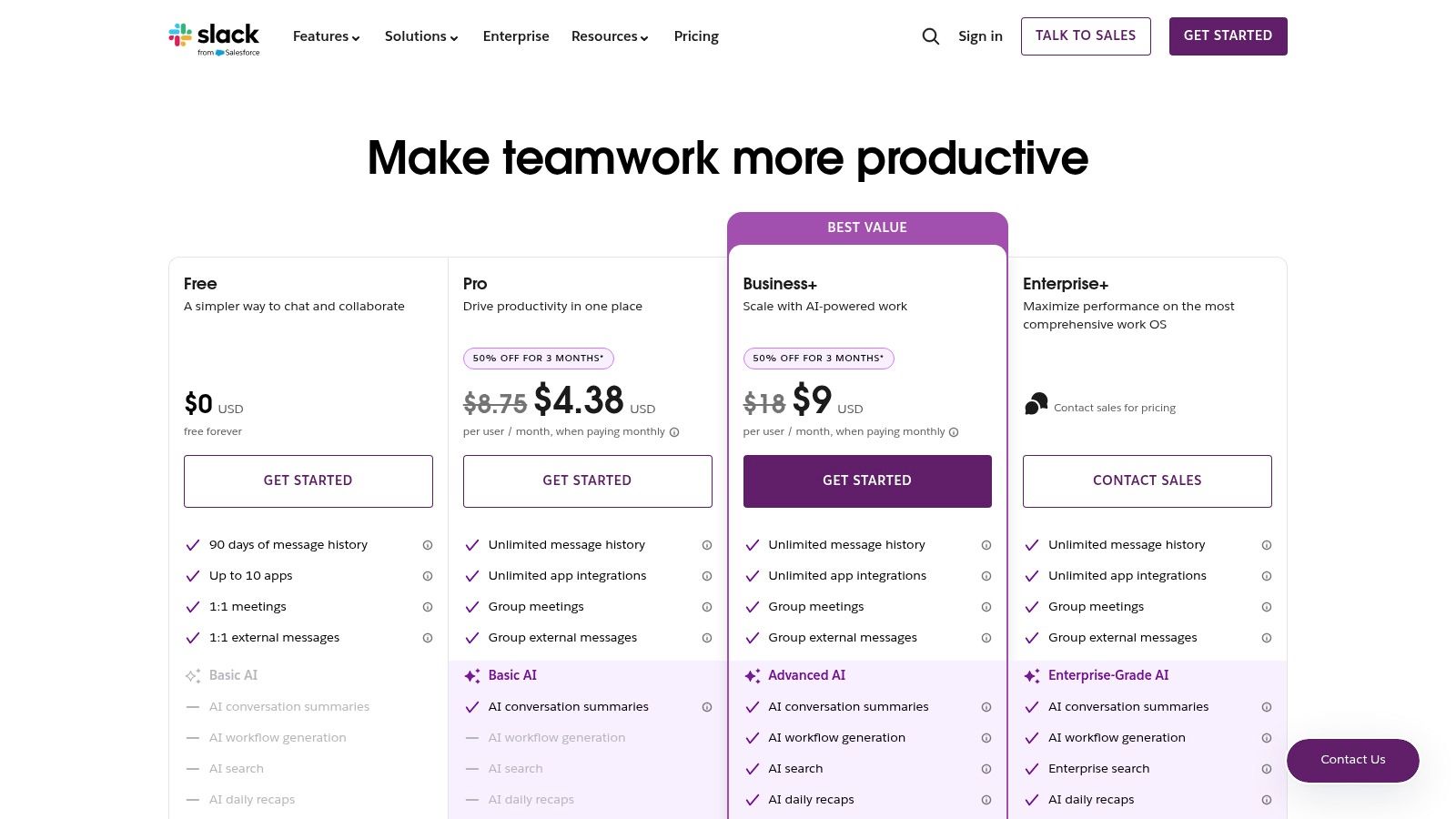
What makes Slack one of the best collaboration tools for remote teams is its unparalleled integration ecosystem. With over 2,600 apps, you can connect tools like Google Drive, Asana, and Canva directly into your workflow, receiving notifications and taking action without leaving the platform. This streamlines processes and reduces context switching, a major productivity drain for busy school teams.
Key Considerations & Use Cases
- Ideal Use Case: A district's central MarCom team coordinating with communications liaisons at multiple schools. Use Slack Connect to create a shared channel with an external design agency for a rebranding project.
- Adoption Tip: Start by creating channels for key projects and departments. Encourage the use of threads to keep conversations focused and the main channel clean. Using a tool like Slack effectively is a core part of digital teamwork; for more on this, you can explore how to improve communication skills at work.
- FERPA/Data Privacy: Slack offers enterprise-grade security controls on its higher-tier plans, including data residency and integration with data loss prevention (DLP) providers. However, teams must establish clear guidelines to ensure no personally identifiable student information (PII) is shared in public channels.
Pricing & Tiers
Slack offers a free plan with a 90-day message history limit. Paid plans (Pro, Business+, and Enterprise Grid) unlock unlimited history, more integrations, group Huddles (lightweight audio/video calls), and advanced security features.
- Pros: Excellent user experience, powerful search, and extensive integrations.
- Cons: The per-seat cost can add up quickly for larger teams, and the free plan's message limit is restrictive for long-term projects.
Website: slack.com
2. Microsoft Teams
Microsoft Teams is a unified communication and collaboration platform that bundles persistent chat, video meetings, and file storage into a single application. For K-12 districts already invested in the Microsoft 365 ecosystem, it offers a seamless experience by tightly integrating with familiar tools like Word, Excel, PowerPoint, and OneDrive. This creates a central hub where remote marketing teams can co-author documents, manage project files in SharePoint, and conduct video calls without switching applications.
The platform's key advantage is its deep integration with the Microsoft 365 suite. For instance, a MarCom team can initiate a video call from a chat, share a PowerPoint presentation, and have participants collaborate on the slides in real time. This native functionality makes Microsoft Teams one of the best collaboration tools for remote teams looking to consolidate their software stack and leverage existing Microsoft licenses.
Key Considerations & Use Cases
- Ideal Use Case: A school district standardizing its communication tools. The marketing team can use a dedicated Team to manage a website redesign project, with channels for
#vendor-comms,#content-creation, and#design-feedback, all while storing files securely in the connected SharePoint site. - Adoption Tip: Leverage the "Files" tab within each channel. Instead of emailing document versions back and forth, train your team to upload and co-author files directly in Teams to ensure everyone is working from the latest version.
- FERPA/Data Privacy: As part of the Microsoft 365 suite, Teams benefits from robust, enterprise-level security and compliance controls. It supports SSO and includes advanced administrative features to manage data access and retention policies, helping districts meet their data privacy obligations.
Pricing & Tiers
Microsoft Teams is included with most Microsoft 365 Business and Enterprise plans. A free version is available with limited features, and a standalone "Teams Essentials" plan offers a more affordable entry point for small teams.
- Pros: Deep, native integration with Microsoft 365, strong security and compliance features, and competitive pricing if already using Microsoft products.
- Cons: The user interface can feel more complex than competitors, and its full potential is only realized when a team is fully committed to the Microsoft ecosystem.
Website: microsoft.com
3. Zoom Workplace
Zoom Workplace evolves the familiar video conferencing tool into an all-in-one collaboration platform. While renowned for its reliable HD video meetings, it now integrates team chat, whiteboards, and collaborative docs, positioning itself as a unified hub for remote school communications teams. Its standout feature is the AI Companion, which can automatically generate meeting summaries and next steps, saving valuable time for busy MarCom professionals.
What makes Zoom Workplace one of the best collaboration tools for remote teams is its seamless transition between communication modes. You can escalate a chat conversation into a video call with a single click or brainstorm on a persistent whiteboard during a meeting. For K-12 teams already comfortable with Zoom for virtual parent meetings or professional development, this expanded toolset offers a low adoption barrier to more integrated, day-to-day collaboration.
Key Considerations & Use Cases
- Ideal Use Case: A school district’s marketing team that frequently holds virtual strategy sessions, webinars for prospective families, and requires clear action items from meetings. Use the AI Companion to summarize a lengthy planning session and share key takeaways in a Team Chat channel.
- Adoption Tip: Leverage the familiarity of Zoom meetings to introduce the other Workplace features. Start by using the persistent chat for project-specific follow-ups instead of email. For more on this, you can learn about running effective meetings.
- FERPA/Data Privacy: Zoom for Education offers specific plans with features designed to help with FERPA and GDPR compliance, including advanced security settings, single sign-on (SSO), and role-based access controls. It's crucial to use the education-specific offerings and configure settings to protect student data.
Pricing & Tiers
Zoom Workplace offers several bundles, often with promotional pricing for annual plans. The core plans include meetings, Team Chat, Docs, and Whiteboard. Optional add-ons like Zoom Phone, Webinars, and Large Meetings allow for customization based on a district’s specific needs.
- Pros: Widely adopted with consistent call quality, AI features are included in core Workplace plans, and frequent promotional pricing is available.
- Cons: The cost can escalate with necessary add-ons, and some users have reported friction with billing and renewal processes.
Website: zoom.com
4. Google Workspace
Google Workspace is an integrated suite of cloud-native productivity apps that excels at real-time, browser-based collaboration. For school marketing teams already leveraging the Google ecosystem, it offers a seamless environment where Gmail, Calendar, Meet, Drive, and the core office suite (Docs, Sheets, Slides) work together. Its defining feature is the best-in-class co-editing experience, allowing multiple team members to work on a press release or budget spreadsheet simultaneously.
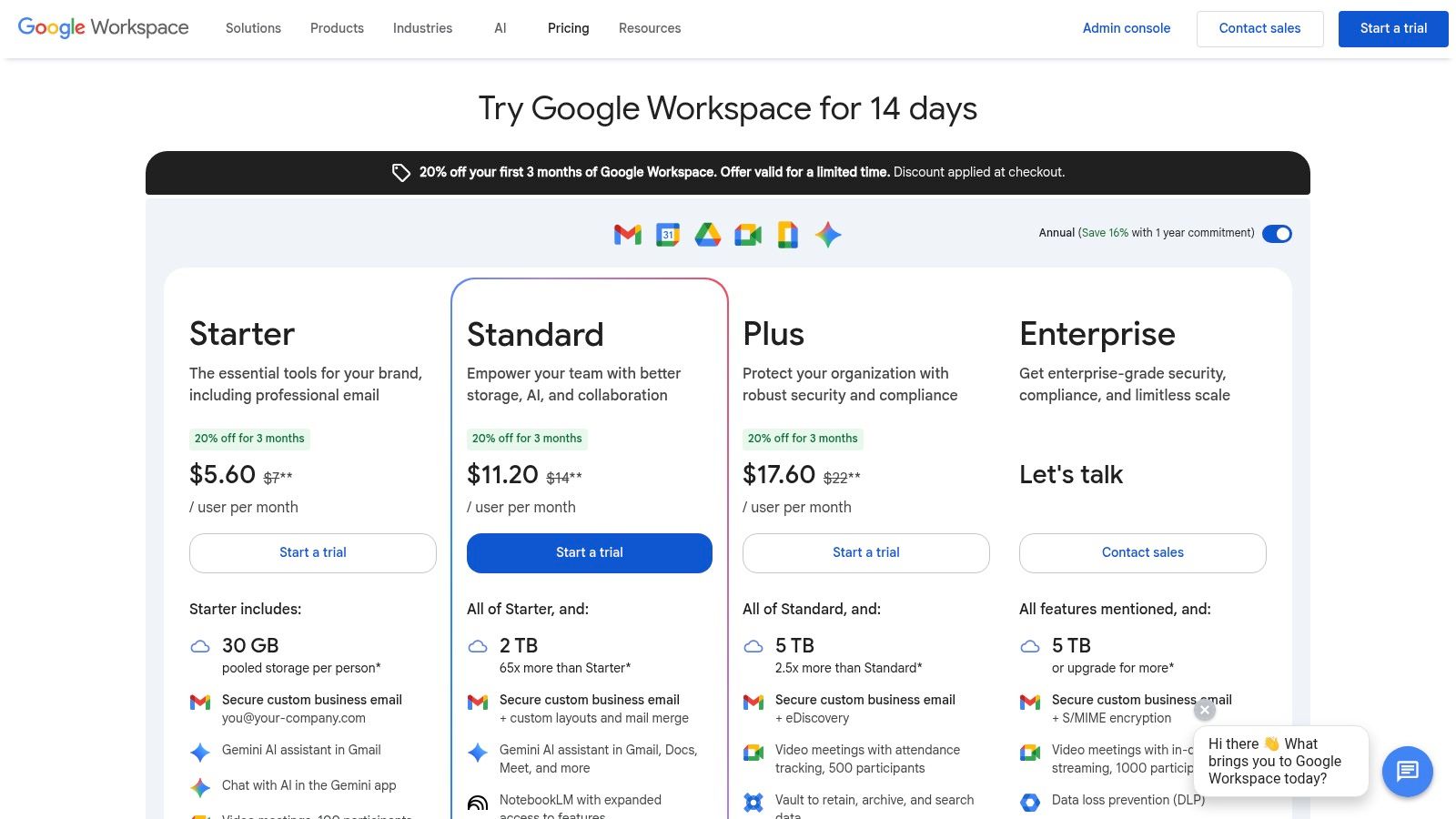
What makes Google Workspace one of the best collaboration tools for remote teams is its simplicity and familiarity, reducing the learning curve for new users. The integration of Google Meet for video conferencing, Chat for quick messaging, and shared calendars makes scheduling and executing projects straightforward. The recent addition of Gemini AI assistance across the suite helps accelerate content creation, from drafting emails to summarizing meeting notes in Docs.
Key Considerations & Use Cases
- Ideal Use Case: A school communications team co-authoring a crisis response plan in a Google Doc while on a Google Meet call. Use shared drives to organize all marketing assets for an upcoming open house event, ensuring everyone has the latest versions.
- Adoption Tip: Leverage templates in Docs, Sheets, and Slides for common documents like social media content calendars or project proposals. Use Google Chat Spaces to create dedicated chat rooms for specific campaigns, keeping conversations and related files together.
- FERPA/Data Privacy: Google Workspace for Education offers core services that comply with FERPA. However, for marketing teams using standard Business plans, it is critical to configure admin settings correctly and train staff to never store sensitive student PII in shared documents or drives accessible outside the core administrative group.
Pricing & Tiers
Google Workspace offers several tiers, starting with Business Starter and scaling up to Business Standard, Plus, and Enterprise plans. Higher tiers provide more cloud storage per user, larger meeting capacities, enhanced security controls like Vault for eDiscovery, and advanced administration features.
- Pros: Best-in-class cloud co-editing experience, simple admin and identity options, and frequent introductory discounts for new customers.
- Cons: Admin depth and compliance features vary significantly by tier, and Business tiers have a user cap of 300.
Website: https://workspace.google.com/pricing?utm_source=openai
5. Asana
Asana is a work management platform designed to help teams organize, track, and manage their work from daily tasks to strategic initiatives. For K-12 marketing teams, it excels at providing clarity on who is doing what by when, making it one of the best collaboration tools for remote teams managing complex projects like a new website launch or a multi-channel open house campaign. Its strength lies in its flexible views, including lists, boards, timelines, and calendars, allowing each team member to visualize work in the way that suits them best.
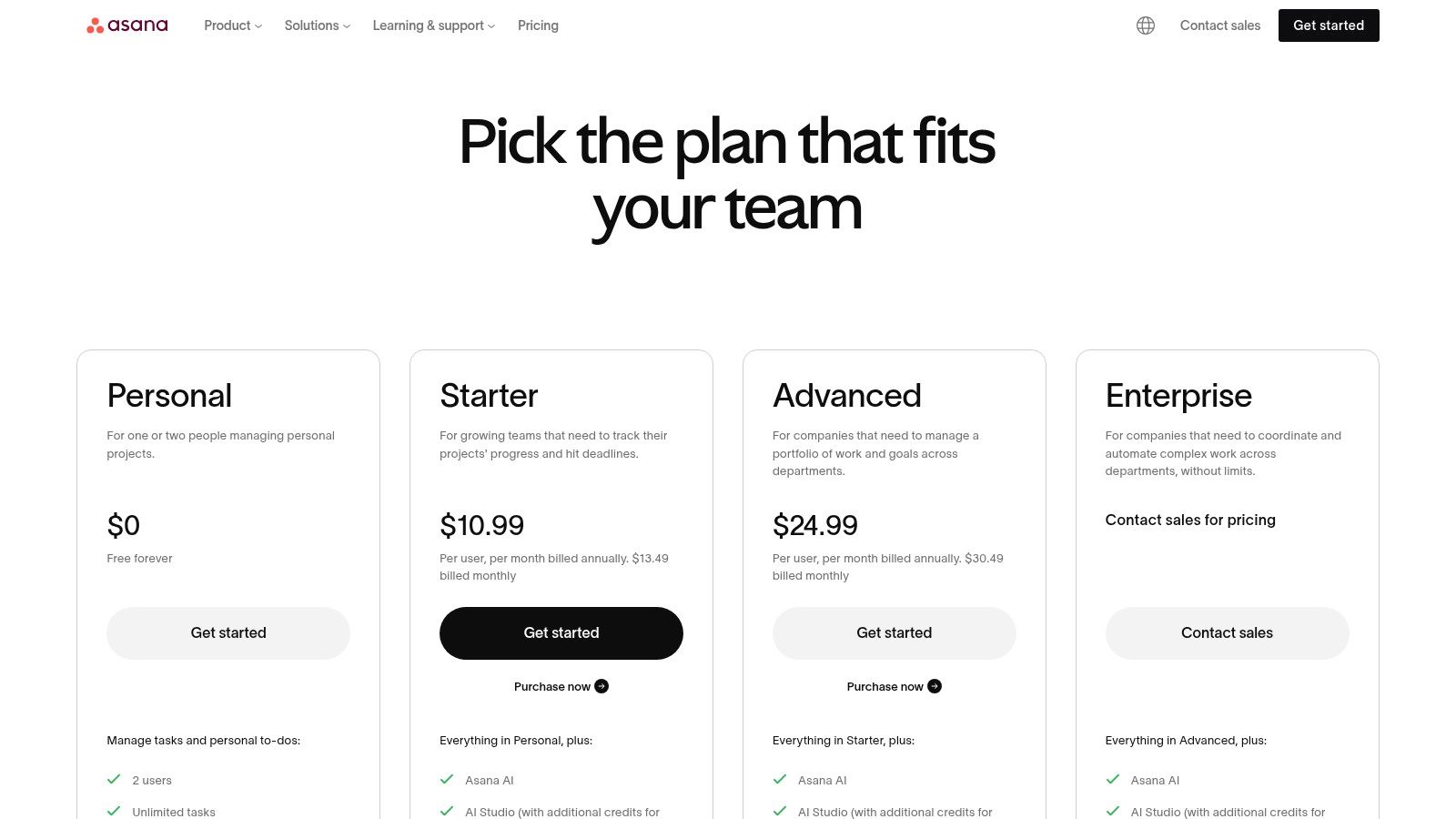
What truly sets Asana apart is its ability to connect individual tasks to larger district goals. Using Portfolios and Goals, leaders can track progress across multiple projects in real time, ensuring that the communications team's efforts are aligned with strategic objectives. Automations and rules reduce manual work by standardizing processes, such as automatically assigning tasks when a new marketing request is moved to an "approved" stage.
Key Considerations & Use Cases
- Ideal Use Case: Managing the annual school marketing and communications calendar. Create a master project with tasks for each key initiative (e.g., enrollment marketing, parent newsletters, social media content), assign owners, and set deadlines.
- Adoption Tip: Start with a pre-built template from Asana, like their content calendar or project plan template, to get started quickly. Encourage everyone to connect their Asana accounts with Slack and email to centralize notifications. To learn more, explore strategies for improving cross-departmental collaboration.
- FERPA/Data Privacy: Asana is designed for project management, not for storing sensitive student data. Teams must have strict policies preventing the inclusion of PII in task descriptions, comments, or attachments. Higher-tier plans offer advanced administrative controls for managing team members and data access.
Pricing & Tiers
Asana offers a permanent free Basic plan for individuals or small teams just getting started. Paid tiers (Premium, Business, and Enterprise) unlock advanced features like Timeline view, Workflow Builder, Portfolios, Goals, and more robust reporting and security controls.
- Pros: Intuitive interface that scales from simple task lists to complex portfolios, powerful automation features, and excellent project templates.
- Cons: The per-user cost can become significant for larger districts, and some users have noted inflexible billing policies.
Website: asana.com/pricing
6. Trello
Trello is a Kanban-style project management tool celebrated for its simplicity and visual appeal. For K-12 marketing teams, it offers a straightforward way to manage workflows, from content creation pipelines to event planning, using intuitive boards, lists, and cards. Its core strength is visualizing project progress, allowing team members to see the status of every task at a glance as it moves from "To Do" to "In Progress" and "Done."
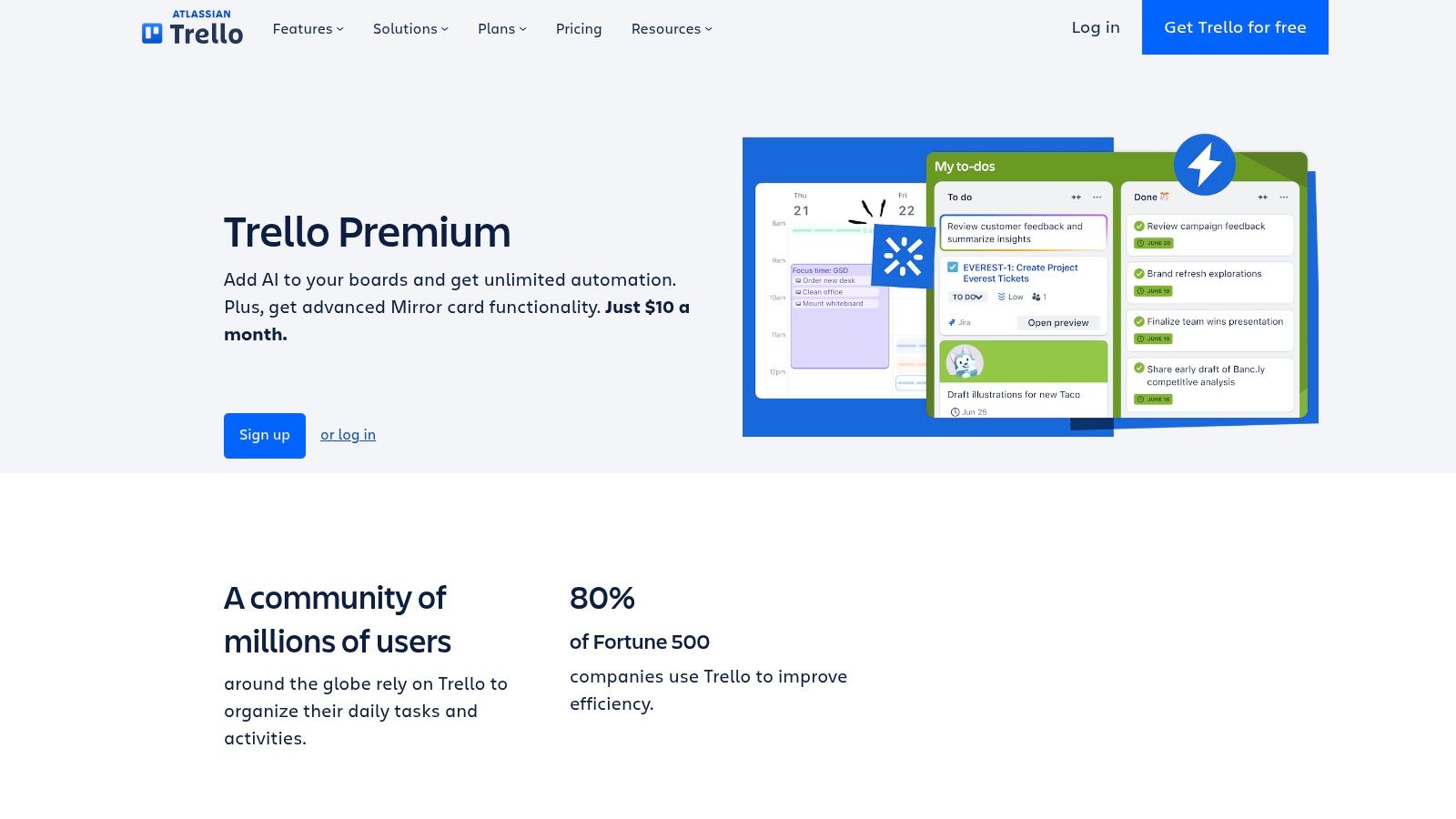
What makes Trello one of the best collaboration tools for remote teams, especially those with non-technical members, is its incredibly low barrier to entry. New users can grasp the drag-and-drop interface within minutes. Its "Power-Ups" feature extends functionality by integrating with tools like Google Drive, Slack, and Mailchimp, while the built-in Butler automation can handle repetitive tasks like moving cards or adding checklists, freeing up time for more strategic work.
Key Considerations & Use Cases
- Ideal Use Case: Managing a school's social media content calendar. Each card represents a post, with checklists for drafting, getting approval, and scheduling. Due dates ensure timely publication.
- Adoption Tip: Start with a pre-made template from Trello's library, such as the "Editorial Calendar" or "Project Management" template, and customize it to fit your team's specific workflow.
- FERPA/Data Privacy: Trello’s security measures are robust, but teams must be vigilant. All boards containing potentially sensitive information about school projects or vendor contracts should be set to "Private" to prevent unauthorized access. Avoid storing any student PII directly on Trello cards.
Pricing & Tiers
Trello offers a functional free plan with up to 10 boards per workspace. Paid plans (Standard, Premium, and Enterprise) add unlimited boards, advanced checklists, automation, and various views like Calendar, Timeline, and Dashboard for better project oversight.
- Pros: Extremely easy to learn and adopt, flexible for many workflows, and generous automation features on paid plans.
- Cons: Less suited for complex, district-wide portfolio management and may require Power-Ups for advanced reporting needs.
Website: https://trello.com/premium?utm_source=openai
7. Notion
Notion is an all-in-one workspace that blends documents, wikis, and lightweight project management into a single, highly flexible platform. For remote K-12 marketing teams, it serves as a central knowledge hub, replacing scattered Google Docs, Trello boards, and internal wikis. Its power lies in creating interconnected databases and documents, allowing a team to build a custom operating system for their specific needs, from content calendars to brand asset libraries.
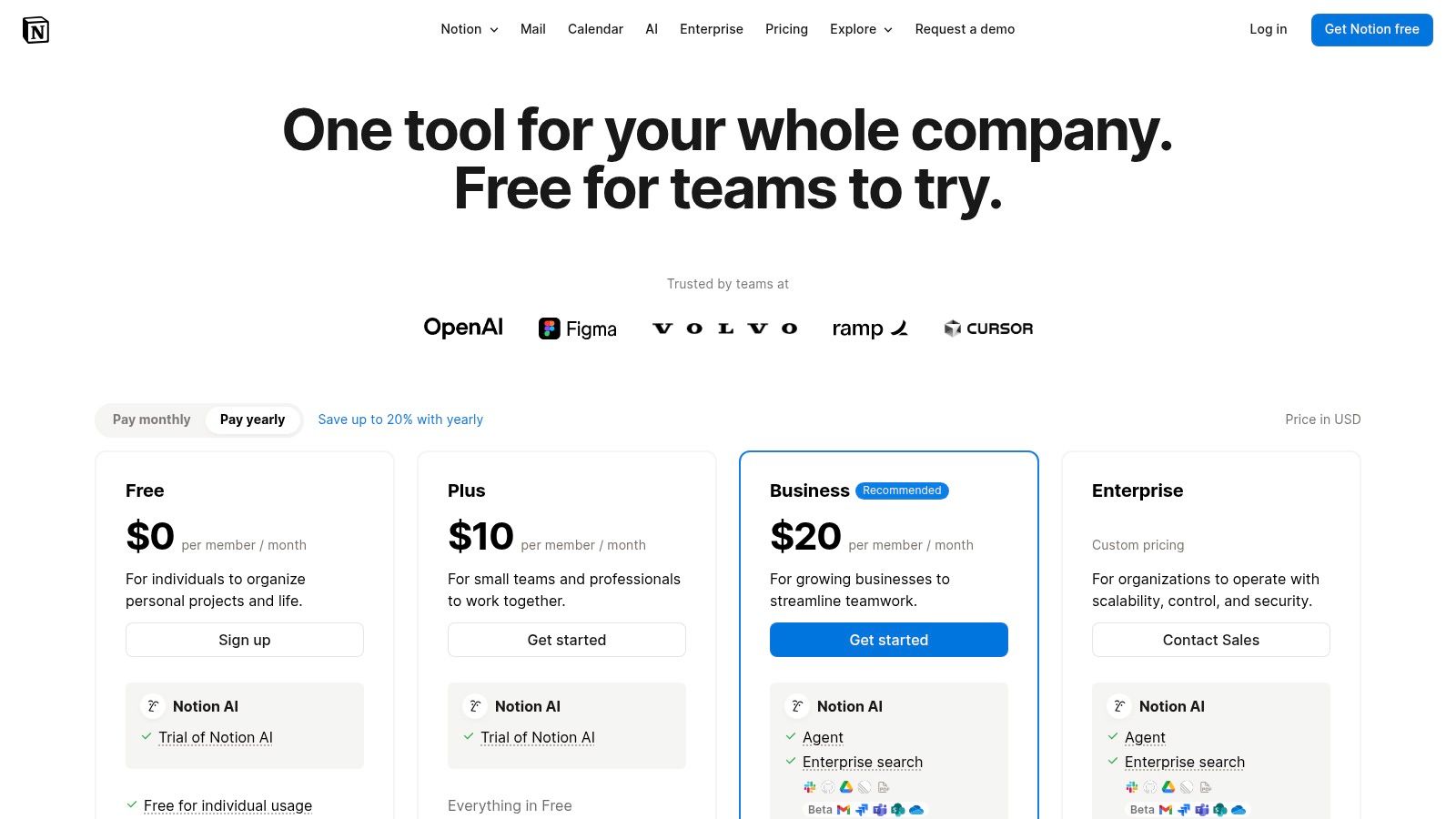
What makes Notion one of the best collaboration tools for remote teams is its unparalleled customizability. Unlike more rigid tools, Notion provides building blocks like pages, databases, and templates that teams can assemble to create their ideal workflows. You can build a social media content pipeline, a comprehensive brand style guide, or a project tracker for a new website launch, all linked together in a single, easily navigable space. Its AI features can also summarize meeting notes or draft social media copy, boosting productivity.
Key Considerations & Use Cases
- Ideal Use Case: Creating a central "team wiki" for a district's communications department. This could house everything from brand guidelines and crisis communication protocols to an editorial calendar for the district blog and social media channels.
- Adoption Tip: Start small by replacing a single workflow, like managing meeting notes or creating project briefs. Use Notion's extensive template gallery to avoid starting from scratch and demonstrate immediate value to the team.
- FERPA/Data Privacy: Notion is not inherently designed for storing sensitive PII. Teams must establish strict governance to ensure no student data is placed within Notion workspaces. Use it for operational and project documentation rather than student records.
Pricing & Tiers
Notion offers a generous free plan for individuals. Paid plans (Plus, Business, and Enterprise) unlock features for teams, such as collaborative workspaces, advanced permissions, SAML SSO for security, and a longer page history.
- Pros: Consolidates docs, tasks, and wikis into one tool; highly customizable without code; strong community and template ecosystem.
- Cons: Can become complex without clear governance; offline support is functional but not as robust as some dedicated apps.
Website: https://www.notion.com/pricing?utm_source=openai
8. monday.com
monday.com is a highly visual Work Operating System (Work OS) that transforms how teams manage everything from complex projects to daily tasks. For K-12 marketing teams, it offers a colorful, intuitive interface with configurable boards, making it easy to track campaign progress, manage content calendars, and visualize workflows. Its strength lies in its flexibility, allowing teams to build custom solutions for their specific needs, whether for enrollment marketing, event planning, or managing creative requests.
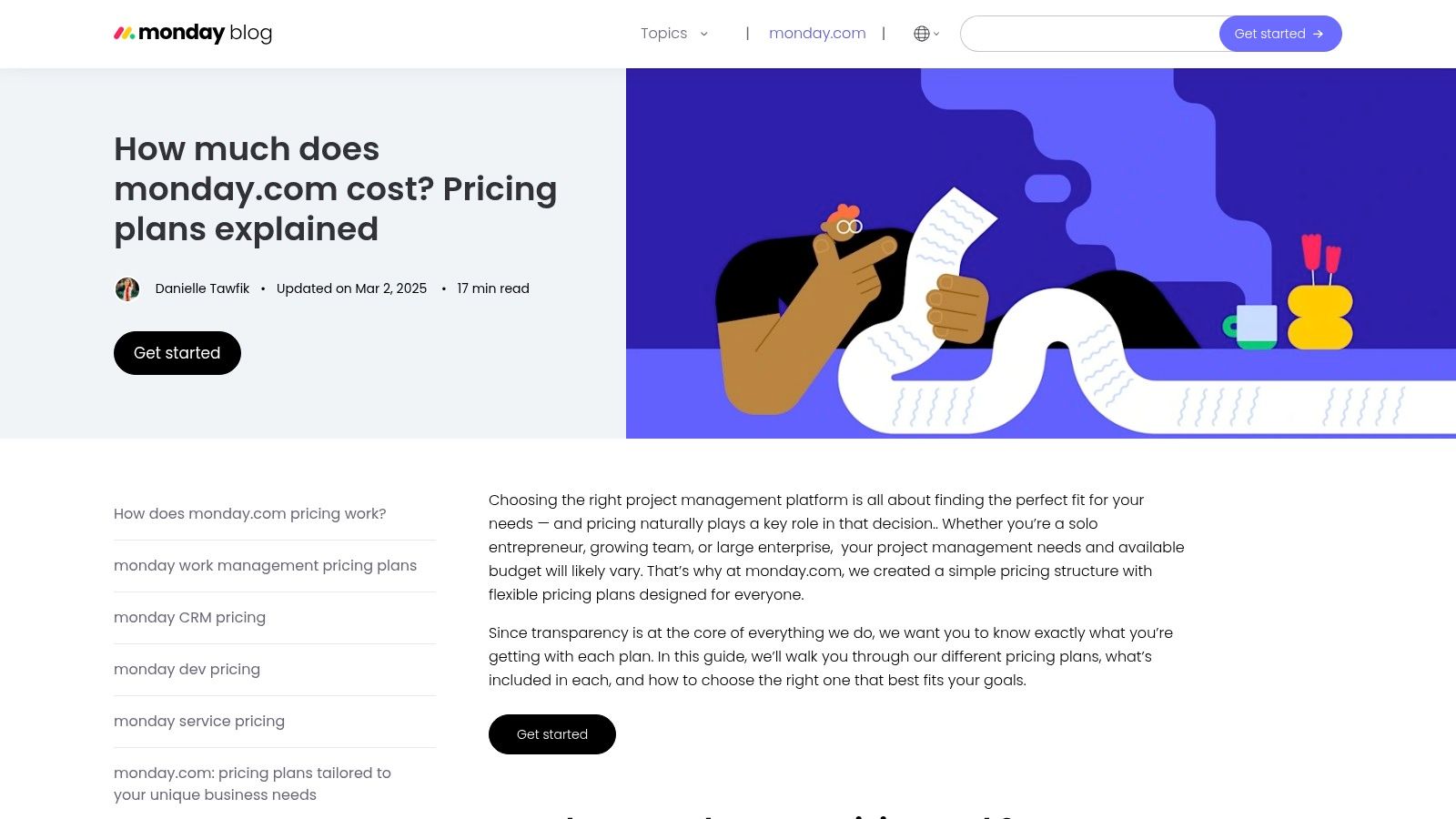
What solidifies monday.com's place among the best collaboration tools for remote teams is its powerful combination of automations and multiple data views. You can set up automations to handle repetitive tasks, like notifying a team member when a task status changes or creating a new item based on a form submission. This, combined with views like Kanban, Gantt, and timeline, provides leaders with a high-level dashboard of all marketing activities, while team members can focus on their specific tasks.
Key Considerations & Use Cases
- Ideal Use Case: A school district’s communications office managing a multi-channel open house campaign. Use a monday.com board to track tasks for social media, email marketing, PR, and website updates, with dashboards providing real-time progress reports to leadership.
- Adoption Tip: Start with a pre-built template, such as the "Content Calendar" or "Campaign Planning" template, and customize it to fit your school's specific workflow. Introduce one automation at a time to streamline your processes.
- FERPA/Data Privacy: monday.com offers robust security features on its Enterprise plan, including advanced account permissions, audit logs, and compliance with standards like ISO 27001. Teams must be careful to configure boards and user permissions correctly to avoid inadvertently exposing sensitive student or family information.
Pricing & Tiers
monday.com offers a free plan for up to two users. Paid plans (Basic, Standard, Pro, and Enterprise) are priced per seat and unlock more advanced features like timeline and Gantt views, automations, integrations, and enhanced security controls.
- Pros: Highly versatile and customizable, strong visualization options, and scales effectively from small teams to entire districts.
- Cons: The per-seat pricing can become costly, and essential features like automations are limited on lower-tier plans.
Website: https://monday.com/blog/product/how-much-does-monday-com-cost/?utm_source=openai
9. Miro
Miro is an online collaborative whiteboard platform designed to bring teams together for brainstorming, planning, and visual strategy. For remote K-12 marketing teams, it replaces the physical whiteboard, offering an infinite canvas for mapping out parent communication flows, charting social media content calendars, or facilitating strategic planning sessions with school leadership. Its strength is providing a shared visual space for ideation that feels interactive and dynamic, even when participants are miles apart.
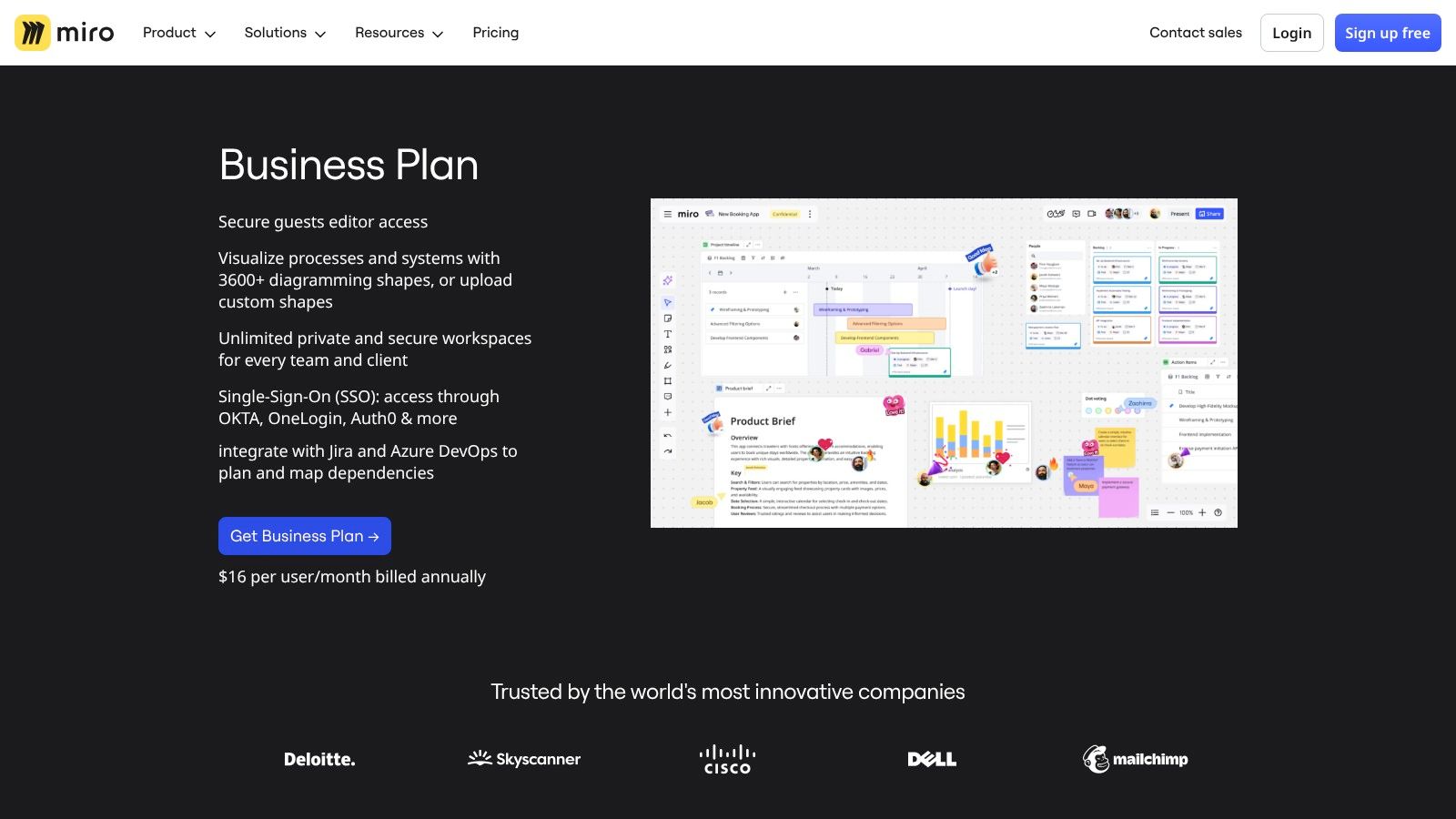
What solidifies Miro's spot among the best collaboration tools for remote teams is its massive library of pre-built templates and facilitation tools. From mind maps to customer journey maps tailored for enrollment funnels, teams can start working immediately without building frameworks from scratch. Real-time cursors, voting tools, and a timer make it perfect for running structured workshops or professional development sessions, ensuring everyone stays engaged.
Key Considerations & Use Cases
- Ideal Use Case: A district communications team running a virtual workshop to brainstorm a new brand identity. Use the infinite canvas to create mood boards, mind map core values, and use voting tools to narrow down logo concepts with stakeholders.
- Adoption Tip: Start with a simple, defined project, like outlining the content for a new admissions microsite. Use a pre-existing template to guide the team and demonstrate the platform's power for visual organization without a steep learning curve.
- FERPA/Data Privacy: Miro's enterprise-grade plans offer advanced security features, including SSO and detailed admin controls over data access and sharing. Teams must be vigilant to ensure no PII is placed on boards, especially when inviting external guests or consultants to collaborate.
Pricing & Tiers
Miro provides a free plan with access to three editable boards. Paid plans (Starter, Business, and Enterprise) unlock unlimited boards, private board sharing, advanced collaboration tools like voting, and enhanced security and administration controls.
- Pros: Best-in-class for remote workshops and visual facilitation, extensive template library, and strong enterprise security options.
- Cons: Primarily a whiteboard tool, so project and task management features are limited and often require integration with other platforms.
Website: https://miro.com/business-plan/?utm_source=openai
10. ClickUp
ClickUp aims to be the "one app to replace them all," an all-in-one work platform that combines tasks, documents, whiteboards, time tracking, and goals. For K-12 marketing teams looking to consolidate their tech stack and reduce subscription costs, ClickUp provides a highly customizable environment to manage everything from content calendars to multi-channel enrollment campaigns in a single, unified workspace.
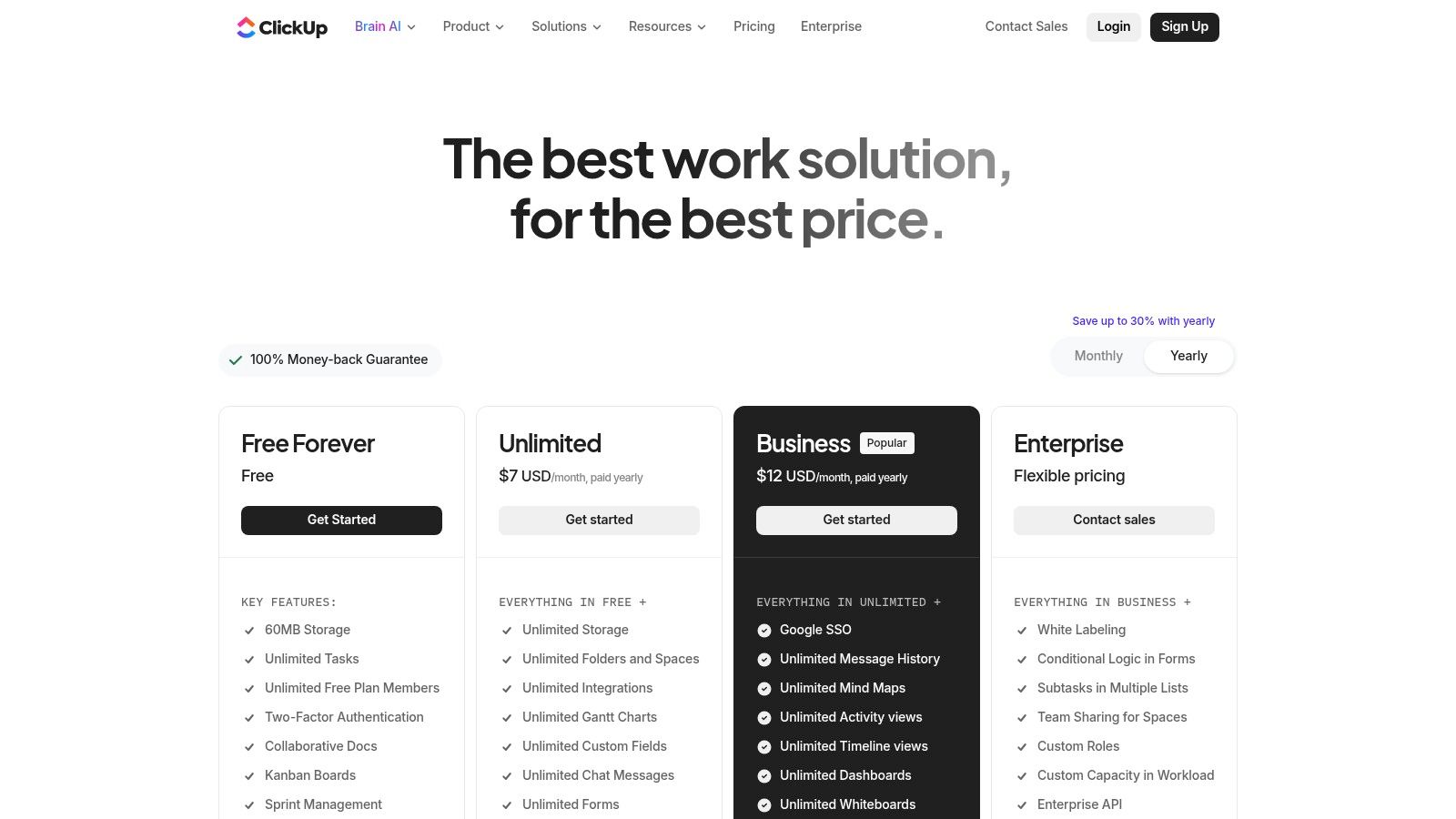
What makes ClickUp a compelling choice among the best collaboration tools for remote teams is its adaptability. You can view the same set of tasks as a list, a Kanban board, a calendar, or a Gantt chart, catering to different team members' workflow preferences. This flexibility allows a social media manager to use a calendar view while the MarCom director uses a high-level timeline or dashboard view for the same underlying projects.
Key Considerations & Use Cases
- Ideal Use Case: A school district’s marketing team managing their annual content calendar. Use custom fields to track target audience, channel (e.g., blog, Facebook, newsletter), and approval status for each piece of content, with everything visible on a master calendar.
- Adoption Tip: Don't enable all features at once. Start with a core module like "Tasks" and one or two "Views" (like List and Board). Gradually introduce Docs, Goals, or Dashboards as the team becomes more comfortable to avoid overwhelming them.
- FERPA/Data Privacy: As with any cloud-based project management tool, establish clear policies prohibiting the storage of sensitive PII within task descriptions, comments, or attached documents. ClickUp’s Enterprise plan offers advanced permissions and security features, including HIPAA compliance, which can be configured to meet stringent data handling requirements.
Pricing & Tiers
ClickUp offers a generous Free Forever plan with core features. Paid tiers (Unlimited, Business, and Enterprise) unlock more storage, advanced views like Gantt charts and workload management, and more robust reporting and security controls.
- Pros: Extremely feature-rich for its price point, highly customizable to fit almost any workflow, and great potential for tool consolidation.
- Cons: The sheer number of features can create a steep learning curve for new users, and performance can sometimes slow down in very large, complex workspaces.
Website: https://clickup.com/pricing?utm_source=openai
11. Dropbox (Teams)
Dropbox is a cloud storage and file-sharing platform that has evolved into a robust content collaboration hub. For remote K-12 marketing teams, it provides a centralized and secure location for all creative assets, from campaign photography and video files to brand guidelines and press releases. Its strength lies in its reliable synchronization and simple, intuitive interface, making it easy to manage and share large files securely.
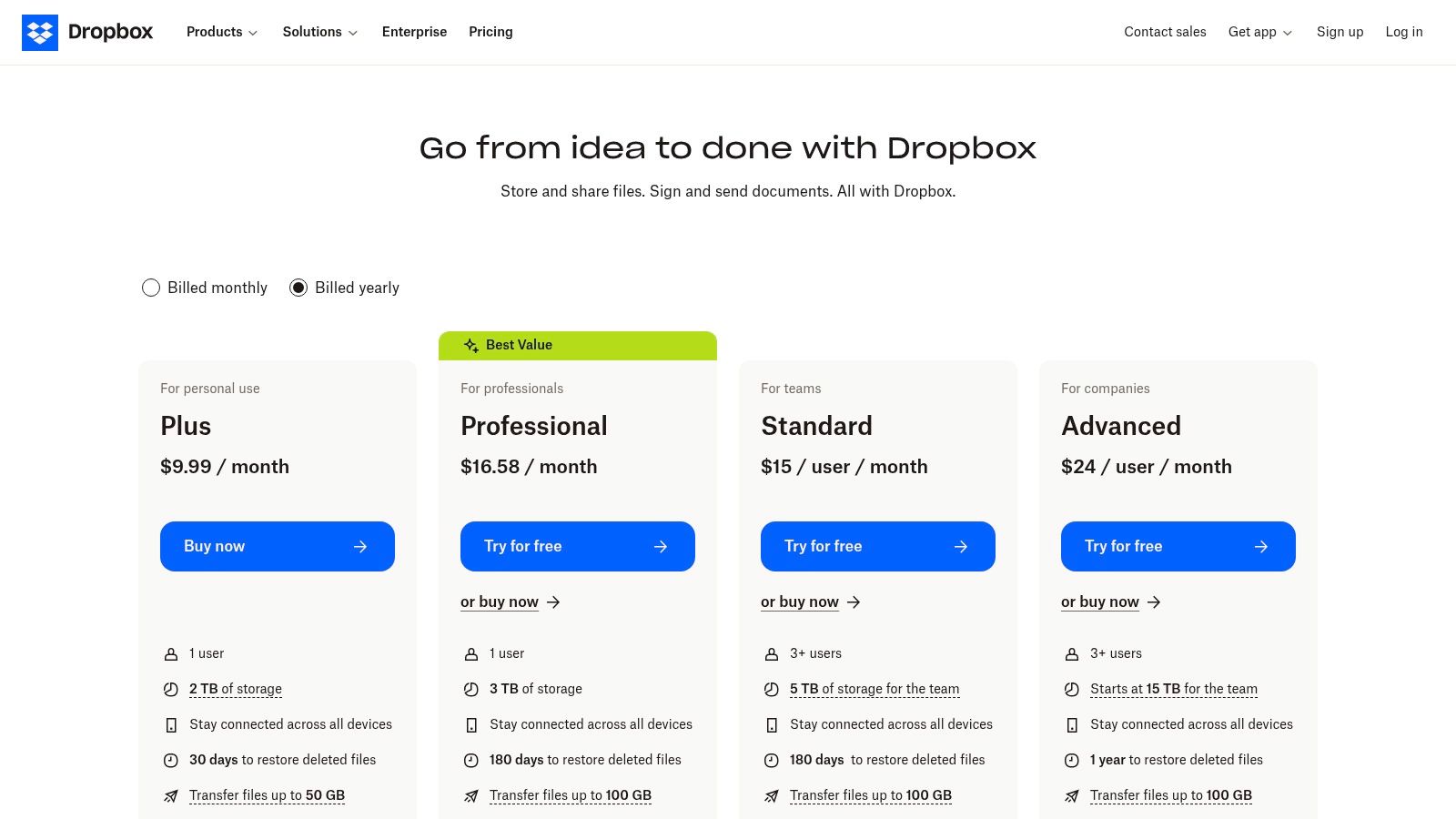
What makes Dropbox one of the best collaboration tools for remote teams is its suite of integrated workflow tools. Features like Dropbox Sign for e-signatures on vendor contracts, PDF editing capabilities, and screen recording with Capture streamline content-centric processes. This allows a communications director to send a new policy for signatures, get feedback on a draft newsletter, and record a quick tutorial for a new team member, all within the same ecosystem.
Key Considerations & Use Cases
- Ideal Use Case: Managing all digital assets for a district-wide website redesign. Create team folders with granular permissions for designers, content writers, and stakeholders, and use Dropbox Transfer to send large video files for review and approval.
- Adoption Tip: Establish a clear folder structure from the outset based on departments, projects, or school years (e.g.,
/MarCom/Campaigns/2024-Fall-Enrollment/). Use the admin console to monitor sharing activity and ensure compliance. - FERPA/Data Privacy: Dropbox Business and Enterprise tiers offer advanced security features, including admin controls, audit logs, and HIPAA compliance support. Teams must enforce strict policies to ensure no sensitive student data is stored in folders with broad sharing permissions.
Pricing & Tiers
Dropbox offers plans for individuals and teams, starting with a free plan with limited storage. Paid team plans (Standard, Advanced, Enterprise) provide significantly more storage, advanced sharing controls, an admin console, and enhanced security features like SSO integration.
- Pros: Reliable file sync and sharing across all devices, a simple user experience ideal for non-technical users, and useful add-ons like e-signatures.
- Cons: Collaboration is primarily file-based and often needs to be paired with a dedicated communication tool; storage and retention policies differ significantly between tiers.
Website: https://www.dropbox.com/plans?utm_source=openai
12. GitHub
While traditionally a developer's domain, GitHub has become a vital collaboration hub for remote technical teams, especially those within larger school districts or ed-tech divisions managing websites and applications. It provides a central platform for version control, code review, and project management, ensuring that all work on a district’s digital properties is tracked, reviewed, and secure. Its strength is in creating a transparent, auditable workflow around code and technical projects.
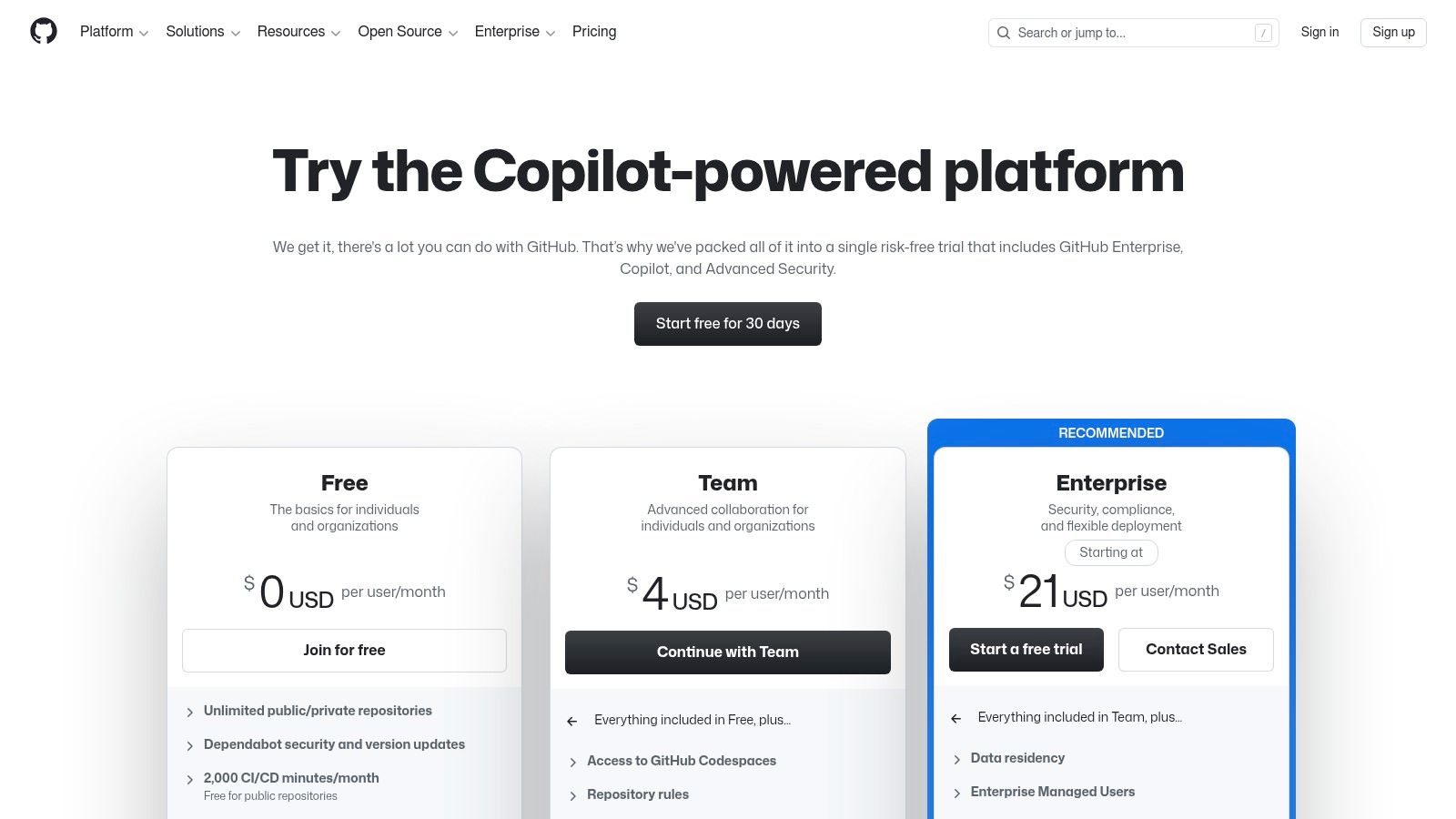
What makes GitHub one of the best collaboration tools for remote teams with technical members is its powerful automation and project tracking features. GitHub Actions can automate testing and deployment for a school’s website, while GitHub Issues and Projects serve as a Kanban-style board for tracking bugs, feature requests, and maintenance tasks. This keeps technical work organized and visible to non-technical stakeholders, bridging communication gaps.
Key Considerations & Use Cases
- Ideal Use Case: A district’s IT or web development team managing the main district website and school sub-sites. Use pull requests for reviewing code changes before they go live and GitHub Issues to track parent-reported website bugs.
- Adoption Tip: Start by using GitHub Projects to manage your team's weekly sprints. Connect your repository to a communication tool like Slack to automatically post updates on new issues or merged code, keeping the MarCom team informed.
- FERPA/Data Privacy: Use private repositories to store all proprietary code. Enforce branch protection rules and require code reviews to prevent unauthorized changes. Higher-tier plans offer advanced auditing and security features like SAML SSO to ensure only authorized personnel can access sensitive infrastructure code.
Pricing & Tiers
GitHub offers a robust free plan with unlimited public and private repositories. Paid plans (Team and Enterprise) add advanced features like code owners, required reviewers, SAML single sign-on, and GitHub Codespaces for cloud-based development environments.
- Pros: The industry standard for code collaboration, strong automation capabilities via GitHub Actions, and integrated project management tools.
- Cons: Can have a steep learning curve for non-developers; its project management features are less robust than dedicated tools like Asana or Trello.
Website: https://github.com/pricing?utm_source=openai
Top 12 Remote Collaboration Tools Comparison
| Tool | Core features | UX & reliability | Value for MarCom Society (K-12 MarCom) | Best for | Pricing note |
|---|---|---|---|---|---|
| Slack | Channels, DMs, Huddles, 2,600+ integrations | Fast search, threaded chat, mature security | Real-time team chat, searchable archives for comms history | Distributed marketing teams needing instant collaboration | Seat-based; free limits recent history; paid AI features |
| Microsoft Teams | Chat, meetings, calling, SharePoint/OneDrive co-editing | Robust admin/compliance; integrated meetings | Tight MS 365 integration reduces context switching for schools using Microsoft | Schools already on Microsoft 365 | Competitive entry tiers; add-ons for phone/webinars |
| Zoom Workplace | HD meetings, chat, whiteboards, Docs, AI Companion | Consistent video quality; reliable calls | Strong video-first meetings for virtual events and training | Video-heavy communications, webinars, recordings | Core plans include AI; add-ons (phone, webinars) may add cost |
| Google Workspace | Gmail, Drive, Meet, Docs/Sheets co-editing, Gemini AI | Best-in-class cloud co-editing; simple admin | Easy document collaboration and parent/staff comms via Google tools | Teams favoring browser-based workflows and G Suite | Simple tiers; storage/user caps on some plans |
| Asana | Tasks, timelines, portfolios, automations | Intuitive project views, good reporting | Organize marketing campaigns, timelines, and cross-dept work | Project-focused teams managing campaigns | Higher-tier features/automations raise price |
| Trello | Kanban boards, checklists, Butler automations, Power-Ups | Extremely easy to adopt; visual tracking | Lightweight content calendars and task tracking for small teams | Non-technical users, simple workflows, onboarding | Generous Premium automations; low entry cost |
| Notion | Docs, wikis, databases, templates, AI | Flexible, highly customizable; docs-first | Centralize brand guides, SOPs, content drafts, knowledge base | Documentation-heavy teams and single-source hubs | Free-to-paid tiers; governance recommended as use grows |
| monday.com | Visual boards, automations, dashboards, templates | Versatile visuals; strong reporting | Custom workflows for campaigns, CRM, events tracking | Teams needing configurable visual workflows | Pricing varies by seats & product; features gated by tier |
| Miro | Infinite whiteboard, templates, real-time facilitation | Best for remote workshops; live cursors | Facilitate ideation, brainstorming, content planning workshops | Creative sessions and cross-school workshops | Seat billing; Business+/Enterprise for guest editing |
| ClickUp | Tasks, docs, whiteboards, time tracking, goals | Feature-rich but can be complex; performant variably | Consolidates multiple tools (tasks, docs, goals) for smaller stacks | Teams wanting an all-in-one platform | Aggressive pricing; good value but onboarding needed |
| Dropbox (Teams) | Team folders, eSign, PDF tools, large file transfer | Reliable sync and simple UX | File-centric workflows for media, signed forms, large assets | Content-heavy teams needing dependable file sharing | Tier-dependent storage/retention; add-on features |
| GitHub | Repos, PRs, Actions CI/CD, Codespaces | Enterprise-grade for dev teams | Useful if marketing uses developer workflows (websites, integrations) | Developer-led projects and technical collaboration | Free basic repos; advanced security/features on paid plans |
Choosing the Right Tools for Your School's Success
Navigating the landscape of collaboration software can feel overwhelming, but making an informed choice is a critical step toward empowering your remote K-12 marketing and communications team. We have explored a dozen powerful platforms, from communication hubs like Slack and Microsoft Teams to project management powerhouses such as Asana and monday.com. Each tool offers a unique approach to solving the core challenges of remote work: maintaining clear communication, organizing complex projects, and fostering a connected team culture.
The central takeaway is that there is no single "best" tool for every school. The ideal solution is the one that aligns seamlessly with your team's specific needs, workflows, and institutional constraints. Your final decision should be a strategic one, balancing powerful features with practical realities like budget, team size, and technical expertise.
Key Takeaways and Actionable Next Steps
To move from evaluation to implementation, it's essential to distill the information into a clear action plan. The most effective remote teams don't just adopt a tool; they build a cohesive technology stack where each platform serves a distinct purpose.
Here are the most important considerations to guide your decision-making process:
- Audit Your Current Workflow: Before you adopt anything new, map out your existing processes. Where are the bottlenecks? What tasks consume the most time? Identify the specific problems you need to solve, whether it's managing social media content, coordinating event promotions, or streamlining parent communication. This audit will provide a clear scorecard for evaluating potential tools.
- Prioritize Security and Compliance: For any K-12 institution, data privacy is non-negotiable. Scrutinize each platform's FERPA and COPPA compliance statements. Investigate their data encryption protocols, access controls, and policies on student data. Your IT department should be a key partner in this vetting process to ensure any new tool meets your school's rigorous security standards.
- Balance Synchronous and Asynchronous Needs: A successful remote environment requires a thoughtful mix of real-time and on-your-own-time work. Does your team thrive on the rapid-fire, synchronous chat found in Slack, or does it need the structured, asynchronous project tracking of Trello or Asana? The best collaboration tools for remote teams often support both, but understanding your team's dominant work style is crucial.
Making the Final Choice: A Practical Framework
Once you have a shortlist, the next phase is to engage your team and stakeholders. A tool is only effective if people use it.
- Run a Pilot Program: Select two or three top contenders and run a small-scale pilot with a core group of team members. Assign a real-world project, such as planning an upcoming open house or developing a new admissions campaign, to test the software's capabilities in a practical context.
- Gather Direct Feedback: Solicit honest feedback from your pilot group. Was the interface intuitive? Did it actually save time or just create more work? Their firsthand experience is invaluable and will reveal a tool's true strengths and limitations far better than any marketing brochure.
- Plan for Onboarding and Training: A successful rollout depends on a strong implementation plan. Prepare training materials, host onboarding sessions, and create clear guidelines for how the new tool should be used. Designate a "champion" on your team who can serve as the go-to expert to answer questions and encourage adoption.
Ultimately, selecting the right collaboration software is a strategic investment in your team's productivity, creativity, and overall success. By taking a methodical, needs-based approach, you can build a digital toolkit that not only supports your team's remote work but also enhances your school's ability to communicate effectively and build a vibrant community.
Ready to master these tools and connect with a network of peers who understand the unique challenges of school marketing? The MarCom Society is a professional community designed specifically for K-12 marketing and communications leaders like you. Join us to access expert-led workshops, practical resources, and a supportive network to help you elevate your school's communication strategy.