
K–12 marketing teams juggle tight budgets, strict privacy rules, and the need to engage students, parents, and staff effectively. This curated introduction to the best free social media management tools helps your school publish content on time, maintain compliance, and strengthen community engagement without extra costs.
Inside this article you’ll discover 12 platforms tailored for educational settings:
- Buffer
- Zoho Social Free Edition
- Later
- Metricool
- Publer
- Planable
- Pallyy
- SocialBu
- Meta Business Suite (Facebook & Instagram)
- Google Business Profile Posts
- Typefully
- G2 category roundup
Whether you’re a communications coordinator, marketing lead, or professional development facilitator, this guide provides actionable insights and hands-on templates to kickstart or optimize your social media workflow.
Key takeaways include:
- Streamline content scheduling across multiple channels
- Stay within K-12 privacy and compliance guidelines
- Engage your community with consistent branding and messaging
- Compare free-tier limits and analytics at a glance
Every entry includes:
- Key features and practical use cases
- Free-tier limits and honest pros/cons for school use
- Privacy/compliance notes aligned with district policies
- Quick setup steps, templates, screenshots, and direct links
We keep paragraphs concise and use tables for side-by-side feature comparisons. Jump directly to your preferred tool or explore implementation tips under each heading as you scroll.
1. Buffer
Buffer is a long-standing, beginner friendly social scheduler with a genuine free plan that covers essentials for individuals and small school marketing teams. Its clean queue and calendar view make post planning intuitive. Integration with YouTube Shorts sets Buffer apart from most free social media management tools.
Key Features
- Multi-Channel Scheduling: Connect up to 3 social accounts (Facebook, Twitter, Instagram, LinkedIn, YouTube Shorts).
- Queue and Calendar Management: Visualize posts in a drag-and-drop calendar or simple queue list.
- AI Assistant & Basic Analytics: Generate caption ideas and track post performance without upgrading.
Free Plan Limits
| Feature | Free Tier Limit |
|---|---|
| Connected Channels | 3 |
| Scheduled Posts per Channel | 10 outstanding posts |
| Analytics Depth | Reach, clicks, and basic growth |
| AI Assistant Credits | Limited monthly usage |
Pros and Cons
| Pros | Cons |
|---|---|
| Generous free plan with clear multi-channel support | Advanced analytics and engagement inbox are locked |
| Intuitive onboarding and strong help content | Channel cap (3) can be restrictive as you grow |
Privacy and Compliance
Buffer is GDPR compliant and supports data residency in the EU. School teams should review their district’s data-sharing policies before connecting student accounts.
Recommended Use Cases
- Scheduling weekly updates on school news.
- Promoting event reminders across 3 platforms.
- Drafting and approving posts collaboratively with district teams.
Quick Setup Steps
- Sign up at https://buffer.com/pricing and authorize up to 3 channels.
- Set posting schedule in the Calendar view.
- Use AI Assistant to generate captions; adjust tone for K-12 audiences.
Learn more about Buffer scheduling tools in our roundup on marcomsociety.org.
2. Zoho Social (Free Edition)
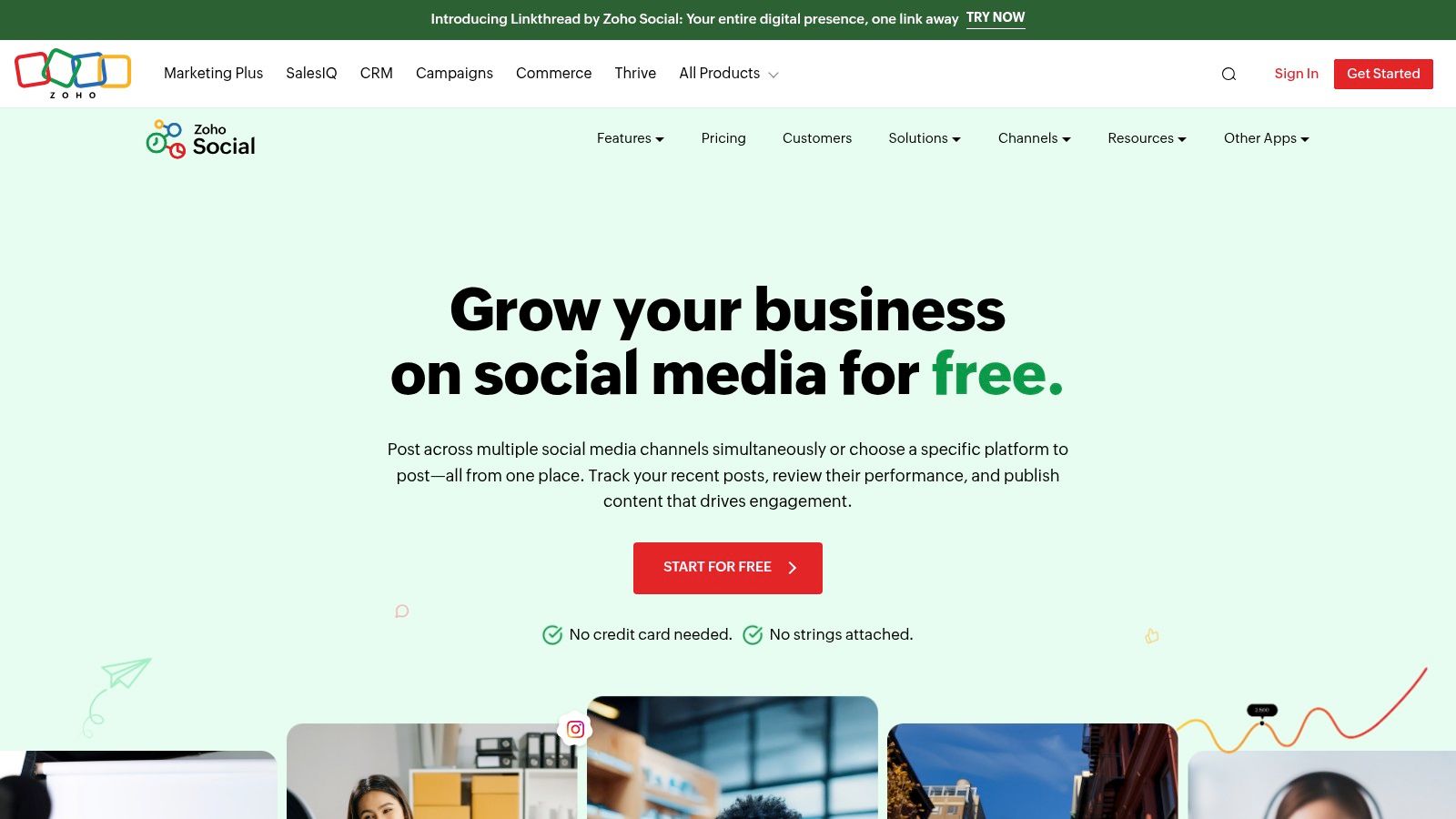
Zoho Social Free Edition is an always-free social media scheduler designed for single-brand use. It supports major channels and unlimited post volume without requiring a credit card. Its intuitive calendar interface and streamlined dashboard ensure quick onboarding.
This makes Zoho Social an ideal choice among the best free social media management tools for K-12 communications teams looking for dependable publishing backed by Zoho’s privacy-first stance.
Key Features
- 1 brand and 1 user seat at no cost
- Connect up to 6 channels: Facebook Page, Instagram Business, LinkedIn Profile & Page, X, Google Business Profile
- Unlimited scheduled posts with drag-and-drop calendar view
- zShare browser extension and mobile apps for on-the-go publishing
- Intuitive dashboard with streamlined post composer
Free Plan Limits
| Feature | Free Tier Limit |
|---|---|
| Brand Accounts | 1 |
| User Seats | 1 |
| Connected Channels | 6 |
| Scheduled Posts | Unlimited |
Pros and Cons
| Pros | Cons |
|---|---|
| Truly free forever with no posting cap | No social inbox or messaging features |
| Robust calendar view and basic post performance stats | Limited to one brand and one user |
Privacy and Compliance
Zoho Social is GDPR compliant, ISO 27001 certified, and offers data residency options to meet district security policies.
Recommended Use Cases
- Publishing daily school announcements across all channels
- Scheduling event promotions without worrying about post limits
- Empowering single-user teams to manage communications independently
Quick Setup Steps
- Sign up at https://www.zoho.com/social/free-edition.html with no credit card needed
- Authorize your social profiles and customize your posting schedule
- Install the zShare extension or mobile app for instant content sharing
Learn more about Zoho Social Free Edition at https://www.zoho.com/social/free-edition.html.
3. Later
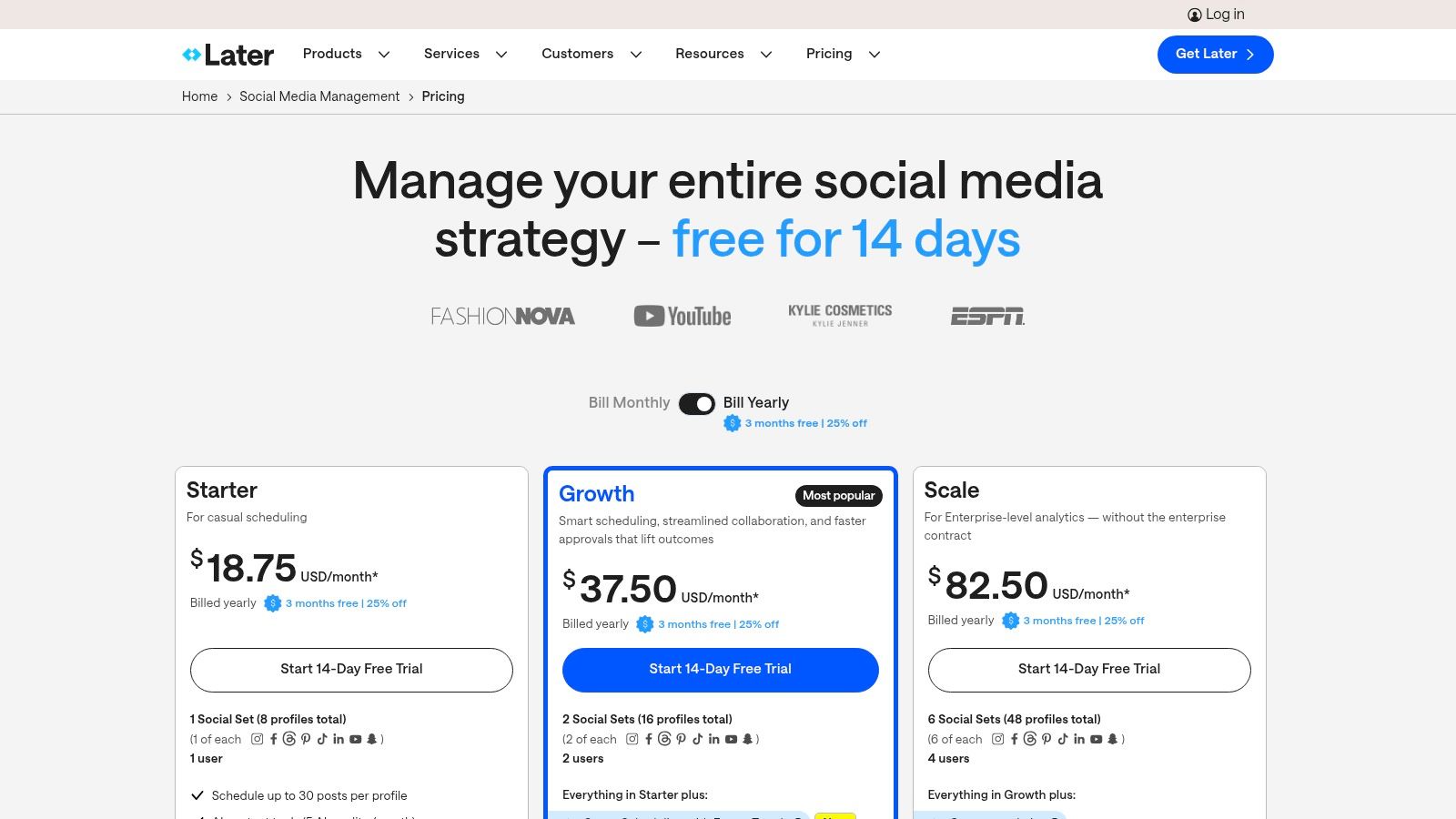
Later is a visual-first scheduling platform well suited to Instagram, TikTok, Pinterest, and YouTube Shorts. Its Free plan includes a polished media library and drag-and-drop visual calendar. The tool stands out for creators focusing on imagery and short-form video workflows.
Key Features
- Visual Calendar: Drag and drop posts in a color-coded monthly view
- Media Library: Store, tag, and manage images and videos for quick reuse
- Link in Bio: Build a clickable landing page for multiple links
- Cross-Posting: Schedule the same asset across Instagram, TikTok, Pinterest, YouTube Shorts
Free Plan Limits
| Feature | Free Tier Limit |
|---|---|
| Scheduled Posts per Profile | 10 posts per month |
| Media Library Storage | 1 platform folder |
| Link in Bio Pages | 1 page |
| User Seats | 1 user |
Pros and Cons
| Pros | Cons |
|---|---|
| Strong mobile and web experience with polished UI | Collaboration tools locked behind paid tiers |
| Ideal for short-form video and image-first content | Analytics for performance are limited on Free plan |
Privacy and Compliance
Later complies with GDPR and COPPA, making it suitable for K-12 marketing teams that handle student imagery.
Recommended Use Cases
- Planning Instagram grid aesthetics for school events
- Cross-posting announcement videos on TikTok and YouTube Shorts
- Centralizing image assets for a PTA or district campaign
Quick Setup Steps
- Sign up at https://later.com/pricing and connect your social profiles.
- Upload media into the Library and tag by event or topic.
- Drag assets into the Calendar, set dates, and activate Link in Bio.
Learn more about how to create a social media content calendar on marcomsociety.org.
4. Metricool
Metricool is an all-in-one planning tool combining scheduling, basic analytics, competitor tracking, and ads insights. The free plan supports one brand and offers up to 20 posts per month alongside 30 days of analytics retention. This blend of scheduling plus light competitor analysis makes Metricool stand out among the best free social media management tools for K-12 teams.
Key Features
- Single-Brand Management: Coordinate one school or district account
- Post Scheduling: Queue up to 20 posts monthly across connected channels
- 30-Day Analytics Retention: Review performance trends and engagement spikes
- Basic Competitor Analysis: Track up to three peer domains for benchmarking
- Ads Insights: View ad spend and results, ready for paid tiers
Free Plan Limits
| Feature | Free Tier Limit |
|---|---|
| Managed Brands | 1 |
| Scheduled Posts per Month | 20 |
| Analytics Retention | 30 days |
| Competitor Tracking | Basic insights on 3 domains |
Pros and Cons
| Pros | Cons |
|---|---|
| Uncommon mix of scheduling and competitor analytics | Excludes LinkedIn and X on free tier |
| Clean, intuitive dashboard for quick onboarding | 20-post cap can feel restrictive |
| Seamless upgrade path to paid tiers with AI tools | Deeper reporting and multi-brand require payment |
Privacy and Compliance
Metricool is GDPR compliant and hosts data on European servers. School communications teams should vet district policies before connecting student accounts.
Recommended Use Cases
- Scheduling monthly newsletters and event promos
- Benchmarking engagement versus nearby schools
- Tracking short-term campaigns and ad performance
- Preparing end-of-month reports for school boards
Quick Setup Steps
- Sign up at https://metricool.com/pricing/ and authorize your primary social account.
- Under Analytics, add up to three competitor domains for basic benchmarking.
- Create your monthly content calendar, upload assets, and monitor the 30-day summary.
Learn more about Metricool on marcomsociety.org.
5. Publer
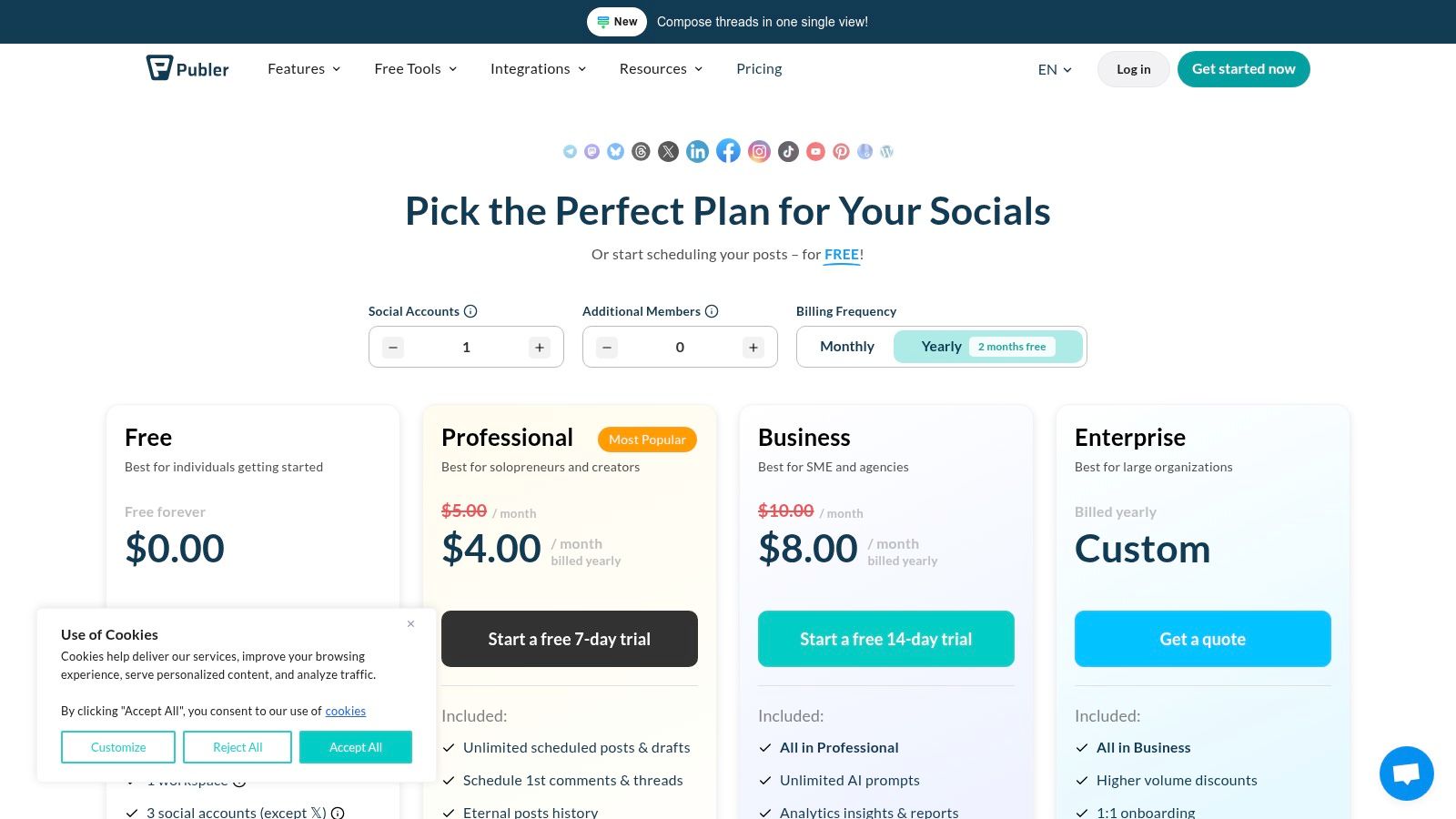
Publer is a flexible, Buffer-style alternative that balances straightforward scheduling with drafting power. Its generous free plan includes link-in-bio tools and post history, making it ideal for solo users and small school communications teams.
Key Features
- Workspaces & Users: 1 user in 1 workspace on free plan
- Social Accounts: Connect up to 3 channels (excludes X/Twitter)
- Post Scheduling: 10 scheduled posts per account
- Draft Library: Store up to 25 drafts for review and collaboration
- Link in Bio: Custom landing page for multi-link sharing
- Post History: View 24-hour history without upgrade
- Feature Trials: Test paid tiers without providing card details
Free Plan Limits
| Feature | Free Tier Limit |
|---|---|
| Connected Channels | 3 (no X/Twitter) |
| Scheduled Posts per Channel | 10 outstanding posts |
| Drafts | 25 drafts |
| Link in Bio | Included |
| Post History | 24-hour view |
| Paid Feature Trials | Limited time trials |
Pros and Cons
| Pros | Cons |
|---|---|
| Generous free tier for beginners and solo users | X/Twitter support requires paid upgrade |
| Active development with frequent updates | Analytics data retained only short term |
| Comprehensive help documentation and tutorials | No multi-user approvals on free plan |
Privacy and Compliance
Publer is GDPR compliant and uses encrypted data transfer. School teams should verify district policies before connecting any student accounts.
Recommended Use Cases
- Sharing daily classroom highlights across Instagram and Facebook
- Publishing event links via Link in Bio for parent engagement
- Drafting and approving posts with department heads
Quick Setup Steps
- Sign up at https://publer.com/plans and authorize your social channels.
- Configure posting schedules in the calendar view.
- Create drafts, invite reviewers, and publish via Link in Bio.
Learn more about Publer at https://publer.com/plans.
6. Planable
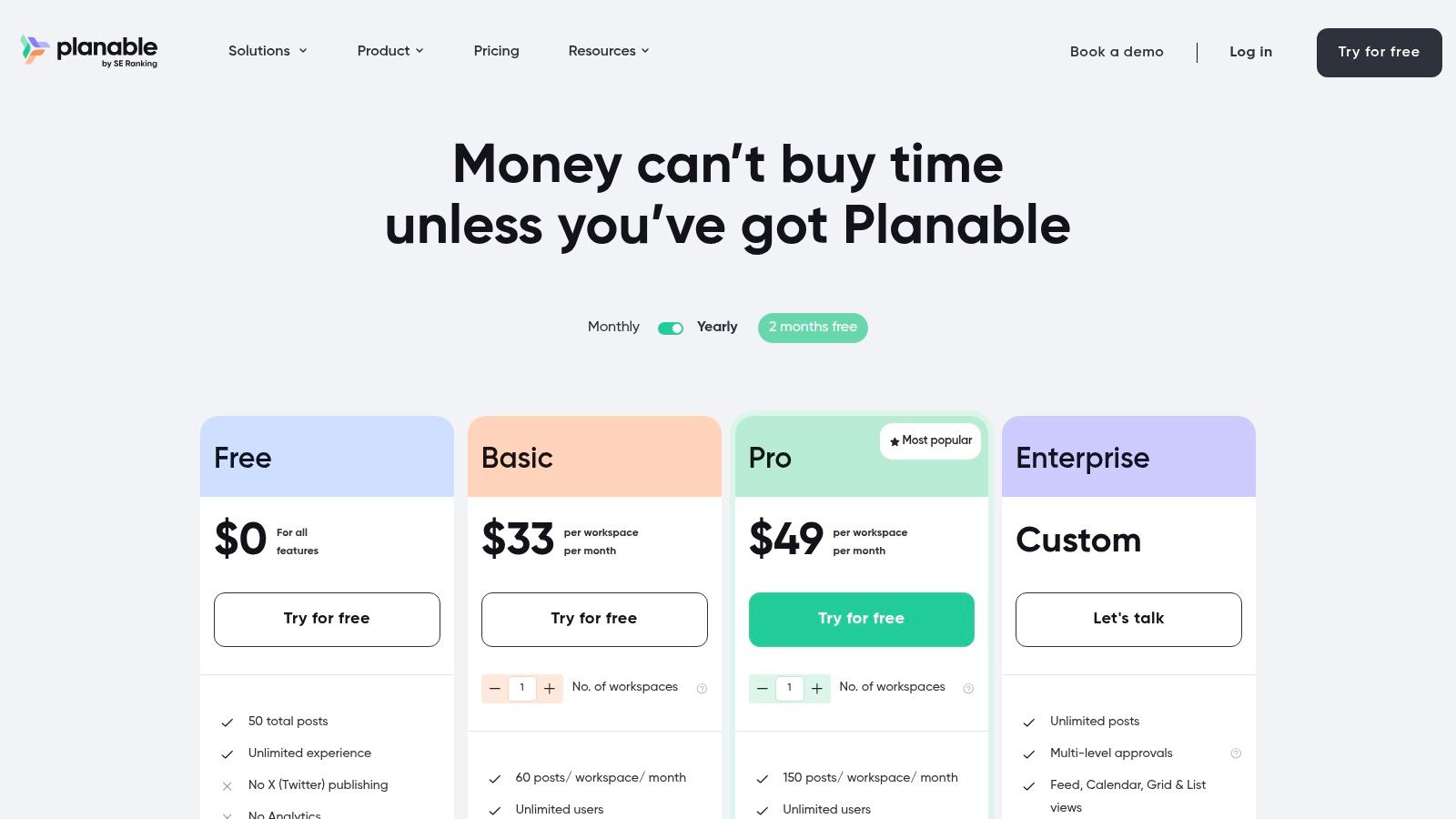
Planable is a collaboration-first content planning and approval platform that offers all features on a genuinely free plan, limited only by a lifetime cap of 50 total posts. Its intuitive feed, calendar, and grid views let school MarCom teams visualize campaigns and streamline multi-level approval workflows before publishing.
Key Features
- Full Collaboration Suite: Unlimited users and workspaces on free plan for real-time teamwork.
- Multiple Content Views: Toggle between feed, calendar, and grid for flexible planning.
- Approval Workflows: Multi-level review stages with comments, @mentions, and version history.
Free Plan Limits
| Feature | Free Tier Limit |
|---|---|
| Total Posts (lifetime cap) | 50 posts |
| Users and Workspaces | Unlimited |
| Approval Stages | Unlimited |
| Analytics and Engagement | Paid add-ons |
Pros and Cons
| Pros | Cons |
|---|---|
| All core features enabled without payment | 50-post cap does not reset |
| Unlimited users ideal for district or agency collaboration | No built-in analytics or engagement tools |
| Visual planning across multiple views | Learning curve for advanced workflows |
Privacy and Compliance
Planable stores data on European servers, is GDPR compliant, and offers SSO integration for secure access. Schools should confirm district policies on third-party data hosting.
Recommended Use Cases
- Collaborative campaign calendars for district channels.
- Multi-stage approval for event promotions.
- Version-controlled post reviews with parent and staff input.
Quick Setup Steps
- Sign up at https://planable.io/pricing and create a workspace.
- Add team members and configure approval stages.
- Upload draft posts, select calendar view, then route for approvals.
7. Pallyy
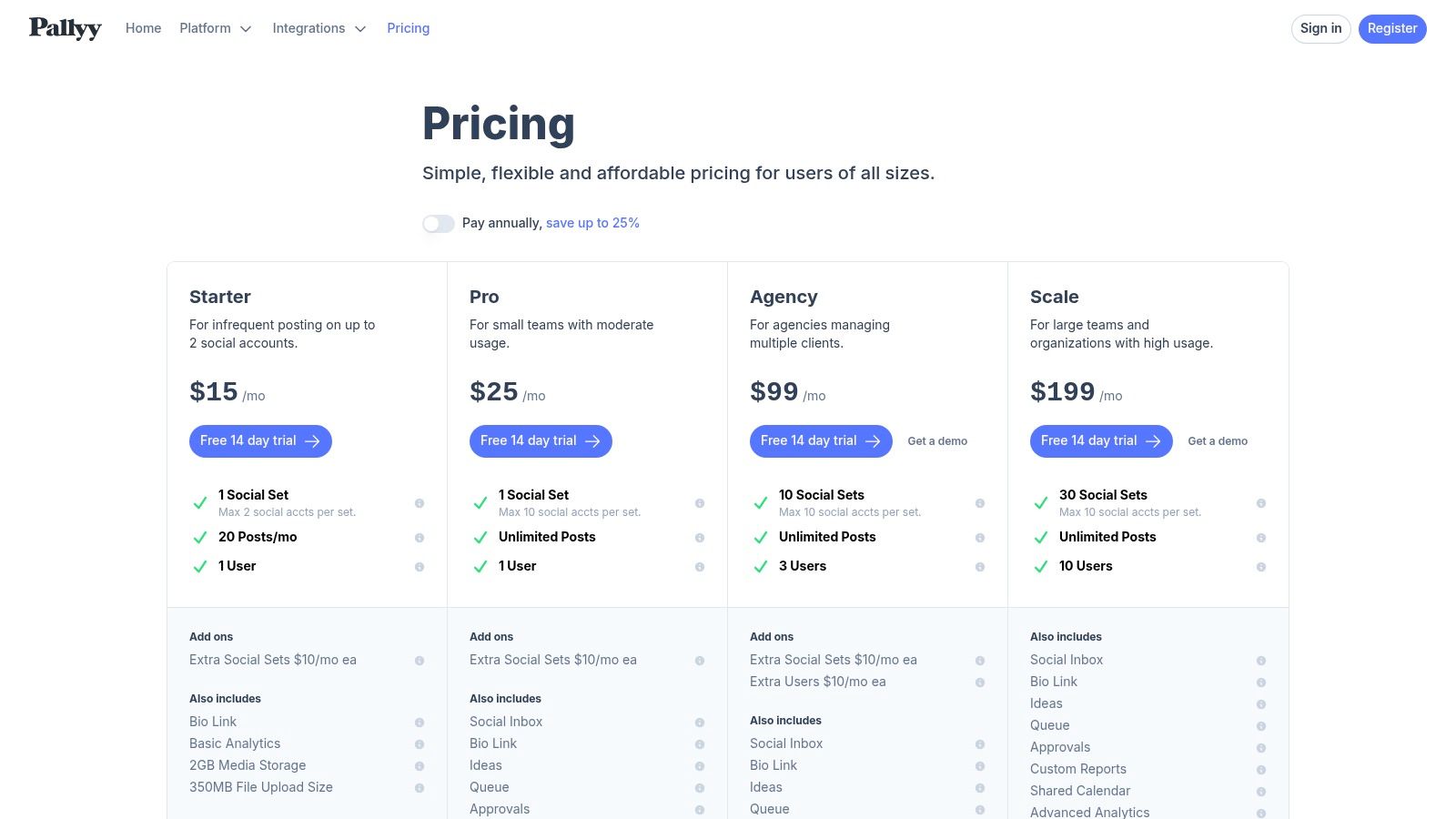
Pallyy is a lightweight scheduler popular with creators and small agencies, offering a clear pricing model and a free plan ideal for testing basic workflows. It excels at Instagram and TikTok-centric scheduling, letting school communicators draft, preview, and publish visual posts in seconds.
Key Features
- Instagram & TikTok Focus: Native scheduling with preview and hashtag management
- Free Plan Essentials: 1 social set (group of profiles) and 15 posts/month
- Basic Analytics: Reach and engagement metrics on free tier
- Drag-and-Drop Calendar: Visual planning for feed consistency
- Pro Add-Ons: Team approvals, shared calendar, social inbox, and content ideas
Free Plan Limits
| Feature | Free Tier Limit |
|---|---|
| Connected Social Set | 1 (Instagram or TikTok) |
| Scheduled Posts per Month | 15 |
| Analytics | Basic reach and engagement |
| Calendar | Single drag-and-drop view |
Pros and Cons
| Pros | Cons |
|---|---|
| Intuitive, fast interface for visual content scheduling | Only one social set on free plan |
| Clear pricing tiers when ready to upgrade | No native social inbox or listening tools |
| Affordable paid tiers with team collaboration features | Limited analytics depth without Pro |
Privacy and Compliance
Pallyy is GDPR compliant and encrypts data in transit. School teams should verify COPPA and district policies before adding student data or accounts.
Recommended Use Cases
- Planning weekly Instagram highlights for school events
- Testing TikTok post workflows before investing in a paid suite
- Maintaining a consistent visual feed for school communications
Quick Setup Steps
- Sign up at https://pallyy.com/pricing and confirm your email.
- Connect your Instagram or TikTok profile as the single free social set.
- Drag posts into the calendar, add captions, then schedule up to 15 per month.
8. SocialBu
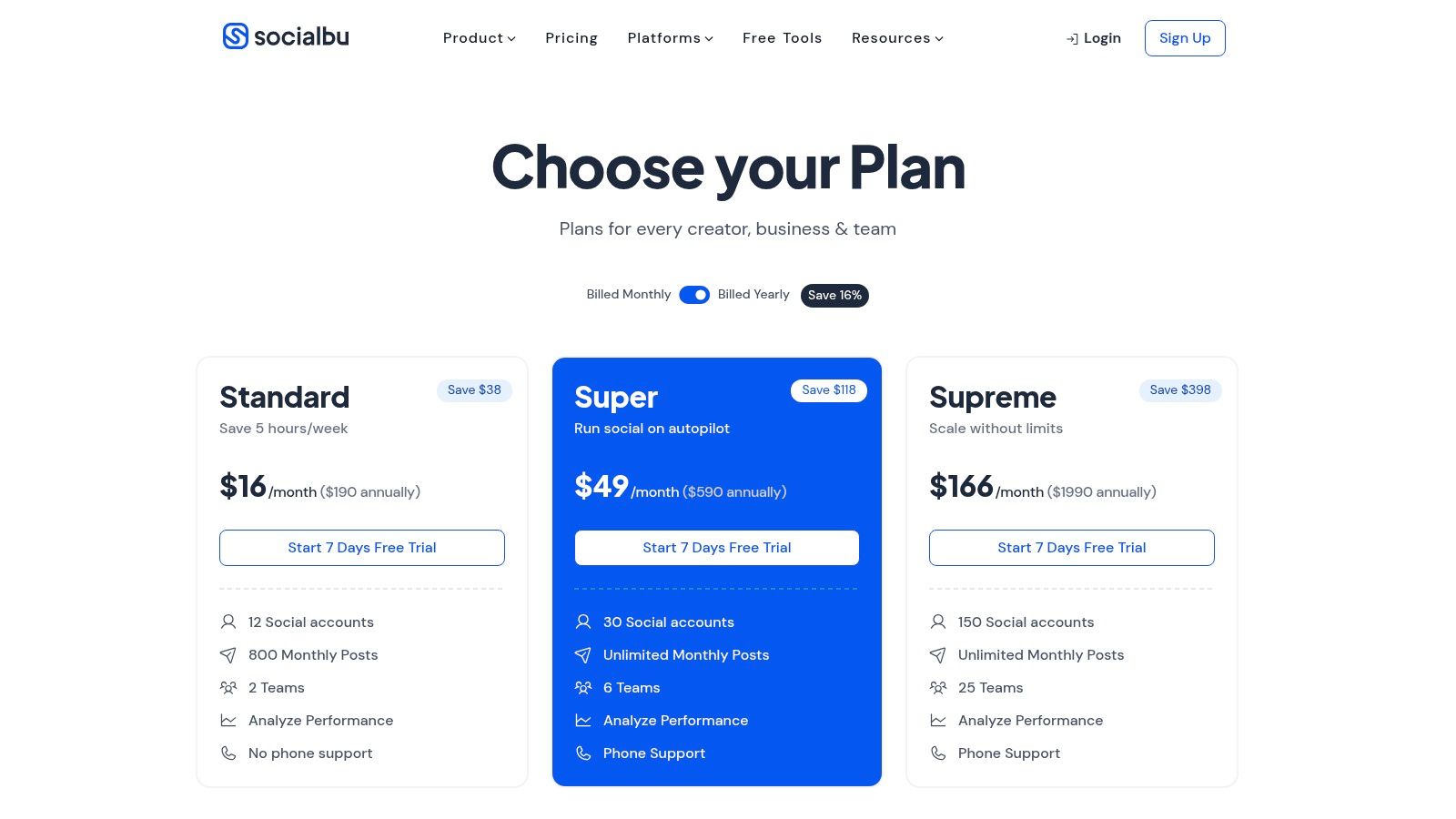
SocialBu is a versatile scheduler that stands out for early support of newer networks like Threads, Mastodon, and Bluesky. Its always-free plan covers minimal K-12 needs while offering an affordable upgrade path as school marketing demands grow.
Key Features
- New Network Integration: Schedule on Threads, Mastodon, Bluesky alongside Facebook and Twitter
- Queue and Calendar View: Drag-and-drop calendar plus simple queue management
- Content Library: Store captions, images, and approved posts for district use
- How-To Resources: Active tutorials and pricing clarity aid onboarding
Free Plan Limits
| Feature | Free Tier Limit |
|---|---|
| Connected Channels | 3 social accounts |
| Scheduled Posts per Month | 30 posts across all channels |
| Network Coverage | Threads, Mastodon, Bluesky, Facebook |
| Analytics Depth | Basic reach and engagement metrics |
Pros and Cons
| Pros | Cons |
|---|---|
| Early access to emerging networks | 30 posts/month may be tight for regular school updates |
| Clear pricing tiers and active help content | Advanced analytics and automation need paid upgrade |
Privacy and Compliance
SocialBu is GDPR compliant and uses secure OAuth connections. Schools should verify district data policies before integration.
Recommended Use Cases
- Experimenting with Threads or Mastodon for student engagement
- Centralizing approved media assets in a shared content library
- Scaling to paid tiers for advanced analytics as social strategy matures
Quick Setup Steps
- Sign up at https://socialbu.com/pricing and authorize up to three accounts.
- Create posting queues in the Calendar view for weekly school bulletins.
- Save approved graphics in the Content Library for streamlined team access.
9. Meta Business Suite (Facebook & Instagram)
Meta Business Suite is Meta’s free native management tool for Facebook Pages and Instagram Business accounts. It delivers first-party post and Reels scheduling, inbox management, and performance insights in one centralized dashboard. This platform often ranks among the best free social media management tools when schools need reliable Meta-only coverage.
Key Features
- Post and Reels scheduling from desktop and mobile
- Calendar planner with suggested optimal publish times
- Drafts, rescheduling and bulk upload options
- Inbox unified view for comments and direct messages on mobile
Free Plan Limits
| Feature | Free Tier Limit |
|---|---|
| Connected Channels | Facebook Page, Instagram Business |
| Scheduled Posts | Unlimited |
| Planner Templates | Available |
| Inbox Messages | Unlimited |
Pros and Cons
| Pros | Cons |
|---|---|
| First-party integration ensures reliable publishing | Limited to Meta platforms only |
| Unlimited scheduling and inbox management at no cost | Collaboration roles and reporting are basic |
Privacy and Compliance
Meta Business Suite is GDPR compliant and COPPA aware. School communications teams should review privacy settings and age gating before posting content targeting minors.
Recommended Use Cases
- Scheduling daily school announcements and event reminders
- Managing parent and student messages in a single inbox
- Publishing Instagram Reels to boost engagement
Quick Setup Steps
- Visit https://business.facebook.com/ and sign in with your school’s Page admin account
- Link your Instagram Business profile under Settings > Accounts
- Use the Planner calendar to set posting schedules and review Analytics insights
Learn more about using Meta Business Suite as one of the best free social media management tools for K-12 marketing.
10. Google Business Profile (Posts)
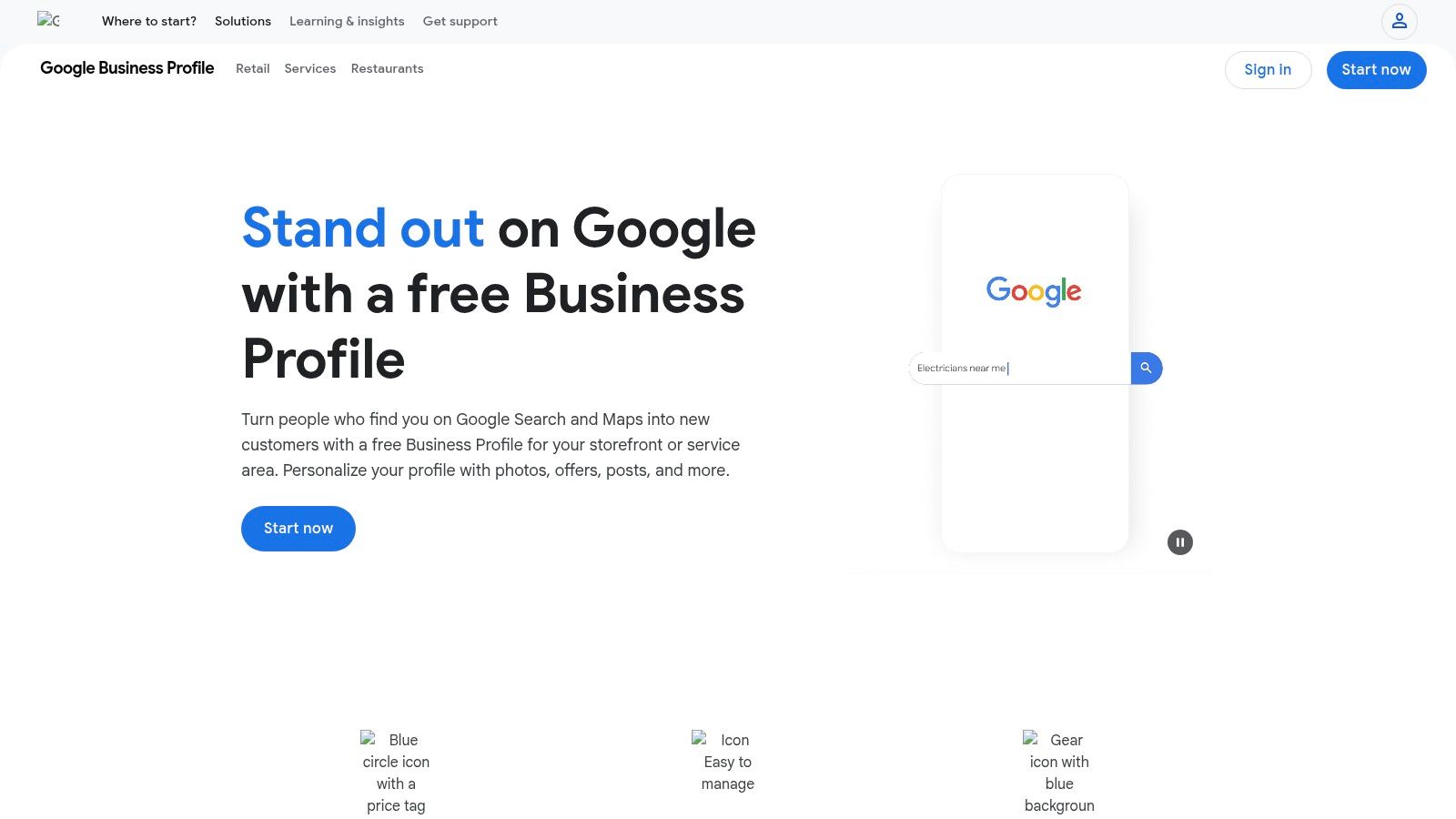
Google Business Profile Posts is Google’s free native posting capability for Business Profiles. Use Posts to create updates, offers, and events that appear in Google Search and Maps for branded queries. This complements other schedulers and improves local visibility without extra cost.
Key Features
- Native Posting & Scheduling: Draft and schedule updates directly in your Business Profile dashboard
- Search & Maps Visibility: Posts surface under your school’s name on Google Search and Maps
- Built-In Insights: Track views, clicks, and customer actions without leaving the console
Free Plan Limits
| Feature | Free Tier Limit |
|---|---|
| Connected Profiles | 1 verified Business Profile |
| Scheduled Posts | Up to 10 outstanding posts |
| Performance Metrics | Impressions, clicks, and customer actions |
| Access Requirements | Google account and Business Profile verified |
Pros and Cons
| Pros | Cons |
|---|---|
| 100% free first-party tool, no monthly fees | Limited to a single Business Profile |
| Direct search and map placement boosts local engagement | No cross-network scheduling or advanced workflows |
Privacy and Compliance
Google Business Profiles are GDPR and CCPA compliant. Schools should review district policies before granting staff access to the Business Profile.
Recommended Use Cases
- Announcing school events and enrollment deadlines
- Promoting campus tours or open house offers
- Sharing safety updates or cafeteria menus in real time
Quick Setup Steps
- Sign in or create a free account at https://www.google.com/business/
- Verify your school’s Business Profile via phone or postcard
- Navigate to “Posts,” draft an update, set dates, and publish immediately or schedule
Learn more about using Google Business Profile Posts to strengthen local search presence among the best free social media management tools.
11. Typefully
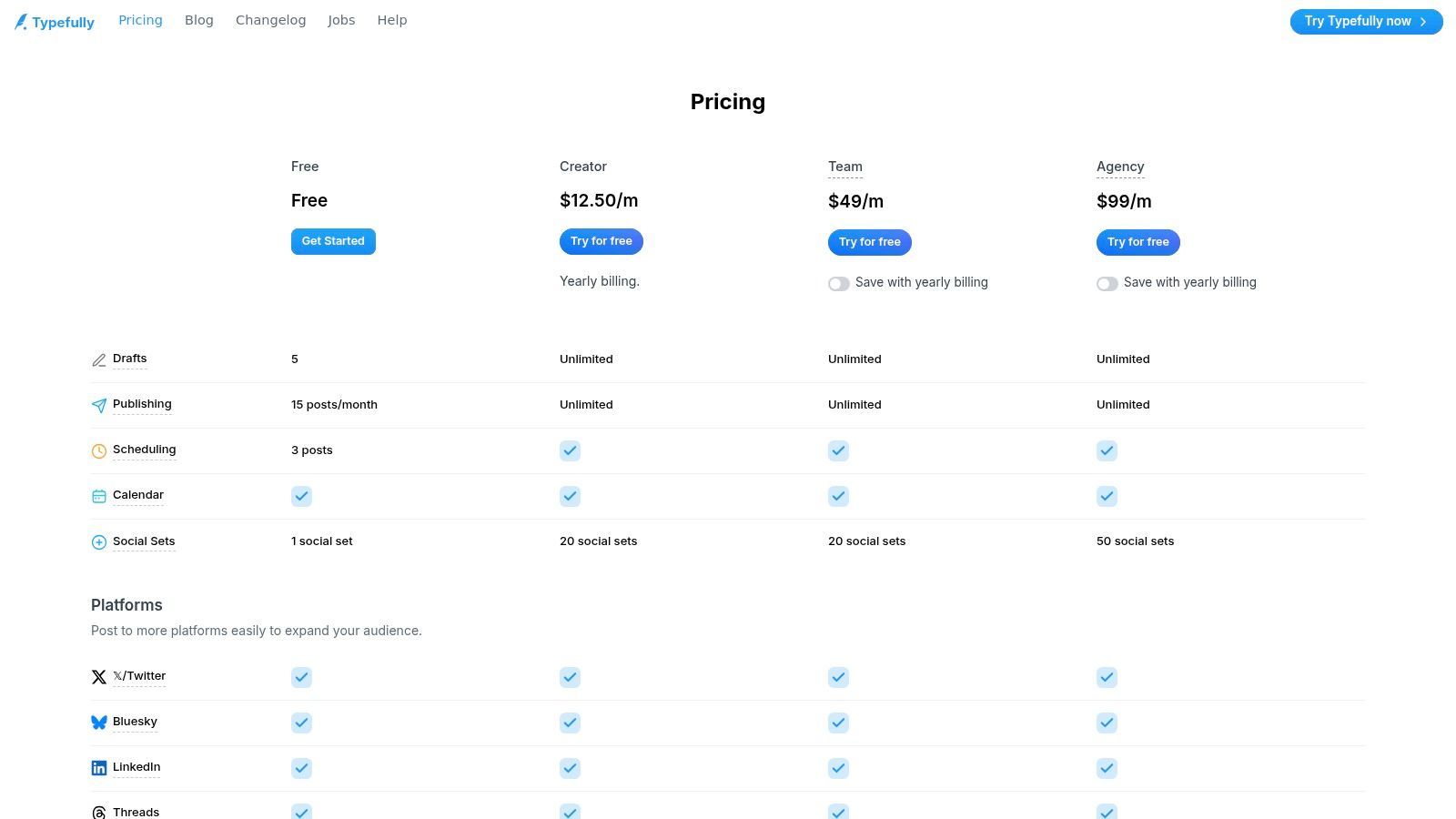
Typefully is a focused, creator-friendly scheduler with a genuine free plan aimed at X and Bluesky. It stands out in the best free social media management tools roundup by offering an exceptional thread editor and streamlined drafting experience for K-12 communicators and small school marketing teams.
Key Features
- X and Bluesky Scheduling: Plan content for two platforms in one place
- Advanced Thread Editor: Craft multi-tweet sequences with real-time preview
- Basic Scheduling: Queue up to 15 posts per month on the free tier
- Unlimited Drafts: Save, edit, and collaborate without limits
- Paid Upgrades: Unlock AI writing, multi-platform posting, and deeper analytics
Free Plan Limits
| Feature | Free Tier Limit |
|---|---|
| Connected Channels | 1 social set (X or Bluesky) |
| Scheduled Posts per Month | 15 |
| Drafts | Unlimited |
| Analytics | Basic publishing history only |
| AI Writing Assistant | Not included |
Pros and Cons
| Pros | Cons |
|---|---|
| Clean, distraction-free editor tailored for threads | No cross-posting to LinkedIn or Threads on free |
| Simple UX ideal for school announcements | Collaboration tools and analytics behind paywall |
Privacy and Compliance
Typefully is GDPR compliant and uses secure OAuth authentication. Schools should confirm district policies on third-party data sharing before connecting student accounts.
Recommended Use Cases
- Publishing daily school announcements on X
- Drafting multi-tweet threads for PTA or community events
- Training student interns on professional posting workflows
Quick Setup Steps
- Visit https://typefully.com/pricing and sign up for the free plan
- Authorize your X or Bluesky account
- Draft posts in the editor, then schedule up to 15 monthly
Learn how Typefully can simplify your school’s social strategy as part of the best free social media management tools.
12. G2 – Best Free Social Media Management Tools (category list)
G2 provides a filterable marketplace of tools offering free tiers with verified user reviews. School comm teams can quickly confirm which platforms truly offer free social media management features. Real-time grid comparisons help K-12 leaders shortlist and validate the best free social media management tools.
Key Features
- Filterable directory of social media tools with Free badges
- Verified user reviews and star ratings for real-world insights
- Side-by-side grid comparisons of features and entry-level pricing
- Direct links to vendor pages showing “entry level price: Free”
Free Plan Limits
| Feature | Free Access Limit |
|---|---|
| Site Access | Unlimited, no account needed |
| Saved Tool Lists | Up to 20 per user |
| Advanced Filters | 10 active filters per session |
| Review Contributions | 5 reviews per month |
Pros and Cons
| Pros | Cons |
|---|---|
| Comprehensive view of current free plan availability | Some listings maintained by vendors; verify |
| Aggregates niche and mainstream tools in one place | Rankings shift frequently; check recency |
Privacy and Compliance
G2 is GDPR and CCPA compliant and uses cookies to improve browsing. School teams should review district policies on third-party data before contributing reviews or sharing sensitive information.
Recommended Use Cases
- Validating which platforms still offer free tiers.
- Benchmarking feature sets across multiple free tools.
- Gathering user feedback for vendor evaluation.
Quick Setup Steps
- Visit https://www.g2.com/categories/social-media-mgmt/free
- Apply “Free” filter and select relevant tool categories.
- Save and export your shortlist to share with school stakeholders.
Top 12 Free Social Media Management Tools — Feature Comparison
| Tool | Target audience | Free plan / Price highlights | Key features (core) | Unique selling point (USP) | Main limitation |
|---|---|---|---|---|---|
| Buffer | Individuals & very small teams | Up to 3 channels; 10 scheduled posts/channel; AI assistant & basic analytics | Queue & calendar management; YouTube Shorts scheduling | Reliable, beginner‑friendly free plan; easy onboarding | Channel cap; limited advanced analytics & inbox |
| Zoho Social (Free) | Single‑brand users & privacy‑conscious teams | 1 brand / 1 user; supports 6 channels; no post cap; no card required | Publishing calendar, browser extension, mobile apps | Truly free‑forever unlimited posting for one brand | No unified inbox; limited to one brand/user |
| Later | Visual creators (IG, TikTok, Pinterest, Shorts) | Limited scheduled posts/month on free plan | Visual calendar & media library; Link in Bio; mobile/web optimized | Polished visual workflow for short‑form video | Collaboration & analytics mostly paid; tight free limits |
| Metricool | Single‑brand planners testing analytics | 1 brand; up to 20 posts/month; 30 days analytics retention | Scheduling, basic competitor analysis, ads insights | Combines scheduling + light competitor analytics on free tier | Excludes some networks; post limit; deeper reports paid |
| Publer | Beginners & solo communicators | 1 user, 1 workspace, 3 social accounts; 10 scheduled posts/account; 25 drafts | Drafts, link‑in‑bio, 24‑hr post history | Generous free tier with active development & good docs | X/Twitter requires paid tier; short analytics retention |
| Planable | Teams/agencies needing approvals | All features free but capped at 50 total created posts (lifetime) | Multi‑view planner; multi‑level approvals; feed/calendar/grid | Full collaboration & approval workflows available to trial | Lifetime post cap limits ongoing use; analytics paid |
| Pallyy | Creators & small agencies (IG/TikTok focus) | 1 social set; 15 scheduled posts/month | Fast scheduling; basic analytics | Simple, fast UI with affordable pro tiers | Minimal free tier; fewer deep analytics/listening features |
| SocialBu | Early adopters wanting new networks | Up to 3 social accounts with modest posting limits on free plan | Queues, scheduling, support for Threads/Mastodon/Bluesky | Early support for newer platforms not always available elsewhere | Tight free limits; advanced analytics/automation paid |
| Meta Business Suite | Schools using Facebook & Instagram | Free, first‑party tool for FB Pages & IG Business | Post & Reels scheduling; planner; mobile inbox | Native integration with Meta platforms; reliable publishing | Only supports Meta platforms; lighter collaboration/reporting |
| Google Business Profile (Posts) | Local schools & districts with GBP | Free native posting for Business Profiles | Create/schedule posts; shows in Search & Maps; basic insights | Improves local search visibility and conversions | Only for GBP; limited editorial/approval workflows |
| Typefully | X/Bluesky creators & thread writers | Modest monthly post cap (free tier ≈ ~15 posts depending on plan) | Best‑in‑class editor for threads; drafting & basic scheduling | Excellent composer/editor UX for X‑centric content | Narrow cross‑platform support on free plan; analytics paid |
| G2 — Free tools list | Researchers & decision‑makers comparing tools | Free to browse; shows "entry level price: Free" badges | Filterable marketplace; verified reviews; vendor links | Quick validation of which tools currently offer free tiers | Listings can be out‑of‑date or vendor‑maintained; verify vendors |
Putting These Tools into Action
As you wrap up your exploration of the best free social media management tools, keep these key insights in mind to guide your implementation in a K-12 setting.
H3: Recap of Core Benefits
“Free tiers can deliver professional scheduling and basic analytics without stretching your budget.”
Embrace the power of these platforms to:
- Centralize posts across Facebook, Instagram, Twitter and more
- Automate recurring announcements for events and school holidays
- Access privacy and compliance safeguards suited to student data
H3: Steps to Pilot and Evaluate
- Define clear goals – e.g., increase event signups by 20% or boost engagement on student projects
- Select two tools from our list that align with your needs, such as Buffer for multi-channel drafting or Metricool for in-depth metrics
- Create identical test campaigns to compare ease of scheduling and reporting
- Track reach, clicks and follower growth over a four-week window
- Hold a review session with your MarCom team to discuss what worked and what needs tweaking
H3: Choosing the Right Tool for Your School
When deciding among the best free social media management tools, weigh these factors:
- Ease of use: Look for drag-and-drop calendars and intuitive dashboards
- Compliance: Verify GDPR, COPPA and FERPA settings for protecting student privacy
- Collaboration: Prioritize platforms that let multiple approvers and reviewers
- Analytics: Check for exportable reports or in-app dashboards that match your KPI needs
- Integration: Assess how each tool links with your CMS, Google Workspace or SIS
H3: Implementation Considerations
- User permissions: Limit posting rights for student volunteers and guest contributors
- Data security: Review where and how credentials are stored
- Training resources: Leverage templates, quick-start guides and short video demos
- Workflow alignment: Integrate social posting into your content calendar and PD sessions
- Time allocation: Designate 30 minutes each week for scheduling and 15 minutes for analytics review
H3: Next Steps to Elevate Your Program
- Build a simple content calendar template in Google Sheets or Zoho Social
- Assign roles for content creation, approval and scheduling
- Pilot one tool for event promotion and another for daily engagement posts
- Set up a shared dashboard to track top-performing posts and audience feedback
Finally, remember that mastering the best free social media management tools takes time and iteration. Document what you learn, refine your process and stay open to new features as platforms evolve.
By following these action steps you can transform your school’s social channels from sporadic announcements into a cohesive, engaging presence. Every post, every metric and every team check-in moves you closer to stronger community connections and better visibility. Stay curious, stay consistent and let these tools empower your school communications.
Ready to deepen your social media expertise? Join The MarCom Society for exclusive templates, hands-on workshops and a supportive network of education marketing leaders. Discover how the best free social media management tools can work in harmony with proven strategies at The MarCom Society.